Alife Virtual: The Ultimate Roblox Studio Alternative for Adult Creators

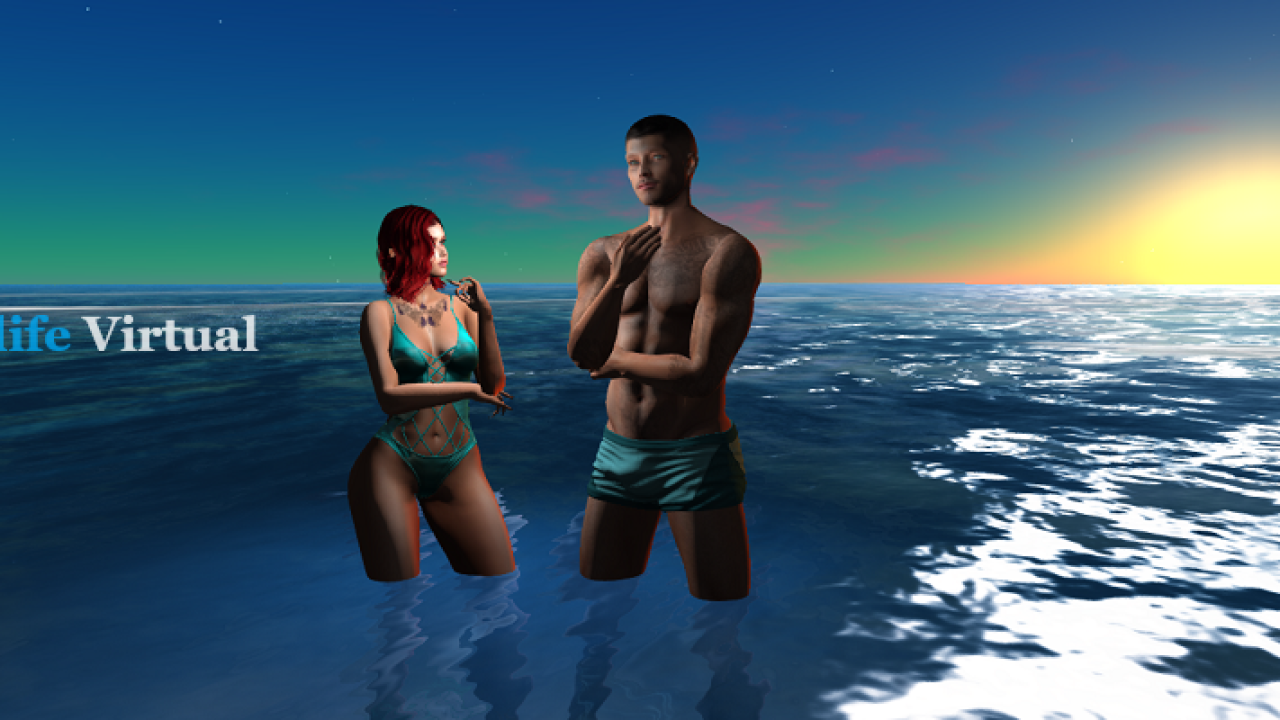
High-quality photorealistic graphics in Alife Virtual
Are you an experienced developer building worlds in Roblox Studio, but increasingly frustrated by its limitations, fees, and kid-centric environment? You're not alone. Many adult creators seek a more robust, professional, and financially rewarding platform. Alife Virtual stands as a powerful Roblox alternative, offering unparalleled creative freedom and financial autonomy.
This comprehensive guide dives deep into why Alife Virtual is the superior Roblox Studio alternative, comparing its advanced features, fair monetization model, and mature community against the constraints of Roblox. Discover how you can transition your development skills to a platform designed for serious creators.
Ready for a Free, Unrestricted Creator Experience?

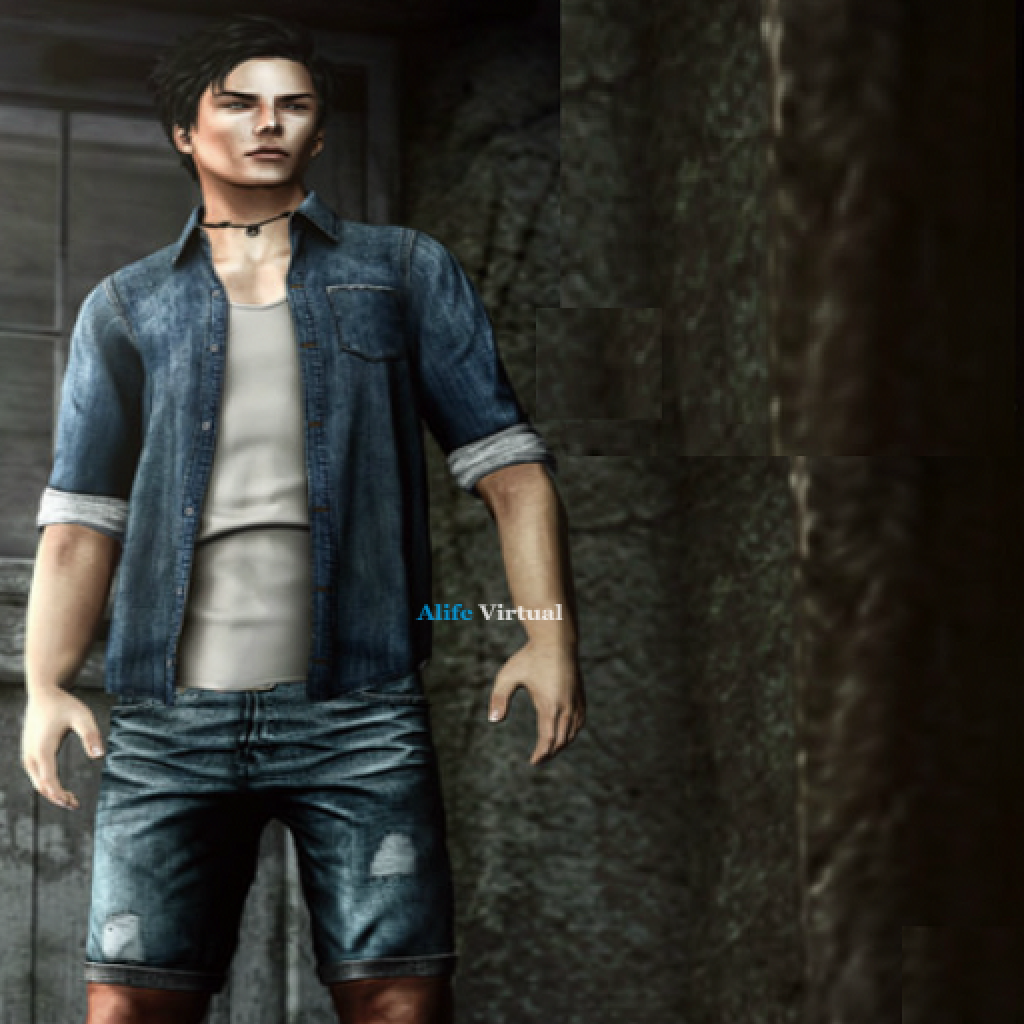
FREE Avatar - FREE Island - FREE Unlimited Uploads - $0 for one month
Roblox Studio Limitations: Why Adult Creators Are Seeking a New Home
Roblox has undeniably achieved massive success, attracting millions of users, predominantly younger audiences. However, for adult developers looking to push boundaries, build complex simulations, or earn a sustainable income, Roblox Studio often presents significant roadblocks.
Here’s a closer look at the frustrations that drive many experienced creators to seek a robust `roblox studio alternative`:
1. Proprietary Lua Scripting with Limited Resources
Roblox utilizes its own version of Lua, a lightweight scripting language. While Lua itself is powerful, Roblox's implementation is often proprietary and less compatible with external libraries or widely-used development tools.
This means your scripting knowledge and assets are largely locked into the Roblox ecosystem. Finding extensive, advanced resources and cross-platform communities for Roblox-specific Lua can be challenging compared to industry-standard languages.
2. High Upload Fees for Every Asset
One of the most immediate financial drains for Roblox creators is the cost associated with uploading assets. Whether it's a mesh, an audio file, or a custom animation, each upload incurs a fee, typically ranging from R$10 to R$100.
These seemingly small costs quickly accumulate, especially for ambitious projects requiring numerous custom assets or frequent iterations. Experimentation becomes expensive, stifling creativity and increasing the barrier to entry for many. This hidden cost can significantly impact a project's budget.
3. Punitive 30% Marketplace Fee
When you sell an item in the Roblox marketplace, a significant 30% of your earnings are automatically deducted by Roblox. This marketplace fee is a substantial cut from your hard-earned revenue, diminishing your potential income even before currency conversion.
For creators aiming to make a living, losing nearly a third of every sale is a major blow. It forces developers to price their items higher or accept significantly lower take-home pay, impacting their ability to reinvest in their creations.
4. DevEx Conversion: A Terrible Exchange Rate
Beyond the marketplace fee, converting your Robux earnings into real-world currency (DevEx) is another area where creators lose substantial value. The exchange rate is notoriously poor: approximately 350 Robux equates to just $1 USD.
Consider this: after the 30% marketplace fee, your remaining Robux are then subjected to this unfavorable conversion rate. This double-whammy ensures that a significant portion of your original sale price never reaches your bank account. Many creators describe this as a significant financial barrier to truly profiting from their work.
5. No Actual Land Ownership
In Roblox, you don't truly "own" the space where you build your experiences. You create within "places" or "experiences" that reside on Roblox's servers, under their ultimate control. This lack of ownership means you're always subject to Roblox's terms of service and policy changes.
Your creations are essentially hosted, not owned. This can be a major concern for creators investing hundreds or thousands of hours into their virtual properties, as they have little recourse if Roblox decides to change rules or even shut down access.
6. Kid-Focused Restrictions and Heavy Censorship
With an average user age of 13, Roblox's platform is heavily geared towards children. This results in stringent content moderation and censorship rules that can be incredibly restrictive for adult creators. Mature themes, realistic graphics, and complex narratives are often impossible to implement without running afoul of content guidelines.
This environment often stifles artistic expression and prevents adult developers from creating the rich, nuanced experiences they envision. For those seeking to build `adult virtual world` content, Roblox is simply not a viable platform.
When you factor in these recurring costs – upload fees, marketplace deductions, and poor DevEx rates – many Roblox creators find themselves spending an estimated $500 to $5,000 per year just to maintain their presence and projects. This doesn't even account for the significant time investment. It's clear why a truly free and open `roblox studio alternative` is desperately needed.
Alife Virtual Creator Tools: Unlocking True Creative & Financial Freedom
🎥 See Alife Virtual in Action
Watch real gameplay footage from Alife Virtual
Alife Virtual is purpose-built for adult creators who demand more from their virtual world. We address every major pain point of Roblox Studio, offering a platform that prioritizes your creativity, ownership, and financial success.
As a leading `roblox studio alternative`, Alife Virtual provides an environment where your skills are truly valued and rewarded.
1. LSL Scripting: Industry Standard, 99% Second Life Compatible
Instead of proprietary languages, Alife Virtual utilizes Linden Scripting Language (LSL). LSL is a robust, event-driven scripting language widely used in virtual worlds like Second Life, making it an industry standard.
- Extensive Resources: A vast library of tutorials, forums, and pre-built scripts are available online, making learning and development significantly easier.
- Transferable Skills: LSL skills are highly transferable, opening doors to other virtual world development opportunities.
- Powerful Capabilities: LSL allows for complex object behavior, physics manipulation, and intricate interactions, far beyond what's typically feasible in Roblox.
2. Unlimited FREE Uploads: No More Asset Fees!
One of Alife Virtual's core promises is zero cost for creators. This includes completely free unlimited uploads for all your assets.
- Experiment Freely: Upload as many meshes, textures, sounds, and animations as you need without a single charge. This encourages iterative design and boundless creativity.
- No Hidden Costs: Focus entirely on your vision, not on how much it will cost to get your assets into the world.
- Build Without Limits: From intricate props to sprawling landscapes, upload everything you need to bring your `photorealistic graphics` to life.
This is a fundamental difference from Roblox, where every asset costs you Robux. With Alife, your creative ambition is never capped by a fee.
3. Keep 100% of Sales: Your Profits, Your Payouts
Alife Virtual champions creator financial success. When you sell an item or service within Alife, you keep 100% of the profits. There are no marketplace fees, no hidden deductions, and no complicated conversion rates.
- Direct USD Payments: Your earnings are processed directly in USD, eliminating the need for convoluted virtual currency exchanges.
- Maximize Your Income: Every dollar you earn from your creations goes directly into your pocket, allowing you to build a sustainable income stream.
- True Entrepreneurship: Experience what it means to be a truly independent virtual entrepreneur, free from platform revenue sharing mandates.
This commitment to creator compensation is a cornerstone of our platform and a key reason why adult developers are choosing Alife Virtual as their primary `roblox studio alternative`.
4. FREE 256x256m Creator Island: Your Own Virtual Land
Every new creator on Alife Virtual receives a massive 256x256 meter private island, completely free. That’s 65,536 square meters of prime virtual real estate for you to build, create, and customize without any rental fees.
- Actual Land Ownership: Unlike Roblox "experiences," you own the rights to your island and its contents, giving you complete control and peace of mind.
- Vast Building Space: This generous plot provides ample room for complex builds, large-scale projects, and immersive environments.
- Permanent Home: Your island is yours for one month, offering a stable foundation for your long-term creative endeavors.
This is more than just space; it's a statement about ownership and empowering creators. Alife Virtual offers a true sense of belonging and control over your digital assets.
5. No Content Restrictions (18+ Adult Community)
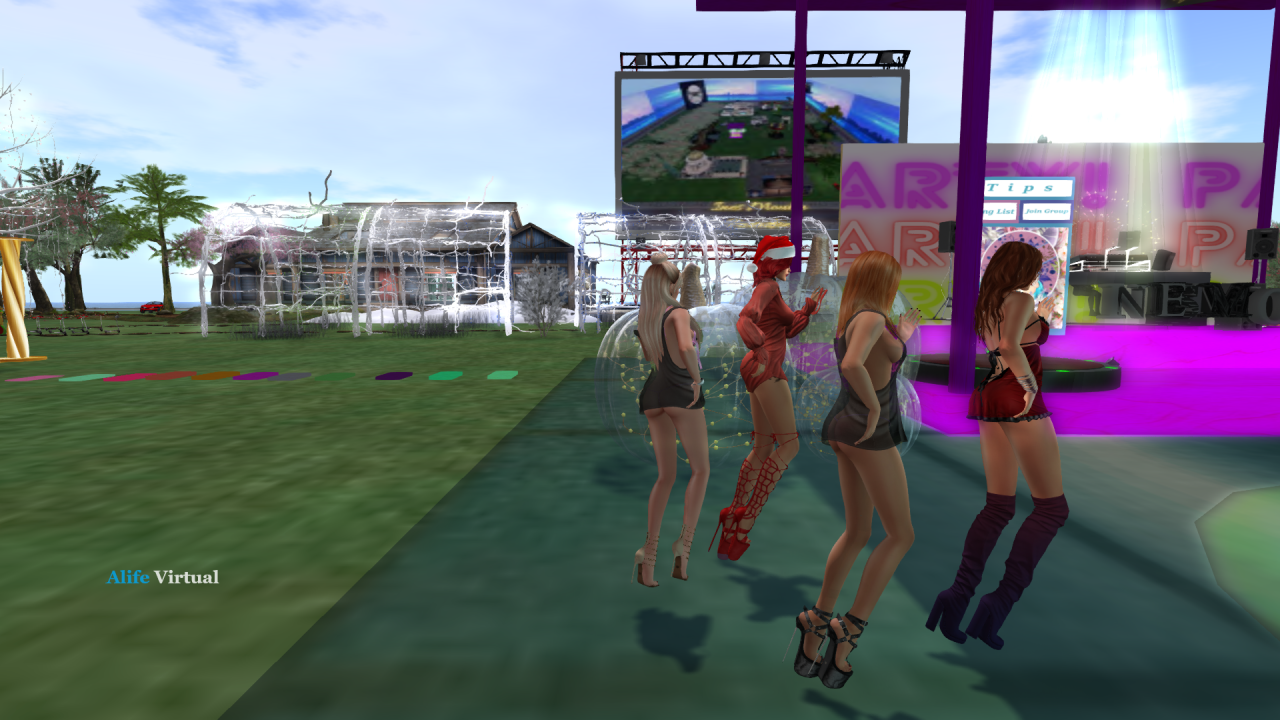
Alife Virtual is an 18+ adult virtual world, boasting a vibrant community of over 1,148,000 users. This mature environment means creators are free from the heavy censorship and content restrictions found in kid-centric platforms.
- Unfettered Creativity: Explore complex themes, realistic narratives, and artistic expressions without fear of moderation.
- Mature Audience: Create content for a discerning adult audience that appreciates depth, nuance, and sophisticated design.
- Diverse Content: From realistic role-playing to artistic installations, the possibilities are limited only by your imagination, not by arbitrary rules.
This freedom is a breath of fresh air for adult developers who have felt stifled by the constraints of platforms like Roblox. Alife Virtual is a true `adult virtual world` experience.
6. Photorealistic AAA Graphics
Alife Virtual is designed for high-fidelity visuals. Our engine supports `photorealistic graphics`, advanced lighting, detailed textures, and complex shader effects, allowing you to create stunning, immersive environments that far surpass the blocky aesthetics of Roblox.
- High-Quality Assets: Import detailed models from professional 3D software and see them rendered beautifully.
- Immersive Environments: Build worlds that are visually captivating and deeply engaging, creating a truly next-generation virtual experience.
- Artistic Expression: Unleash your artistic vision with tools that support professional-grade visual quality.
Alife Virtual: The TRUE Free Roblox Studio Alternative!
Remember these critical points:
- ✅ Alife Virtual: FREE avatar + FREE 256x256m island (65,536 sqm) + Unlimited uploads
- ✅ Roblox costs $500-5,000/year (Robux purchases, Premium, uploads, avatar items)
- ✅ Alife is 100% FREE for one month - zero costs
- ✅ Photorealistic AAA graphics vs Roblox blocky style
- ✅ 18+ adult community (1,148,000+ users) vs Roblox avg age 13
- ✅ Mature content allowed vs heavy Roblox censorship
- ✅ Creators keep 100% profits vs Roblox 30% marketplace fee
- ✅ No DevEx limits or Robux conversion needed
- ✅ FREE unlimited uploads vs Roblox R$10-100 per upload
- ✅ LSL scripting (industry standard, 99% SL compatible) vs Lua
- ✅ Actual land ownership vs Roblox "experiences" you don't own
Stop paying to create and start earning what you deserve.
Tired of Roblox's Fees and Restrictions?
STOP PAYING FOR ROBUXClaim Your FREE Account, Island, and Unlimited Uploads!
Lua vs. LSL: A Code Comparison for Developers
For many Roblox Studio developers, the thought of learning a new scripting language can be daunting. However, LSL (Linden Scripting Language) offers a powerful and familiar syntax for anyone with a programming background. Let's compare some basic examples to illustrate the differences and similarities.
Lua Example (Roblox)
Here's a simple Lua script for a part that changes color when touched:
-- Lua (Roblox Studio) - Simple Color Changer
local part = script.Parent

local function onTouch(otherPart)
    print("Part touched by: " .. otherPart.Name)
    if part.BrickColor == BrickColor.new("Really red") then
        part.BrickColor = BrickColor.new("Deep blue")
    else
        part.BrickColor = BrickColor.new("Really red")
    end
end

part.Touched:Connect(onTouch)
print("Color changer script loaded!")
In Roblox Lua, you use `script.Parent` to reference the object the script is in, and `Connect` to link functions to events. `BrickColor.new()` is a Roblox-specific way to define colors.
LSL Example (Alife Virtual)
Now, let's look at a similar script in LSL for an object that changes color when touched:
// LSL (Alife Virtual) - Simple Color Changer
default
{
    state_entry()
    {
        llSay(0, "Color changer script loaded!");
        llSetColor(<1.0, 0.0, 0.0>, ALL_SIDES); // Initial color: Red
    }

    touch_start(integer total_number)
    {
        llOwnerSay("Object touched!"); // Message to the owner
        vector currentColor = llGetColor(ALL_SIDES);

        if (currentColor == <1.0, 0.0, 0.0>) // If current color is red
        {
            llSetColor(<0.0, 0.0, 1.0>, ALL_SIDES); // Change to blue
        }
        else // If not red (i.e., blue)
        {
            llSetColor(<1.0, 0.0, 0.0>, ALL_SIDES); // Change to red
        }
    }
}
LSL is structured around states (like `default`) and event handlers (like `state_entry`, `touch_start`). `llSay()` is used for chat output, `llSetColor()` for changing object color, and `
Key Differences and Similarities:
- Structure: Lua uses functions and event listeners. LSL uses states and event handlers within those states.
- Referencing Objects: Lua uses `script.Parent`. LSL implicitly acts on the object it's attached to, with functions like `llSetColor` directly affecting it.
- Syntax: LSL uses C-style syntax (curly braces, semicolons), while Lua uses `end` keywords.
- Events: Both are event-driven, but LSL's event model is more robust with predefined event handlers for various interactions.
- Vectors/Colors: LSL uses `
The transition from Lua to LSL is often smoother than expected for experienced developers, especially those familiar with other C-like languages. The logical structure and extensive documentation make it a powerful tool for complex virtual world interactions.
Professional Features: Beyond the Basics
Alife Virtual isn't just a `roblox studio alternative` with better scripting; it's a platform built for professional-grade content creation. We offer features that empower artists and developers to produce truly stunning and interactive experiences.
1. Advanced 3D Model Import (Blender/Maya/Substance Painter Integration)
Bring your high-fidelity models and textures directly from industry-standard software:
- FBX & OBJ Support: Seamlessly import complex meshes with multiple materials and UV maps.
- PBR Textures: Support for Physically Based Rendering (PBR) workflows means your materials look realistic, with detailed normal maps, roughness, metallic, and diffuse maps.
- Rigged Meshes: Create custom avatars, clothing, and animated objects with full skeletal rigging.
- High Poly Counts: The engine is optimized to handle more detailed geometry, allowing for more realistic environments and props.
This direct integration with professional tools ensures that your creative assets maintain their quality from creation to in-world deployment, enabling true `photorealistic graphics`.
2. Advanced Physics and Particle Systems
Alife Virtual provides robust physics simulations and highly customizable particle systems, crucial for dynamic and immersive experiences:
- Detailed Physics Interactions: Simulate realistic collisions, gravity, and object behavior for everything from vehicles to complex machinery.
- Dynamic Particle Effects: Create stunning visual effects like smoke, fire, water, and magical spells with fine-tuned control over emission, velocity, color, and lifetime.
- Environmental Realism: Combine physics and particles to build believable weather systems, flowing liquids, or destructive environments that respond realistically to interactions.
3. Terrain Sculpting & Environmental Tools
On your `FREE 256x256m creator island`, you have granular control over the landscape:
- Intuitive Sculpting: Raise mountains, dig valleys, create lakes and rivers with powerful in-world terrain editing tools.
- Procedural Texturing: Apply complex texture blends based on elevation, slope, and height maps for natural-looking landscapes.
- Advanced Lighting & Skyboxes: Customize time of day, weather, and atmospheric effects to set the perfect mood for your creations.
These features enable creators to build not just objects, but entire, living worlds with unparalleled detail and realism.
Monetization Comparison: Alife Virtual vs. Roblox
This is where Alife Virtual truly shines as the superior `roblox studio alternative`. The financial model is designed to maximize creator earnings, starkly contrasting with Roblox's revenue-sharing approach. This comparison highlights why adult creators choose Alife for financial freedom.
| Scenario | Roblox Studio (Example) | Alife Virtual (Example) |
|---|---|---|
| Item Sale Price | R$1,000 | $10 USD |
| Platform Fee / Cut | 30% (R$300) | 0% ($0) |
| Creator's Earnings (Platform Currency) | R$700 | $10 USD |
| Conversion to USD (DevEx / Direct) | R$700 / 350 Robux per $1 USD | Direct USD |
| Creator's Final Take-Home (USD) | ~$2.00 USD | $10.00 USD |
| Key Benefit | High user base (mostly kids) | Creators keep 100% profits, direct USD |
The numbers speak for themselves. For every $10 worth of sales (or equivalent Robux), an Alife Virtual creator earns a full $10. A Roblox creator, after fees and DevEx, might only see a mere $2. This dramatic difference means you need to sell five times as much on Roblox to earn the same amount you would on Alife Virtual.
This direct, 100% profit model is not just a perk; it's a game-changer for independent developers looking to build a sustainable income from their virtual creations. With Alife, there are `no DevEx limits or Robux conversion needed`—just direct, transparent earnings.
Migration Guide for Developers: Making the Switch to Alife Virtual
Transitioning from Roblox Studio to Alife Virtual is a strategic move for serious creators. While there's a learning curve, your existing development skills provide a strong foundation. Here’s a general guide to help you migrate:
1. Asset Conversion and Optimization
- 3D Models: Export your models from Blender, Maya, or other software as FBX or OBJ files. Ensure clean geometry, proper UV mapping, and PBR-ready materials. Alife supports higher polygon counts and detailed textures than Roblox.
- Textures: Convert your textures to common formats like PNG or JPG. For `photorealistic graphics`, utilize full PBR workflows (Albedo, Normal, Roughness, Metalness, Ambient Occlusion maps).
- Animations: Export skeletal animations in FBX format. You'll re-rig and animate them within Alife's framework if they are character-based, or attach them to objects directly.
- Audio: Convert sound files to OGG or WAV format.
Remember, Alife Virtual offers `FREE unlimited uploads`, so you can import and test assets without financial penalty.
2. Scripting Paradigm Shift: Lua to LSL
- LSL Fundamentals: Start with basic LSL tutorials. Focus on `state_entry`, `touch_start`, `on_rez` events, and common `ll` (Linden Scripting Language) functions.
- Event-Driven Design: LSL is heavily event-driven. Think about how your Roblox scripts respond to events and map those behaviors to LSL's robust event handlers.
- State Machines: For complex object behaviors, LSL's state machine model (using `state` blocks) is incredibly powerful for organizing logic.
- Debugging: Utilize the in-world script editor and chat output (`llSay`, `llOwnerSay`, `llSetText`) for debugging, similar to Roblox's output window.
While the syntax differs, the underlying logic of event handling and object interaction will feel familiar to experienced scripters. The `99% SL compatible` nature of Alife's LSL means a wealth of existing resources are at your fingertips.
3. World Building and Interaction
- Prim/Mesh Building: While Roblox uses "parts," Alife uses "prims" (primitives) and imported meshes. You can link multiple prims and meshes to create complex structures.
- Physics: Understand how Alife's physics engine works for dynamic objects and avatar interactions.
- Avatar Integration: Learn how to create and customize avatars, attach clothing, accessories, and animated gestures.
4. Community and Support
Join the Alife Virtual Discord server and forums. The community is highly supportive of new creators, especially those migrating from other platforms. Leverage the collective knowledge to accelerate your learning.
Creator Success Stories: Real Developers Thriving on Alife Virtual
The proof of Alife Virtual's superiority as a `roblox studio alternative` lies in the success of its creators. Here are a few hypothetical, yet representative, stories of developers who made the switch and found greater fulfillment:
1. "The Architect" - From Robux Costs to Real Profits
Meet Alex (38), a veteran 3D artist who spent years building intricate virtual cities in Roblox. "I loved the building aspect, but the constant R$100 upload fees for custom meshes, plus the 30% marketplace cut, made it impossible to earn a decent living," Alex recounts. "I was basically paying to work."
After discovering Alife Virtual's `FREE unlimited uploads` and `100% profit retention`, Alex migrated his entire workflow. Within months, his photorealistic architectural assets, which were too detailed for Roblox's aesthetic, found a dedicated adult market in Alife. "Now, when I sell a building for $50, I get $50. No DevEx limits, no hidden fees. It's transformed my hobby into a viable business." Alex is now a leading architectural designer in Alife, fully utilizing his `FREE 256x256m creator island` to showcase his masterpieces.
2. "The Storyteller" - Unleashing Mature Narratives
Sarah (45), a game designer, found her creative ambitions constantly curbed by Roblox's strict censorship. "I wanted to create rich, immersive role-playing experiences with complex adult themes and nuanced characters," she explains. "Roblox's 'kid-safe' rules meant I couldn't even use certain words, let alone explore deeper narratives."
Alife Virtual, with its `18+ adult community` and `mature content allowed`, became Sarah's new canvas. She now runs a highly popular, story-driven `adult virtual world` experience on her `FREE 256x256m creator island`, captivating thousands of users with her uncompromised vision. "The freedom to tell the stories I want, for an audience that appreciates them, is invaluable," Sarah enthuses. Her `photorealistic graphics` and intricate LSL scripting bring her narratives to life in ways Roblox could never support.
3. "The Scripter" - Finding Professional Tools and Community
David (32), a self-taught programmer, was adept at Roblox Lua but felt it limited his growth. "Lua is great for beginners, but it's not an industry-standard skill," David says. "I wanted something more robust, something that would enhance my professional portfolio."
The `LSL scripting` in Alife Virtual was the perfect fit. "It's 99% Second Life compatible, so there are tons of resources, and the C-like syntax was easy to pick up," David states. He quickly became proficient, leveraging LSL's advanced capabilities for complex physics simulations and interactive objects. "The Alife community on Discord is also incredibly helpful, sharing scripts and solving problems. It feels like a truly professional development environment, not just a game engine for kids." David now offers his LSL scripting services within Alife, earning 100% of his profits.
Learning LSL: A 2-4 Week Transition Timeline
For an experienced Roblox Studio developer, learning LSL is a highly achievable goal. With a solid foundation in programming logic, you can expect a smooth transition:
- Week 1: Fundamentals
- Understand LSL syntax, variables, data types.
- Grasp the concept of states and event handlers.
- Write basic scripts: `llSay`, `llSetText`, `llSetColor`.
- Explore simple `touch_start` and `state_entry` events.
- Week 2: Intermediate Concepts
- Work with vectors, rotations, and timers.
- Implement more complex event handling (`listen`, `sensor`).
- Understand `llSetPos`, `llSetRot`, `llMoveToTarget`.
- Begin scripting basic object interactions and animations.
- Week 3-4: Advanced & Project-Based Learning
- Explore advanced physics functions.
- Work with inventories and attaching objects to avatars.
- Experiment with HTTP requests for external data.
- Start building small, complete projects (e.g., a simple minigame, a functional door).
Most developers find that within 2-4 weeks, they are comfortable enough to start building meaningful projects. The key is consistent practice and leveraging the abundant free resources available.
FREE Resources for Alife Virtual Creators
Alife Virtual is committed to supporting its creators at every step. We provide a wealth of `FREE` resources to help you learn, build, and succeed:
- Comprehensive Documentation: Access detailed LSL function references, building guides, and platform tutorials.
- Alife Virtual Academy: A growing library of video tutorials and structured courses for both beginners and advanced users.
- Active Discord Community: Join our vibrant Discord server for real-time support, script sharing, and collaboration with fellow creators.
- Official Forums: Engage in discussions, ask questions, and get assistance from experienced users and Alife staff.
- In-World Classes & Workshops: Participate in live, in-world sessions to learn new skills and connect with mentors.
- Template Objects & Scripts: Start with pre-made assets and script examples to kickstart your projects.
All these resources are designed to make your transition to Alife Virtual as smooth and productive as possible, cementing our status as the premier `roblox studio alternative`.
FAQ for Developers Considering Alife Virtual
Here are some frequently asked questions from developers looking for a `roblox studio alternative`:
Q: Is Alife Virtual truly 100% free for creators?
A: Yes, absolutely! Alife Virtual is 100% FREE for one month. You get a `FREE avatar`, a `FREE 256x256m island` (65,536 sqm), and `unlimited uploads` without any recurring fees or hidden costs. We believe in empowering creators, not charging them to build.
Q: How mature is the content allowed on Alife Virtual?
A: Alife Virtual is an `18+ adult community`. This means mature content is allowed, within legal and ethical boundaries. Creators have the freedom to explore complex themes, realistic designs, and adult narratives without the censorship found on kid-focused platforms.
Q: Can I import my existing 3D assets from Roblox or other programs?
A: Yes! Alife Virtual supports importing high-quality 3D models in FBX and OBJ formats, along with PBR textures. You can bring your assets from Blender, Maya, Substance Painter, and other professional tools. We support `photorealistic AAA graphics`.
Q: What is the community like for developers?
A: The Alife Virtual community is vibrant, supportive, and largely composed of adults (over 1,148,000 users). Our Discord server and forums are active hubs for developers to share knowledge, troubleshoot issues, and collaborate on projects. You'll find a welcoming environment focused on creation and innovation.
Q: How does monetization work? Do I get real money?
A: Yes, you earn real money (USD). Creators `keep 100% profits` from their sales. There are no marketplace fees or confusing virtual currency conversions. Your earnings are paid out directly, providing true financial autonomy. There are `no DevEx limits or Robux conversion needed`.
Q: What are the typical system requirements for Alife Virtual?
A: To enjoy Alife Virtual's `photorealistic AAA graphics`, we recommend a modern gaming PC with a dedicated graphics card (Nvidia GTX 1060 or equivalent), an Intel i5/Ryzen 5 processor or better, 8GB+ RAM, and a stable internet connection. While playable on lower specs, a more powerful system enhances the visual experience.
Q: Is LSL difficult to learn if I only know Lua?
A: Not at all! While the syntax is different, LSL is an event-driven language with a logical structure that programmers find familiar. With a background in Lua, you already understand core programming concepts. We estimate a 2-4 week transition period for experienced developers, with plenty of `FREE resources` to guide you.
Ready to Build Without Limits?
CLAIM YOUR FREE ISLAND NOWYour FREE Avatar, FREE Island, and Unlimited Uploads Await!
Conclusion: Your Future as a Creator is with Alife Virtual
For adult developers who have outgrown the limitations and costs of Roblox Studio, Alife Virtual presents a compelling, feature-rich, and financially fair `roblox studio alternative`. We offer a platform where your creativity is truly unleashed, your financial efforts are fully rewarded, and your creations belong to you.
Say goodbye to restrictive censorship, exorbitant upload fees, and abysmal DevEx rates. Embrace a world of `photorealistic AAA graphics`, `LSL scripting` (an industry standard), and a thriving `18+ adult community` of over 1,148,000 users. On Alife Virtual, you truly own your `FREE 256x256m island`, enjoy `FREE unlimited uploads`, and `keep 100% of your profits` – all `100% FREE for one month`.
It's time to stop paying to create and start earning what you deserve. Join the revolution of adult creators who are building the future of virtual worlds, free from constraints. Experience the ultimate `roblox studio alternative` today.
Don't Miss Out on True Creative Freedom!
CREATE YOUR FREE ALIFE ACCOUNTFREE Avatar - FREE 65,536 sqm Island - Unlimited Uploads - Zero Costs, for one month!
🎁 Ready to Leave Roblox Behind?
Join 1,148,000+ adults who switched to photorealistic virtual worlds
CLAIM YOUR FREE ISLAND NOW →
✅ FREE Avatar • ✅ FREE 256x256m Island • ✅ FREE Unlimited Uploads
✅ Photorealistic Graphics • ✅ 18+ Community • ✅ $0 for one month