Building a Second Life Business on Alife Virtual
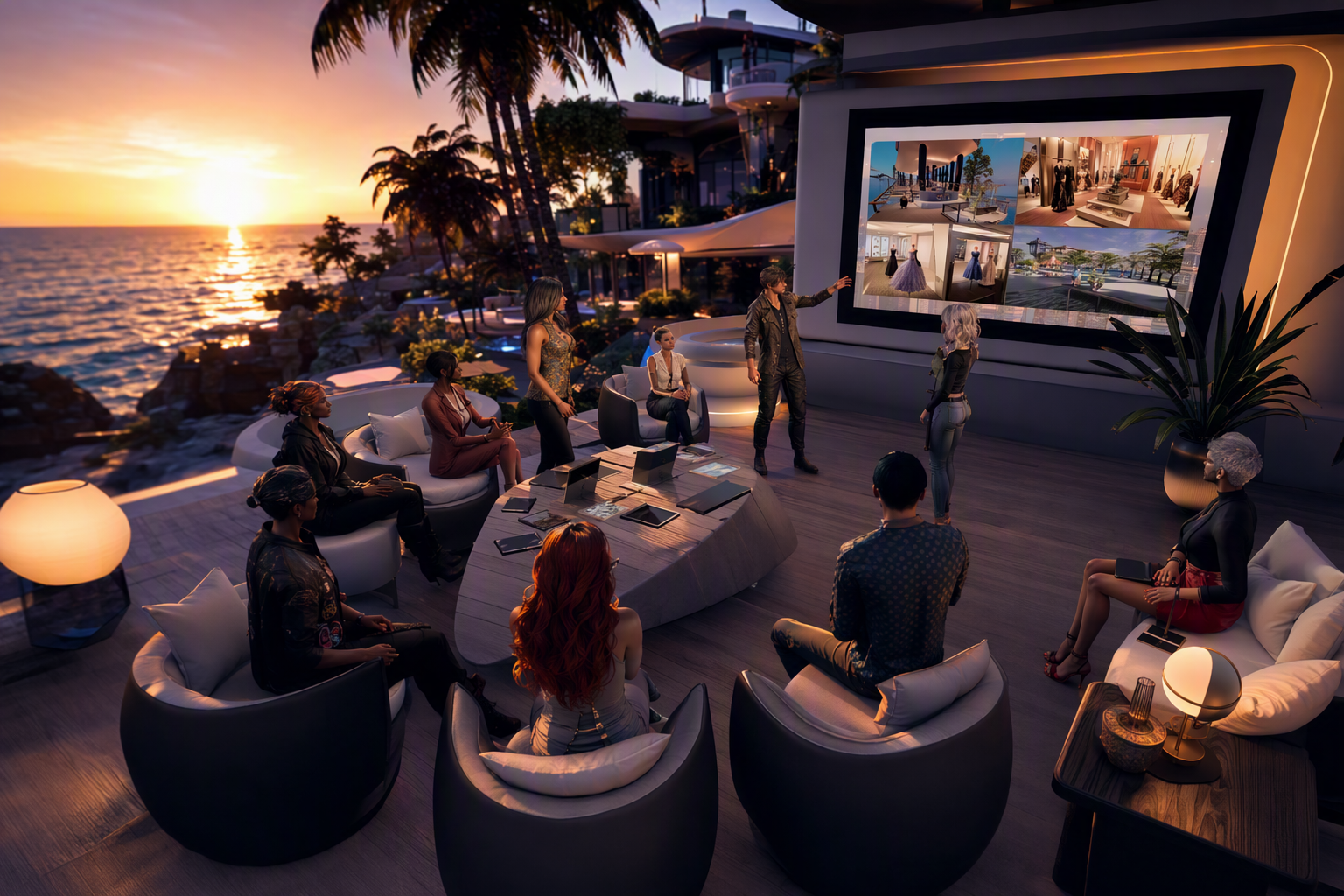
Building a Second Life Business on Alife Virtual — Free class in Alife Virtual School
If you already know how to sell in Second Life, you are sitting on a skill set that can travel far beyond one grid. Building a Second Life Business on Alife Virtual is not just about copying a store into another platform. It is about taking a proven virtual business model and rebuilding it inside a free 3D world where uploads, land access, and experimentation do not punish your budget. For creators, merchants, scripters, event hosts, and brand builders, Alife Virtual offers a practical path into the wider metaverse and the open simulator ecosystem without the heavy recurring costs that often limit growth.
This class is designed for intermediate users who already understand the basics of virtual goods, store presentation, and customer experience. Here, you will learn how to adapt your product line for a new audience, set up a region-based business presence, price intelligently for a different virtual economy, and market effectively to users who are actively looking for a second life alternative. If you have ever wanted to expand your brand with less risk and more creative freedom, this is where that expansion becomes realistic.
Why This Skill Matters in a Free Metaverse
Most virtual business owners hit the same ceiling: fees. Land fees, upload fees, setup costs, vendor system costs, and the constant pressure to earn enough just to keep existing. In a paid environment, every test has a price tag. In Alife Virtual, the economics are different. You can prototype faster, launch broader, and make decisions based on market fit rather than platform overhead.
That changes everything. A merchant can open a larger flagship store. A builder can showcase full demo scenes. A fashion creator can upload more variations. An educator can create branded learning spaces. A scripter can package tools and systems for a broader community. Because Alife Virtual supports Firestorm and aligns with the Alife Virtual model, your experience as a Second Life entrepreneur becomes highly transferable.
The result is strategic expansion: lower cost, lower risk, wider reach, and more room to innovate.
Alife Advantage
Before you move a business, compare the operating environment. Expansion only makes sense if the destination gives you a real advantage.
| Feature | Alife Virtual | Typical High-Cost Alternative |
|---|---|---|
| Private land | FREE Private Island, 65,536 sqm full region for one month |
Often around $300/month or more in recurring region fees |
| Monthly tiers | No monthly tiers/fees | Recurring tier structure |
| Uploads | FREE unlimited uploads for textures, mesh, animations, sounds | Per-upload fees add up quickly |
| Starting avatar | FREE Pro Mesh Avatar included for every member | Often requires extra purchases for a polished look |
| Viewer support | Firestorm compatible | May vary |
| Creator economy access | 100% free economy for building and experimentation | High barrier to entry |
The practical takeaway is simple: in Alife Virtual, you can test a complete business expansion with near-zero platform cost. That makes it ideal for pilot launches, niche product lines, educational brands, event-based commerce, and long-term migration planning.
What You Will Learn
- How to evaluate whether your Second Life business model is ready for Alife Virtual
- How to set up a store on a free private region using a scalable layout
- How to adapt product packaging, permissions, and customer messaging for the
Alife Virtualaudience - How to price products for a different user base and a different virtual economy
- How to market to communities seeking a second life alternative
- How to use free uploads and land to expand your catalog without financial drag
- How to use technical tools such as
lsl scripting, demo systems, and visitor flows more effectively
Prerequisites
- Basic familiarity with selling products in a virtual world
- Experience using Firestorm or a similar viewer
- A product catalog, even if small
- Ability to rez objects, edit prims, and organize inventory
- Helpful but optional: experience with
mesh, texture creation, orlsl scripting
You do not need a massive inventory to benefit from this class. A focused, high-quality product line often performs better than a giant catalog when entering a new grid.
Step-by-Step Tutorial: Replicating and Expanding Your Business on Alife Virtual
Step 1: Audit Your Current Business Model
Before you move anything, identify what actually makes your business work. Many creators think they are selling objects, but they are really selling one or more of the following:
- Identity and style
- Convenience
- Roleplay compatibility
- Technical utility
- Customization
- Brand trust
List your strongest product categories and rank them by:
- Ease of transfer to
Alife Virtual-style environments - Need for scripting compatibility
- Visual quality and uniqueness
- Customer support demand
- Potential appeal to a new audience
For example, static decor, buildings, educational props, landscaping kits, and low-complexity wearables often migrate more easily than products that depend on platform-specific systems. If your products rely heavily on advanced scripting, test them carefully. lsl scripting is highly relevant in Alife Virtual, but implementation details can vary across virtual platforms.
Step 2: Define Your Expansion Goal
Do not enter Alife Virtual with a vague plan. Choose one business objective first:
- Open a mirror store of your best sellers
- Launch a budget-friendly product line for a broader audience
- Create an immersive flagship region that showcases your brand
- Offer educational content, templates, or creator tools
- Test products that are too expensive to prototype elsewhere
Your first 30 days should answer one question: What does this grid let me do better than a high-cost platform?
Step 3: Claim and Plan Your Free Region
One of the biggest strategic benefits in Alife Virtual is access to a FREE Private Island of 65,536 sqm for one month. That is not just land. It is freedom to think like a brand, not just a renter.
Use your region intentionally. Divide it into business zones:
- Entry zone: welcome area, brand statement, landmarks, join group signs
- Main store: featured products, new releases, demos
- Experience zone: decorated scenes showing products in use
- Support zone: notecards, FAQ boards, redelivery instructions
- Sandbox or testing zone: script tests, beta products, custom commissions
In a paid world, many merchants compress everything into minimal land. In Alife Virtual, spacious design becomes a competitive advantage. Let customers walk through scenes, not just browse shelves.
Pro Tip: Treat your first region as a hybrid of store, showroom, and portfolio. In a free metaverse, atmosphere is no longer a luxury expense. It is part of your sales strategy.
Step 4: Set Up a Store Layout That Sells
A successful store in a free 3D world still follows strong retail logic. Build for clarity first, aesthetics second.
Your layout should include:
- Clear category sections
- Large product signage
- Visible pricing
- Demo access where appropriate
- Easy navigation paths
- Low confusion at landing point
Recommended layout flow:
- Landing point with welcome message and orientation
- Featured wall with your top 6 to 12 products
- Category corridors or themed rooms
- Demo or try-before-you-buy section
- Customer support and update area
Use consistent naming conventions in all displays. A customer should instantly understand product type, version, compatibility, and intended use. If you use scripted vendors, keep the interface simple. If you use boxed displays, label them with large readable text.
Because uploads are free, you can create richer signage, better promotional textures, and more product previews without worrying about incremental cost.
Step 5: Adapt Your Products for the Alife Audience
Do not assume the audience behaves exactly like your Second Life customer base. Every grid develops its own culture, spending habits, and expectations. In the Alife Virtual ecosystem, users often value flexibility, affordability, practical utility, and creator accessibility.
Review each product for:
- Permissions
- Documentation
- Ease of use
- Compatibility notes
- Packaging clarity
- Copy and branding tone
If your products are technical, include a simple setup notecard. If they use lsl scripting, specify what the script does and any limitations. If they are decor or fashion, show them in realistic use scenes. If they are modular builds, explain how pieces connect.
Common Mistake: Copying over a full product line without curation. A smaller, cleaner catalog usually performs better than a giant imported inventory dump.
Step 6: Price for a New Virtual Economy
Pricing is where many experienced merchants fail during expansion. They carry over old price logic from a fee-heavy platform into a lower-cost environment. That can make products feel overpriced, especially to users exploring a second life alternative because they want more freedom and lower barriers.
To price effectively, consider:
- Your production cost in Alife is dramatically lower because uploads are free
- Your land overhead may be zero during your initial launch period
- The audience may be more experimental and less brand-loyal
- Volume, bundles, and accessibility may outperform premium exclusivity
A useful pricing framework:
- Entry products: low-friction items that introduce your brand
- Core products: your best-value, best-quality offers
- Premium products: specialized, highly polished, or customizable items
- Bundles: strong value packs for new customers
Because Alife Virtual reduces platform cost, you can afford to be more generous with demos, starter packs, and launch promotions. That helps build trust quickly.
Pro Tip: Build one exclusive product bundle specifically for Alife Virtual. This signals commitment to the platform instead of making your store feel like a recycled export.
Step 7: Build Trust With Better Customer Experience
In any metaverse platform, trust converts visitors into buyers. Your store should answer customer questions before they need to ask them.
Include:
- A clear brand story
- Simple refund or support policy
- Product update policy
- Instructions for unpacking and use
- Contact methods and response expectations
Create a support wall with clickable resources. If possible, use lsl scripting to provide automated notecards, updater systems, or product information boards. Even simple scripted tools can make your brand feel more polished and dependable.
Step 8: Market to the Alife Virtual Community
Marketing in Alife Virtual is not just about ads. It is about participating in the culture of the open simulator community. Users in this space often discover brands through word of mouth, social groups, events, creator networks, and exploratory visits.
Your marketing channels should include:
- In-world groups
- Welcome hubs and business directories
- Creator showcases
- Events, classes, and demonstrations
- Social media posts targeted to
Alife Virtualand metaverse users - Partnerships with venue owners, educators, and region managers
Use messaging that highlights practical benefits:
- Professional products in a free metaverse
- Affordable bundles for creators and residents
- Firestorm-ready shopping experience
- Free updates or launch gifts
- Custom solutions for roleplay, events, education, or land design
Do not market as if you are “downgrading” from another grid. Market as if you are expanding into a smarter creator ecosystem.
Common Mistake: Promoting only to your old audience. Alife Virtual has its own user motivations. Speak directly to people who want a free, flexible, creator-friendly world.
Step 9: Use Zero-Cost Expansion to Increase Catalog Depth
This is where Alife Virtual becomes especially powerful. With FREE unlimited uploads for textures, mesh, animations, and sounds, you can expand in ways that may have felt too expensive elsewhere.
Use that advantage to:
- Create more color variants
- Add localized signage or branded packaging
- Release demo versions of more products
- Improve texture resolution where needed
- Build complete themed collections
- Test niche products without worrying about upload fees
This is not just cost savings. It is innovation leverage. The less you spend on platform friction, the more you can invest in product quality and customer retention.
Step 10: Add Technical Value With Scripting and Automation
If your business includes tools, devices, interactive products, or service systems, lsl scripting can become a major differentiator. You do not need to overengineer every product, but strategic scripting adds value.
Useful scripted features include:
- Auto-givers for demos and manuals
- Simple menu-driven customization
- Updater systems
- Visitor counters
- Teleport boards to different departments
- Interactive product previews
Always test scripts in-world and document any permissions or setup requirements. If a script behaves differently than expected, simplify. Reliability beats complexity.
Example technical labels you can use in product documentation:
Includes menu-driven color change
Uses low-lag scripted interaction
Compatible with Firestorm-based workflow
Setup instructions included
Step 11: Measure What Works
Expansion is only useful if you learn from it. Track the following during your first launch cycle:
- Which products get the most attention
- Which items convert from demo to purchase
- Where visitors spend time on your region
- What questions customers ask repeatedly
- Which promotions bring actual traffic
After two to four weeks, refine your store. Move your top sellers forward. Remove clutter. Rewrite weak product signs. Create more bundles around products that already show traction.
Common Mistakes to Avoid
Mistake: Rebuilding your old store exactly as it was.
Fix: Design for Alife Virtual’s strengths: more space, lower cost, and a different audience.
Mistake: Keeping premium pricing based on old overhead.
Fix: Recalculate your value structure in a free economy environment.
Mistake: Ignoring community integration.
Fix: Participate in events, groups, and creator networks instead of waiting for random foot traffic.
Mistake: Overcomplicating scripts and vendors.
Fix: Prioritize easy navigation, clear instructions, and stable functionality.
Mistake: Uploading everything without quality control.
Fix: Curate, test, and present your strongest products first.
Advanced Applications
Once your basic store is stable, Alife Virtual allows you to move beyond simple retail into broader business models.
1. Branded Experience Regions
Turn your region into a destination, not just a shop. Build themed environments where products are experienced in context: homes, clubs, schools, galleries, roleplay districts, or training centers.
2. Education-Based Commerce
If you create tools, scripts, builds, or systems, teach classes around them. In a learning-friendly metaverse, education can drive both authority and sales.
3. Service Packages
Offer custom builds, scripting services, consulting, or region design. Many users in a growing open simulator ecosystem need expertise more than inventory.
4. Creator Toolkits
Sell modular kits for educators, event hosts, roleplay communities, and small businesses. These audiences often want practical systems that save time.
5. Cross-Grid Brand Positioning
Use Alife Virtual as part of a larger metaverse strategy. Your business can maintain a presence in multiple worlds while using Alife as the low-cost innovation lab where new ideas are tested first.
Pro Tip: The best entrepreneurs do not ask, “How do I copy my old business here?” They ask, “What new business becomes possible here because the platform removes cost barriers?”
Practice Exercise
Complete this business expansion workshop task after class:
- Select 10 products from your existing catalog
- Sort them into three groups:
easy to migrate,needs testing,not suitable yet - Design a simple store floor plan for a
65,536 sqmregion - Create three pricing tiers: entry, core, and premium
- Write one launch message aimed specifically at users seeking a second life alternative
- List two ways you will use free uploads to improve your product presentation
- Choose one scripted enhancement you can add using
lsl scripting
When finished, you should have a practical launch blueprint rather than just a general idea.
FAQ
Is Alife Virtual suitable for established Second Life merchants?
Yes. It is especially useful for merchants who want to reduce operating costs, test new products, or reach users in a broader Alife Virtual-style market. It works well as both an expansion platform and an innovation space.
Do I need to rebuild everything from scratch?
No, but you should not blindly copy everything either. Curate your strongest products, test compatibility, and redesign your presentation for the expectations of the Alife audience.
How should I handle pricing in a free economy environment?
Price according to value, but account for your lower overhead. Free land access, free uploads, and reduced platform friction mean you can often offer better bundles, more demos, and more competitive pricing.
Can I use Firestorm with Alife Virtual?
Yes. Alife Virtual supports Firestorm, which makes onboarding easier for users already familiar with the most popular viewer in this space.
Is scripting important for business success on Alife Virtual?
It depends on your niche, but lsl scripting can significantly improve customer experience through vendors, demos, information systems, customization tools, and automated support features.
Final Takeaway
For experienced creators and merchants, Alife Virtual is more than a backup grid. It is a serious opportunity to grow inside a free 3D world with fewer financial barriers and more room to build strategically. You can launch on a full private region, upload without fees, work in a Firestorm-compatible environment, and serve a community actively exploring the next phase of the metaverse.
If you have the skills to run a business in Second Life, you already have the foundation. What Alife Virtual gives you is leverage: lower risk, wider experimentation, stronger margins, and a practical route into a more open creator ecosystem.
Join Alife Virtual today and turn your existing virtual business experience into a smarter, more scalable brand presence. Claim your free region, build your store, reach a new audience, and discover what becomes possible when the platform stops charging you to create.
🎓 Ready to Practice In-World?
Get your FREE island and practice everything you just learned — no credit card, no monthly fees.
Claim Your Free Island Now →No credit card required · Takes 2 minutes · Your island is FREE for one month