Virtual Event Planning: Concerts & Festivals
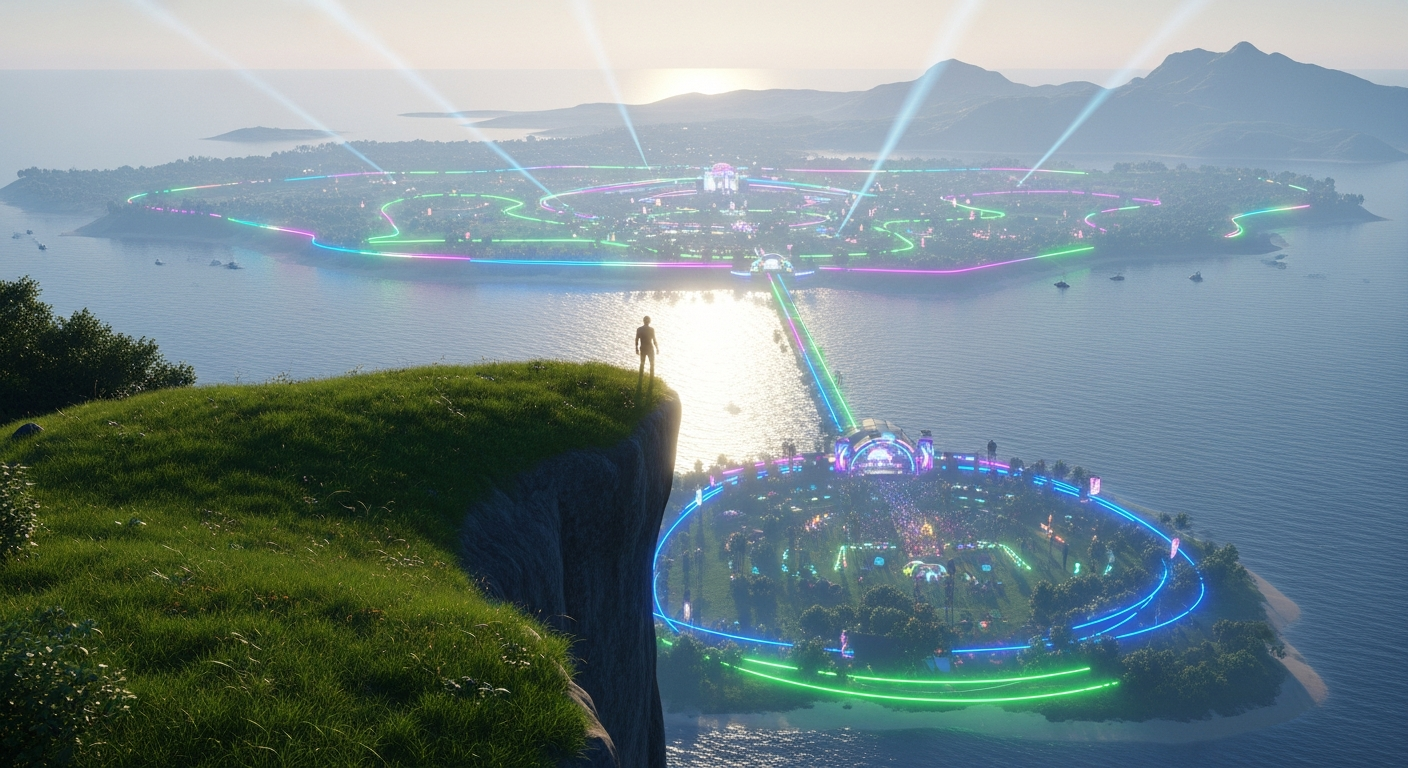
Virtual Event Planning: Concerts & Festivals — Free class in Alife Virtual School
Welcome to Alife Virtual School! In a rapidly expanding metaverse, the ability to host captivating, large-scale events is one of the most valuable skills a creator can possess. This class, Virtual Event Planning: Concerts & Festivals, is your masterclass in transforming a blank parcel of virtual land into a thriving, unforgettable experience. We'll move beyond basic party hosting and dive deep into the technical and logistical challenges of managing hundreds of avatars for a seamless, lag-free concert or festival. If you've ever dreamed of being the visionary behind a massive music event in a free 3D world but felt limited by cost or technical know-how, you've come to the right place. This is where you learn to build the backbone of the next great metaverse gathering, establishing yourself as a premier event producer in a leading Second Life alternative.
The Alife Advantage: Building Your Dreams for Free
In other virtual worlds, the dream of hosting a large festival often comes with a nightmarish price tag. A full region, the standard for any serious event, can cost upwards of $300 USD per month in platforms like Second Life. Add to that the constant "Linden Dollar" fees for uploading every single texture, mesh stage piece, sound effect, and promotional poster. Before your event even begins, you could be hundreds of dollars in the hole.
This is not the case in Alife Virtual. Our philosophy is simple: creativity should not be pay-to-play.
Here’s a direct cost comparison for hosting a major festival:
| Feature/Cost | Alife Virtual | Second Life (Typical) |
|---|---|---|
| Private Island (65,536 sqm) Monthly Fee | $0 (FREE, for one month) | ~$229 - $349 USD |
| Asset Upload Fees (Textures, Mesh, etc.) | $0 (FREE, unlimited) | L$10 per upload (adds up to hundreds of dollars for a complex event) |
| Initial Setup Cost for Land & Basic Assets | $0 | Potentially $1000+ USD |
| Economy Model | 100% Free Virtual Economy | Cash-based economy requiring real-world money investment |
In Alife Virtual, you receive a FREE private island the moment you join. You have FREE unlimited uploads. This means you can build your dream stage, design hundreds of custom props, and give away free merchandise without ever worrying about fees. Your only investment is your time and creativity.
What You Will Learn
By the end of this class, you will be able to:
- Architect a large-scale event space for optimal performance and crowd flow.
- Implement advanced lag mitigation strategies to ensure a smooth experience for dozens or even hundreds of attendees.
- Build and script a centralized stage management system to control lights, effects, and media streams.
- Configure robust region and parcel security to prevent griefing and manage your crowd effectively.
- Utilize in-world promotional tools to maximize event attendance and create buzz across the grid.
Prerequisites
This is an intermediate-level class. Before proceeding, you should be comfortable with the following:
- Basic navigation and interaction in a 3D virtual world using the
Firestormviewer. - Fundamental building skills: Creating and manipulating prims, linking objects, and applying textures.
- A conceptual understanding of
LSL Scripting(Linden Scripting Language). You don't need to be a master coder, but you should know what events, functions, and variables are. - Familiarity with your free Alife Virtual private island and its management tools (About Land window).
The Ultimate Guide to Virtual Festival Management
Let's break down the process of creating a major virtual event into manageable phases. Follow these steps to ensure your concert is a technical masterpiece, not a lag-filled disaster.
Phase 1: Pre-Production & Strategic Layout
A successful event is 90% planning. Before you rez a single prim, map out your vision.
-
Venue Design and Flow: On your 65,536 sqm island, designate zones.
- The Landing Zone: This is the first impression. It should be low-prim, low-script, and provide essential information: a welcome message, event schedule, rules, and a landmark to the main stage. This gives attendees' viewers time to cache the environment before being hit with the full performance area.
- The Main Stage Area: This will be your most resource-intensive zone. Position it centrally, but with clear, wide pathways leading to it. Avoid complex terrain or physical barriers that can trap avatars or strain the physics engine.
- Social & Vendor Areas: Create peripheral zones away from the main stage for vendors, art installations, or social lounges. This disperses the crowd and reduces avatar density in one spot.
-
The Script Budget: Every script running on your region consumes processing time, measured in milliseconds (ms). The "Region Script Time" or "Sim Time" is a finite resource. A laggy region is often one that has exhausted its script budget.
- Open the Statistics bar in
Firestorm(Ctrl + Shift + 1) and monitor theTime (ms)for the simulator. A healthy region is typically under 15ms. During a concert, it might spike to 20-30ms. If it consistently hits 40ms+, your event will be unviewable for many. - Plan to use scripts efficiently. A single, well-written "controller" script is infinitely better than 100 individual scripts doing the same thing.
- Open the Statistics bar in
Phase 2: Technical Stage Management & Automation
Your stage is a complex machine. Manually clicking 50 different lights is not an option. You need a central "brain" to orchestrate everything.
Building the Stage Controller
This is a single, non-physical (phantom) prim, often hidden under the stage, that contains the master script for your show.
- Object Naming: This is crucial. Name every part of your stage systematically. For example:
StageLight_01,StageLight_02,SmokeMachine_Left,VideoScreen_Main. -
The Controller Script Logic: The script in your controller prim will use
llMessageLinkedto send commands to the other prims in the linkset (your stage).A simplified concept in
LSL:// Inside the Stage Controller Script // To turn on all lights llMessageLinked(LINK_SET, 1, "ON", NULL_KEY); // To trigger smoke effect llMessageLinked(LINK_SET, 2, "SMOKE_PULSE", NULL_KEY); -
The Receiver Script Logic: Each light, smoke machine, etc., will have a simple script that listens for messages from the controller.
A simplified example for a light prim named
StageLight_01:
This method is extremely efficient as it uses only two active scripts for the entire lighting rig, instead of one script per light.// Inside a Light Prim Script link_message(integer sender_num, integer num, string str, key id) { if (num == 1) { // Message for lights if (str == "ON") { llSetColor(<1.0, 1.0, 1.0>, ALL_SIDES); // Turn white llSetLinkPrimitiveParamsFast(LINK_THIS, [PRIM_FULLBRIGHT, ALL_SIDES, TRUE]); } else if (str == "OFF") { llSetColor(<0.0, 0.0, 0.0>, ALL_SIDES); // Turn black llSetLinkPrimitiveParamsFast(LINK_THIS, [PRIM_FULLBRIGHT, ALL_SIDES, FALSE]); } } } - Music and Media Stream: In the
About Landwindow ->Soundtab, set your audio stream URL. This will be your DJ's live broadcast or a pre-recorded mix. Have a backup URL ready in a notecard. You can create a scripted object that allows staff to change the parcel stream URL with a chat command in case the primary stream fails.
Pro Tip: Choreograph Your Show!Use a state-machine or a timer in your controller script to create a fully automated show. For example, at
t=0s, start intro music and fade up lights. Att=30s, trigger a bass drop with strobe lights and smoke machines. Att=60s, switch to a blue color scheme. This allows you to run a perfect show every single time, even if you're busy interacting with guests.
Phase 3: The Art of Lag Mitigation
This is what separates the amateur hosts from the professional producers. Lag is the #1 killer of virtual events. Here is your arsenal against it.
Server-Side Optimization (Your Build)
- Physics, Physics, Physics: The physics engine is one of the biggest sources of server load. Every object that doesn't need to be solid should be set to
Phantom. Every physical object that isn't a ramp or complex shape should have its Physics Shape Type set toConvex Hullor, even better,Prim. Never leave it onAnalyzedfor complex mesh. A stage made of 100 `Analyzed` mesh parts will bring a region to its knees. - Script Efficiency:
- Avoid
llSensor()andllListen(): These are resource hogs, especially in a crowded area. UsellMessageLinkedfor object communication or physical triggers (collision events) instead. - Kill Timers: A
llSetTimerEventrunning every 0.1 seconds in 50 objects is a recipe for disaster. Use timers sparingly and with the longest interval possible. - Use States: An efficient script spends most of its time in a `state` doing nothing, only waking up when an event occurs. Avoid `while(TRUE)` loops in the default state.
- Avoid
- Mesh & Texture Optimization:
- Poly Count: High-polygon mesh is a major cause of client-side lag (FPS drop). Use low-poly mesh wherever possible. Your free Alife Pro Mesh Avatar is already optimized, but guest avatars may not be.
- Texture Size: A 1024x1024 texture looks great, but a 512x512 or even 256x256 often suffices and uses 4x to 16x less memory. For a huge event, every kilobyte counts. Since Alife has free uploads, it's tempting to use high-res everything. Resist the urge.
Client-Side Optimization (Your Guests)
You must educate your audience. A single user with an unoptimized, high-poly avatar covered in 100 scripts can lag everyone around them.
- Create a "Performance Hotspot" or "Red Zone": At your landing point, create an area with a scripted sign that reads the visitor's Avatar Rendering Complexity (ARC). ARC is a number that represents how difficult an avatar is to render. A good target is under 100,000. Politely ask visitors with extremely high ARC (500,000+) to consider changing or removing attachments.
- Provide Clear Instructions: Use a notecard giver or local chat announcer to tell guests the "Golden Rules" of event performance:
- Set Draw Distance to 128m or less.
- Turn off Shadows (
Preferences -> Graphics -> Shadows: None). - Set Avatar Complexity to a reasonable limit (e.g., 150,000) and enable "Impostor" rendering for avatars above it. (
Preferences -> Graphics -> Avatars). - Detach scripted HUDs or high-script attachments that are not essential.
Common Mistake: Ignoring TexturesMany builders focus only on script and prim count. They forget that dozens of unique 1024x1024 textures can consume gigabytes of VRAM on a user's graphics card, causing massive FPS drops and crashes. Create a "texture atlas" where possible (a single texture sheet with multiple smaller images on it) and reuse textures aggressively.
Phase 4: Security and Crowd Control
A big crowd attracts big trouble. Be prepared.
- Parcel Settings Are Your First Line of Defense: In
About Land -> Options:- Disable "Build" and "Object Entry" for everyone except your staff group. This prevents people from rezzing griefing objects.
- Disable "Pushing": Check the "No Pushing" box. This stops simple "bump" griefing.
- Set a Landing Point: Force everyone to arrive at your designated welcome area.
- The Security Orb: This is a scripted object that scans the region for threats. A basic security orb can:
- Scan for objects with excessive script time or memory usage.
- Detect known griefing tools by name or key.
- Scan avatars for excessive script count (e.g., more than 100 scripts).
- Warn, and then eject or ban, offenders. Many free, effective security orbs are available on
Open Simulatorgrids. You can also script a simple version yourself.
- Staff & Roles: Create a group for your event staff. Set this group in the
About Land -> Accesstab to have powers like ejecting people. Your staff are your eyes and ears on the ground. Equip them with a simple HUD that allows them to quickly eject a problem user without needing full land powers.
Phase 5: Promotional Tools
You've built it. Now, how do you get them to come?
- Group Notices: This is your most powerful tool. Build a group for your venue or festival series. Send out notices with compelling copy and a direct landmark. Don't spam! One notice the day before and one an hour before the event is standard.
- Information Kiosks: Create simple, low-prim kiosks and place them in popular social hubs (with permission!). The kiosk should give out a notecard with the event schedule and a landmark.
- Leverage the Free Virtual Economy: Since vendor stalls cost you nothing to build and your vendors nothing to upload, offer free spots to creators! In exchange, ask them to promote the festival to their own groups. It's a win-win: they get free exposure, and you get free marketing.
- Alife Virtual's Event Calendar: Be sure to submit your event to the official Alife Virtual grid-wide event calendar. This is the primary way new users discover what's happening.
Advanced Applications
Once you've mastered the basics, push the boundaries:
- Interactive Shows: Create a voting system where the audience can click on prims to vote for the next song, and the DJ sees the results in real-time.
- Multi-Region Festivals: For truly massive events, work with other Alife residents to link multiple regions with portals. Each region could have a different music genre, creating a sprawling festival ground that no single region could support. This is the pinnacle of
Open Simulatorevent planning. - Live Performers: Integrate live singers or musicians who broadcast their audio into your parcel stream. This requires coordination but adds an incredible layer of immersion.
Practice Exercise: Your First Stage
Let's apply these concepts on a small scale.
- Go to a clear area on your free Alife Virtual island.
- Build a simple stage (a large, flat box prim).
- Rez three smaller prims on the stage to act as lights. Link them to the main stage prim, ensuring the stage prim is the "root" prim.
- Create a controller script for the root prim that uses
llMessageLinkedand allSetTimerEventto change the color of the three lights every 5 seconds. (e.g., send message "RED", then "GREEN", then "BLUE"). - Create a simple receiver script for the three light prims that listens for these messages and uses
llSetColor()to change its color accordingly. - In
About Land -> Sound, find a free creative commons audio stream online and paste its URL into the Music URL field. - Congratulations! You've just created a basic, automated stage show.
Frequently Asked Questions (FAQ)
- How many avatars can my free Alife Virtual region handle?
- There's no hard limit, as it depends heavily on two factors: 1) Server-side performance (your build's script/physics load) and 2) Client-side performance (the complexity of the avatars attending). A well-optimized region can comfortably host 40-50 avatars. A highly optimized region with an audience that follows performance guidelines could potentially handle 60-80+. Stress testing is key!
- Can I use scripts I bought or found in Second Life?
- Mostly, yes. Alife Virtual, like other
Open Simulatorgrids, usesLSL Scriptingas its language. Most scripts will work out-of-the-box. However, some SL-specific functions or server-side behaviors might differ slightly. Always test your scripts thoroughly on Alife before deploying them in a live event. - How do I find a live DJ for my event?
- Many DJs in the metaverse specialize in virtual events. They will provide you with their stream URL, which you simply place in your parcel's sound settings. You can find them in Alife Virtual's groups, forums, or by visiting other clubs and networking. Agree on a time and a theme, and you're set!
- What's the single most important thing to prevent lag?
- Physics optimization. Hands down. A single, complex mesh object left on the default "Analyzed" physics setting can create more server lag than 50 avatars. Make it a habit to set the Physics Shape Type of every object you build to either
Phantom,Convex Hull, orNone.
Your Stage is Waiting. Join Alife Virtual Today.
You now have the professional-grade knowledge to plan and execute virtual events that will be remembered. The technical barriers and prohibitive costs that exist in other metaverses are gone. Here in Alife Virtual, your creativity is the only limit.
Stop paying hundreds of dollars a month just for the land. Stop paying fees for every single upload. Claim your FREE 65,536 sqm private island, get your FREE pro mesh avatar, and start building the concert of your dreams with FREE unlimited uploads.
Join Alife Virtual for free and become the next legendary event producer in the metaverse. The crowd is waiting.
🎓 Ready to Practice In-World?
Get your FREE island and practice everything you just learned — no credit card, no monthly fees.
Claim Your Free Island Now →No credit card required · Takes 2 minutes · Your island is FREE for one month