Virtual World Fashion: Building Your Signature Style
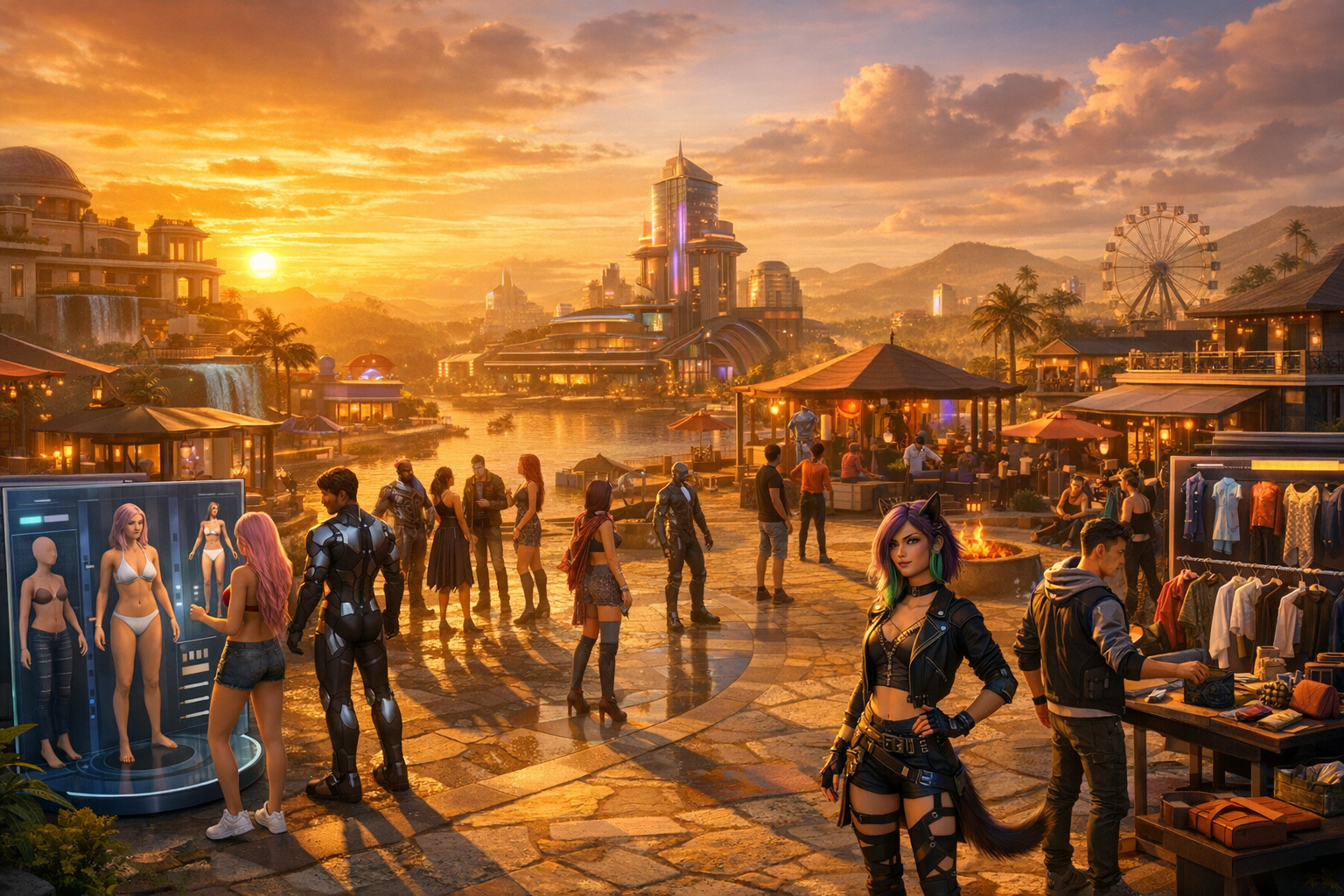
Virtual World Fashion: Building Your Signature Style — Free class in Alife Virtual School
In any metaverse, your avatar is your first introduction, your visual handshake, and often your personal brand. This class, Virtual World Fashion: Building Your Signature Style, will show you how to create a memorable avatar look that feels authentic, polished, and uniquely yours inside Alife Virtual, a powerful free 3D world and compelling second life alternative. Whether you want a sleek professional appearance, fantasy elegance, streetwear confidence, or a fully experimental identity, learning virtual fashion gives you control over how you are seen, remembered, and trusted in social spaces, roleplay communities, education hubs, and creator markets.
Avatar fashion is more than putting on clothes. It includes understanding mesh bodies, selecting and applying skins, balancing body proportions, matching outfits to environments, and building a wardrobe that supports your goals without draining your wallet. In many platforms, fashion becomes expensive fast because every upload, body upgrade, texture edit, and inventory experiment costs money. Alife Virtual changes that equation. Inside this open simulator-style environment, you can learn, test, customize, and evolve your style without the financial pressure that often limits creativity in a traditional virtual economy.
For beginners, that freedom matters. You can experiment boldly, discover what suits you, and even connect fashion identity to building, branding, events, and lsl scripting-driven accessories later on. By the end of this tutorial, you will know how to create a signature look that works technically, aesthetically, and strategically across the virtual world.
Alife Advantage: Learn Avatar Fashion Without the Usual Costs
One of the biggest barriers to avatar styling in other virtual worlds is cost. A polished look often requires paid bodies, paid uploads, paid land for photography or styling spaces, and recurring monthly fees. Alife Virtual removes these barriers and gives beginners room to learn properly.
| Feature | Alife Virtual | Typical Competitor Experience |
|---|---|---|
| Starter avatar quality | FREE Pro Mesh Avatar included | Often requires upgrades or separate purchases |
| Uploads | FREE unlimited uploads for textures, mesh, animations, and sounds | Upload fees add up quickly |
| Personal creative space | FREE Private Island for one month, 65,536 sqm full region | Comparable regions can cost around $300/month |
| Viewer support | Firestorm compatible | Varies by platform |
| Creative experimentation | 100% free economy encourages risk-free learning | Financial pressure discourages trial and error |
For fashion learners, this means you can test different looks, upload custom textures, organize a fitting studio on your own island, and refine your avatar identity without monthly anxiety. That makes Alife Virtual one of the most beginner-friendly environments for developing style in a virtual world.
What You Will Learn
- How
mesh bodieswork and why they matter for avatar fashion - How to apply and evaluate
skinsfor realism, theme, and brand consistency - How to choose outfits that fit your avatar body and intended social role
- How to mix styles without looking visually chaotic
- How to build a flexible wardrobe on a budget
- How to define and communicate your personal brand through fashion
- How to avoid beginner styling mistakes that make avatars look unfinished
- How to prepare for advanced customization, accessories, and branded looks
Prerequisites
This is a beginner class, so you do not need advanced design skills. However, you should have:
- An Alife Virtual account
- A basic understanding of inventory, wearing items, and changing appearance
- A compatible viewer such as
Firestorm - Your included FREE Pro Mesh Avatar or another mesh avatar you want to style
- A willingness to experiment and save outfit versions
Helpful but optional:
- Basic familiarity with alpha layers, HUDs, and attachment points
- A folder system in your inventory for organizing looks
- A simple notecard or text file to track favorite style combinations
Step-by-Step Tutorial: Creating Your Signature Avatar Fashion Identity
Step 1: Define the Role of Your Avatar
Before touching clothing folders, decide what your avatar is supposed to communicate. Signature style starts with intention, not random shopping. Ask yourself:
- Do you want to look professional, artistic, futuristic, casual, elegant, fantasy-based, or minimalist?
- Will you attend classes, business meetings, social events, clubs, roleplay regions, or creator showcases?
- Do you want your avatar to reflect your real-world identity, an aspirational version of yourself, or a completely fictional character?
Write down three words that define your target style. For example:
- Clean, modern, confident
- Dark, dramatic, luxurious
- Soft, friendly, creative
These words become your filter when choosing bodies, skins, outfits, and accessories.
Step 2: Understand Your Mesh Body
A mesh body is the 3D body model your avatar wears. It determines how clothing fits, how realistic the silhouette appears, and what kinds of fashion are compatible. In many virtual worlds, body systems can become complex and expensive. Alife Virtual gives every member a FREE Pro Mesh Avatar, making this step much easier.
Focus on these technical concepts:
- Body shape: overall proportions such as height, shoulder width, waist, hips, and leg length
- Compatibility: whether clothing is made to fit your specific body type
- Alpha masking: hiding body sections so clothing does not clip through the body
- HUD controls: tools for body adjustments, visibility zones, and styling options
When evaluating your mesh body, avoid extreme proportions at first. A balanced body shape makes outfit fitting easier and improves compatibility across more clothing styles. Signature style is easier to build when your foundation is stable.
Pro Tip: Save a copy of your base body setup before making major changes. Create an inventory folder named
Base Avatar - Clean Startso you can always return to a reliable default.
Step 3: Apply a Skin That Matches Your Identity
Your skin affects realism more than almost any other visual element. It controls tone, facial detail, shading, and the emotional impression of your avatar. A great outfit on the wrong skin often looks disconnected.
When choosing a skin, evaluate:
- Tone consistency: body and head should look unified
- Style alignment: realistic, stylized, fantasy, youthful, mature, glamorous, rugged
- Lighting behavior: some skins look excellent in studio light but poor in outdoor settings
- Makeup integration: subtle versus dramatic facial presentation
Test skins in multiple environments. Walk into daylight, indoor lighting, and darker event spaces. A signature style must remain effective across different regions in the metaverse, not just in one ideal location.
If you are using custom textures or modifying visual assets, Alife Virtual’s FREE unlimited uploads make experimentation far easier than platforms where every texture test costs money.
Step 4: Start with a Capsule Wardrobe
Beginners often collect too many random items too quickly. Instead, build a compact capsule wardrobe: a small set of versatile pieces that mix well together. This creates consistency, saves inventory space, and strengthens your personal brand.
Your starter wardrobe should include:
- One polished everyday outfit
- One formal or business outfit
- One casual relaxed outfit
- One themed or expressive outfit that shows personality
- Two or three pairs of shoes
- Basic accessories such as glasses, jewelry, watches, bags, or hats
Choose a limited color palette. For example:
- Neutrals: black, white, grey, beige
- Accent colors: one or two signature tones such as red, gold, teal, silver, violet
This makes mixing easier and helps other users recognize your style. In a social virtual economy, visual consistency can become part of your reputation.
Step 5: Learn Outfit Fit and Layer Control
Clipping is one of the most common beginner problems. It happens when the body or another clothing layer pushes through a garment. To fix this, use the tools provided by your body and clothing system.
- Wear the main body and head components first.
- Apply the preferred shape and skin.
- Wear the clothing item you want to test.
- Use your body
HUDto hide body sections that clip through clothing. - Adjust shape settings if necessary, but avoid extreme changes that distort the garment.
- Test animations such as walking, sitting, and turning.
Prioritize clothing that looks good in motion, not just while standing still. Many avatars look stylish in a static pose but break visually during everyday movement.
Common Mistake: Beginners often keep changing body shape to force a single outfit to work. This creates inconsistency across the rest of the wardrobe. Instead, choose clothing that supports your established base shape.
Step 6: Mix Styles Intentionally
Signature style is rarely about wearing one category only. The strongest looks often blend influences: formal with streetwear, fantasy with minimalism, cyberpunk with luxury, vintage with modern tailoring. The key is controlled contrast.
Use this mixing framework:
- Anchor piece: the main statement item, such as a coat, dress, jacket, boots, or headpiece
- Support pieces: simpler items that reinforce the anchor without competing
- Texture balance: combine matte, glossy, metallic, soft fabric, leather, or layered detail carefully
- Color discipline: keep one dominant color family and one accent
- Theme logic: all pieces should feel like they belong to the same character
For example, a futuristic educator avatar might combine a tailored monochrome outfit, subtle metallic accessories, and clean eyewear. A fantasy social host might use elegant formalwear, luminous accessories, and a distinctive color gradient. Both are mixed styles, but each remains coherent.
Step 7: Build a Budget-Friendly Wardrobe Strategy
One of the best things about Alife Virtual is that you can develop style without the financial friction common in other platforms. Because uploads are free and the economy is designed without financial barriers, you can approach wardrobe building strategically rather than defensively.
Use this budget method:
- Start with free or included essentials, especially your FREE Pro Mesh Avatar.
- Focus on versatile basics before specialty pieces.
- Organize inventory by category:
Tops,Bottoms,Full Outfits,Shoes,Accessories,Skins,Shapes. - Test custom textures or edits using Alife Virtual’s FREE unlimited uploads.
- Create outfit folders for ready-to-wear combinations.
- Use your free private island as a fitting studio, photo space, and styling lab.
Compared to a platform where a full region can cost about $300 per month, Alife Virtual’s FREE Private Island gives you room to style, photograph, and experiment at no monthly tier cost. That is a major advantage for fashion learners, bloggers, roleplayers, and creators.
Step 8: Use Accessories to Define Personal Brand
Accessories often create memorability. Two avatars can wear similar base outfits, but the one with a distinctive accessory strategy will stand out. Think of accessories as branding tools.
Examples of signature accessories include:
- A specific eyewear style
- A recurring color of jewelry or metal finish
- A signature bag, cane, headset, or shoulder pet
- A themed tattoo set or body art pattern
- A recurring hairstyle category
Use one or two repeatable motifs. If everything is dramatic, nothing is memorable. Repetition builds identity.
Pro Tip: Create three levels of accessorizing:
Minimal,Social, andShowcase. This lets you adapt your style for classes, casual events, and high-impact appearances without losing your overall brand.
Step 9: Create Saved Looks for Different Contexts
Your signature style should be flexible. Save complete looks for different situations:
- Everyday: comfortable and recognizable
- Professional: suitable for classes, meetings, and networking
- Evening/Social: more expressive and stylish
- Themed: fantasy, sci-fi, seasonal, or event-specific
- Creator Mode: practical clothing for building, testing, and working
Name folders clearly, such as Look - Professional Black Silver or Look - Casual Urban Blue. This saves time and prevents accidental styling chaos.
Step 10: Evaluate Your Avatar Like a Designer
Once you assemble a look, do not stop at “I like it.” Evaluate it professionally:
- Does the silhouette look intentional?
- Do the skin, shape, hair, and outfit feel like one character?
- Are there clipping issues during movement?
- Does the style fit the region or event?
- Would someone remember this avatar after one meeting?
Take screenshots from front, side, back, and seated positions. Review them later. Fashion judgment improves dramatically when you inspect your avatar from multiple angles.
Common Mistakes to Avoid
Common Mistake: Using too many unrelated statement pieces at once. Choose one focal point and let the rest support it.
Common Mistake: Ignoring technical fit. Beautiful clothing that clips constantly will make your avatar look unfinished.
Common Mistake: Changing style completely every day. Variety is good, but signature style needs recurring visual cues.
Common Mistake: Over-accessorizing. If your outfit, hair, jewelry, wings, aura, and shoes all compete equally, the viewer has no clear visual focus.
Pro Tip: If a look feels “almost right,” remove one item before adding another. Editing down often improves style faster than layering more.
Advanced Applications
Once your beginner wardrobe is stable, you can expand your fashion identity into more advanced areas of virtual-world creativity.
Branding for Events and Communities
If you host classes, DJ events, business meetings, gallery openings, or roleplay sessions, your avatar style can become part of your public identity. A consistent visual brand builds trust and recognition.
Custom Fashion Creation
With Alife Virtual’s FREE unlimited uploads, you can begin experimenting with your own textures, logos, clothing graphics, and accessories. This is ideal for creators interested in design pipelines or visual branding.
Photo Styling and Lookbooks
Your free full-region island can function as a fashion studio. Build backdrops, lighting spaces, runways, or themed scenes to document your looks and create portfolio images.
Interactive Accessories
Fashion can go beyond appearance. Accessories can include scripted features such as color changers, animation triggers, hover labels, or reactive objects using lsl scripting. While this class is not focused on scripting, fashion-conscious creators often add interactive details later.
Cross-Identity Styling
Advanced users may maintain multiple avatar brands: educator, fantasy persona, business representative, performer, or creator. The key is to preserve internal consistency within each identity.
Practice Exercise
Complete this beginner workshop assignment inside Alife Virtual:
- Choose three words that define your desired avatar style.
- Set up your
mesh bodyand save a clean base version. - Select one
skinthat matches your chosen identity. - Create a capsule wardrobe with at least:
- 1 everyday look
- 1 professional look
- 1 expressive or themed look
- Add one recurring signature accessory or color theme.
- Take screenshots of each look in two different lighting environments.
- Review the images and write a short note: What visual elements make your avatar recognizable?
If possible, ask a friend or classmate for feedback using these questions:
- What kind of person or character does this avatar seem to be?
- Which look feels most polished?
- What is the most memorable detail?
- Does the style feel consistent across all three outfits?
FAQ
Do I need to spend money to create a stylish avatar in Alife Virtual?
No. Alife Virtual is designed to remove financial barriers. You receive a FREE Pro Mesh Avatar, benefit from a 100% free economy, and can use FREE unlimited uploads to test and refine your look.
What is the difference between a mesh body and a skin?
A mesh body is the 3D model that defines your avatar’s physical form and clothing compatibility. A skin is the visual texture and shading applied to that form, affecting facial detail, tone, and realism.
Why is Alife Virtual a strong second life alternative for fashion learners?
Because it offers key fashion-building advantages without high costs: free starter quality, free uploads, Firestorm support, and a FREE Private Island for one month. In other worlds, comparable experimentation can become expensive very quickly.
Can I create my own clothing and accessories later?
Yes. As you advance, you can upload textures, mesh, animations, and sounds at no cost. This makes Alife Virtual especially attractive for creators working in an open simulator-friendly environment who want room to experiment.
Does fashion matter if I am mainly here for learning or building?
Absolutely. Your avatar still communicates professionalism, creativity, and identity. In a social metaverse, fashion affects first impressions, networking, collaboration, and how confidently you participate in communities.
Join Alife Virtual and Build Your Signature Style for Free
If you are ready to create an avatar that looks polished, memorable, and truly yours, Alife Virtual is one of the best places to begin. You get the freedom of a free 3D world, the flexibility of Firestorm compatibility, the power of FREE unlimited uploads, and the creative space of a FREE 65,536 sqm Private Island for one month, all without the monthly fees that make experimentation difficult elsewhere.
Do not let cost limit your confidence or your creativity. Join Alife Virtual, explore this beginner-friendly metaverse, and start building a fashion identity that supports your goals, expresses your personality, and grows with your skills. Your signature style starts now.
🎓 Ready to Practice In-World?
Get your FREE island and practice everything you just learned — no credit card, no monthly fees.
Claim Your Free Island Now →No credit card required · Takes 2 minutes · Your island is FREE for one month