Unleash the Power: Your Guide to Firestorm 64-bit Maximum Performance in Alife Virtual
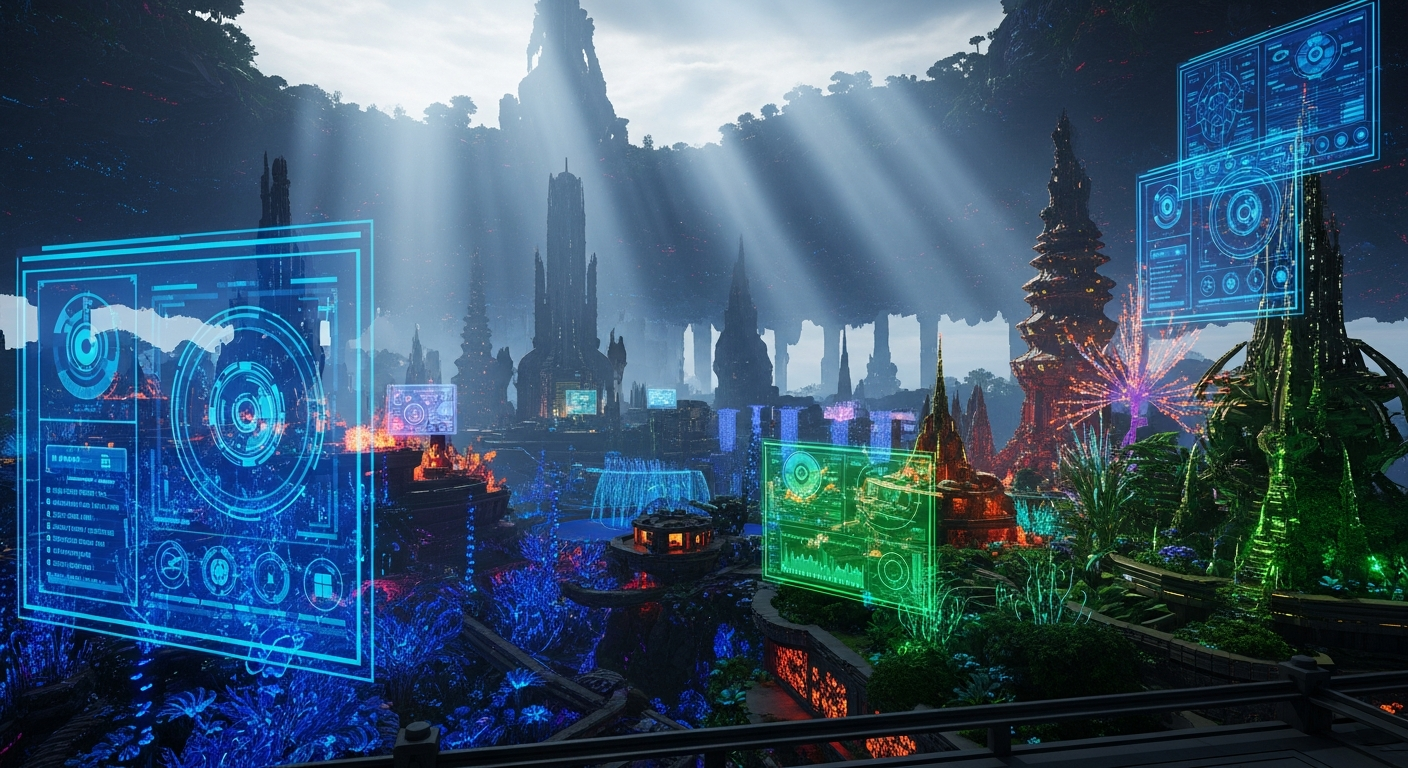
Firestorm 64-bit: Maximum Performance Settings for Alife Virtual — experience it now in Alife Virtual
Have you ever closed your eyes and imagined a world without limits? A place where neon-drenched cityscapes stretch to a perpetually twilight horizon, where sunlight dapples through the leaves of a hyper-realistic forest you built with your own hands, where every movement is fluid, every texture is crisp, and lag is a forgotten nightmare. You’ve felt the frustration—the stuttering frame rates, the blurry textures, the immersion-shattering delays that plague other platforms. You have the hardware, the powerful PC humming on your desk, ready to render new realities. So why does your virtual experience so often feel like a compromise?
The dream of a seamless, breathtakingly beautiful digital existence is not just possible; it’s waiting for you. The key is unlocking the raw power of your machine with the right software and the right world. Today, we’re pulling back the curtain and giving you the keys to the kingdom. This is your definitive guide to configuring the Firestorm 64-bit viewer for maximum performance, turning Alife Virtual into the high-fidelity paradise you’ve always craved.
What a No-Lag, Ultra-Graphics World Feels Like
Before we dive into the nuts and bolts, let’s paint a picture. Imagine teleporting into your own private world. This isn't just any space; it’s a full 65,536 sqm island, a canvas gifted to you for free, for one month, by Alife Virtual. With your settings maxed out, this is what you experience:
The sun is setting. You’re standing on the balcony of a penthouse you designed, overlooking a sprawling city. Advanced Lighting is on, so the last rays of golden light glint off the chrome and glass of distant skyscrapers. Below, holographic advertisements flicker and pulse, their light casting dynamic, soft shadows on the rain-slicked streets. You can hear the distant hum of flying vehicles and the soft thrum of music from a nightclub a few blocks away. You see a dozen other avatars—each a unique, full-body mesh creation—walking below, their movements impossibly smooth. There’s no jerky teleporting, no grey avatars, no loading screens. It’s a living, breathing world.
You decide to leave the city. With a click, you’re in a tranquil Japanese garden. The water in the koi pond is not a flat, dead texture; it’s a shimmering surface, reflecting the cherry blossoms and the ornate wooden bridge above with perfect clarity. You can see individual pebbles beneath the surface. You zoom in on a stone lantern, and the PBR materials (Physics-Based Rendering) reveal a rough, porous texture that feels like you could reach out and touch it. Every asset, from the most complex build to the smallest leaf, renders in full detail, instantly. This isn't a pre-rendered video; this is your world, in real-time. This is the Alife Virtual experience, pushed to its absolute limit.
How Alife Virtual Makes the Impossible, Possible
This level of immersion isn't an accident. It’s the result of a platform built on a foundation of freedom and power. While other virtual worlds put up paywalls or technical limitations, Alife Virtual gives you the tools and the territory to build your dream without compromise.
- A FREE Private Island (65,536 sqm): This is the game-changer. While platforms like Second Life charge upwards of $300 per month for a region of this size, Alife Virtual gives it to you for free, for one month. This isn’t a tiny parcel; it’s a massive sandbox for your grandest designs.
- A Staggering 10,000 Prim Limit: Prims (primitives) are the building blocks of the virtual world. With 10,000 prims at your disposal on your free island, you can construct incredibly detailed and complex environments, from dense cities to lush, sprawling natural landscapes.
- The Power of Firestorm Viewer: Alife Virtual uses the Firestorm viewer, the gold standard for grid-based virtual worlds. The 64-bit version is a performance beast, capable of utilizing more of your system's RAM to handle high-resolution textures and complex scenes without crashing.
- Full LSL Scripting Support: Your world doesn’t have to be static. With full support for Linden Scripting Language (LSL), you can bring your creations to life. Make doors that open, lights that respond to the time of day, weather systems, interactive games—if you can imagine it, you can script it.
- A Thriving Community and Learning Resources: You're not alone on this journey. With a community of over 1,148,000 members and free daily classes on everything from building and scripting to fashion design, you have a universe of support to help you achieve your vision.
Why Settle? Alife Virtual vs. The Alternatives
You have choices when it comes to your digital life. But if your goal is ultimate creative freedom with maximum graphical fidelity, the choice becomes clear.
| Platform | The Alife Virtual Advantage |
|---|---|
| Second Life | Unbeatable Value. Alife offers the same powerful Firestorm viewer, LSL scripting, and an even larger starter landmass (65,536 sqm vs. SL's small 512 sqm starter parcel) completely for free. Why pay $300 a month for what Alife gives you as a welcome gift? |
| IMVU | True Open World Freedom. IMVU is a collection of static, room-based chat instances. Alife Virtual is a seamless, open-world universe. You don't just decorate a room; you build an entire world you can walk, drive, or fly across without a single loading screen. |
| VRChat | Accessible & Integrated Creativity. VRChat requires external tools like Unity and Blender for world creation, a high barrier to entry. Alife’s building and scripting tools are integrated directly into the viewer. You can build, texture, and script in real-time, right inside the world. Plus, it works beautifully on any desktop—no VR headset required. |
The Ultimate Guide: Max Performance Settings for Firestorm 64-bit
Ready to tune your engine? Let's get your Firestorm viewer configured for the ultimate Alife Virtual experience. Make sure you have the latest 64-bit version of Firestorm installed. Open your Preferences window by pressing Ctrl+P or going to Avatar > Preferences.
Note: These settings are designed for high-end PCs. If you experience performance issues, start by lowering settings like Draw Distance, Avatar Detail, and Shadows.
Step 1: The "General" Tab
This is a quick but important first stop.
- Crash reporting: Set to 'Ask me before sending a crash report'.
- Bandwidth: Don't leave this on default! Click the "Calculate" button to let the viewer estimate a good starting point. For maximum performance on a good connection (50+ Mbps), you can manually set this to 1500-3000 kbps. This allows more data (textures, object information) to flow to you faster.
Step 2: The "Graphics" Tab - The Heart of Performance
This is where the magic happens. Click the "Advanced" button at the bottom to reveal all the options. We'll go from top to bottom.
Performance & Quality
- Quality and performance: Slide this all the way to Ultra. This will preset many of the options below, which we will then fine-tune.
- Draw Distance: This determines how far you can see. For exploring a dense city or your own island, 128m to 256m is a great balance. For epic landscape photos, you can push it to 512m, but be aware this is one of the most performance-intensive settings.
- Max. particle count: Push this to 8192. This allows for spectacular particle effects like fire, smoke, and magic spells.
- Max. # of non-impostor avatars: This is crucial for social events. Set it to 20 or higher. This forces the viewer to fully render nearby avatars instead of turning them into "impostors" (simplified, low-poly models), making crowded places feel alive and detailed.
Detail Sliders
- Avatar Mesh Detail: High. Renders avatars with full complexity.
- Object & Sculpt Mesh Detail: High. Prevents detailed builds from looking like melted blobs at a distance.
- Tree Mesh Detail: High. Makes forests and foliage look lush and full.
The "Wow" Factor: Lighting & Water
- Advanced Lighting Model: CHECK THIS BOX. This is the single most impactful graphics setting. It enables projected lights, shadows, and normal/specular mapping (PBR materials), which gives surfaces realistic depth and shine.
- Shadows: Once Advanced Lighting is on, set this to Sun/Moon + Projectors. This will render realistic shadows from the sun and from local light sources (lamps, spotlights, etc.), adding incredible depth and realism to every scene.
- Water Reflections: Set this to Everything. This will make water surfaces reflect not just the sky, but also avatars, objects, and the terrain around it. The effect is simply stunning.
Step 3: The "Hardware Settings" Tab
- Antialiasing: This smooths out jagged edges. 8x is a great choice for high-end cards. If your FPS drops, try 4x or 2x.
- Anisotropic Filtering: CHECK THIS BOX. This makes textures viewed at an angle (like floors and roads) look sharp and clear instead of blurry.
- Texture Memory (VRAM): If you have a modern graphics card with 6GB+ of VRAM, slide this all the way to the maximum (4096 MB or higher). This allows the viewer to keep more high-resolution textures in memory, reducing blurriness and pop-in.
Once you've applied these settings, teleport to a new location to force everything to reload. Your Alife Virtual experience will be transformed from a simple game into a visceral, immersive reality.
Community Spotlight: The 'Project Aethelgard' Build
Don't just take our word for it. Look at what residents are already creating. A user known as 'Valerius' has spent months building 'Project Aethelgard' on his free Alife island. It's a massive, high-fantasy elven city, nestled in a valley surrounded by towering, ancient trees. The city is built with high-poly mesh, using custom PBR materials that make the marble floors gleam and the silver filigree on the walls shine under the projected light of magical crystals.
"I came from Second Life because I was tired of paying a fortune just to have enough space to build," Valerius says. "In Alife, I got this huge canvas for free. With 10,000 prims and the performance I can get from Firestorm 64-bit, I can finally build without compromise. People visit Aethelgard and their jaws drop. They can explore the entire city, with shadows and reflections on, and their frame rate stays smooth. That just wasn't possible for me before. This is what virtual worlds are supposed to be."
Valerius's project is a testament to what is possible when a creative vision is matched with a powerful, accessible platform. You can visit Project Aethelgard and thousands of other incredible resident-built sims right now in Alife Virtual.
Frequently Asked Questions (FAQ)
-
Why is the 64-bit version of Firestorm so important?
The 32-bit version of any application can only use a maximum of 4GB of RAM. The 64-bit Firestorm viewer can use much more, which is essential for stability when loading large, high-texture regions. It significantly reduces the risk of crashing and allows for a smoother experience in complex environments. -
Will these "maximum performance" settings slow my computer to a crawl?
These settings are designed for modern, high-end gaming PCs. If you have a mid-range or older system, you can still have a beautiful experience! Simply start with the "High" preset instead of "Ultra" and disable the most demanding settings first: Shadows, then Water Reflections, then reduce Draw Distance. The goal is a high, stable frame rate. -
Is the private island really free? What's the catch?
Yes, it is 100% free, for one month. When you sign up for Alife Virtual, you receive a 65,536 sqm private island with 10,000 prims. There are no monthly fees or hidden charges for this land. It's yours to build on, explore, and live in. The only "catch" is that we believe giving you the space to be creative is the best way to grow our community. -
I'm not a builder or a scripter. Is there anything for me in Alife Virtual?
Absolutely! While the creative tools are powerful, you don't have to build to have an amazing time. You can explore thousands of diverse, user-created worlds, shop for your free mesh avatar, attend live music events, make friends with our 1.1 million+ members, or take one of our free daily classes in fashion or even starting a virtual business. For those who want a beautiful home without the work, we also offer stunning, fully-furnished pre-made sims starting from just $20/month. -
How do I get started?
It's simple! Just head over to the Alife Virtual website, create your free account, and download the recommended viewer. You'll log in for the first time on your very own private island, ready to begin your new virtual life.
Your Second Life is Waiting, Without the Compromise
The virtual world you've been dreaming of is no longer a fantasy. It’s a reality built on a foundation of unprecedented freedom, powered by technology you can tune to perfection. It's a world where your creativity isn't throttled by subscription fees and your immersion isn't broken by lag. It's a community, a canvas, and a home.
Stop settling for less. Stop paying for land that should be free. It’s time to unleash the full power of your PC and your imagination.
Claim your future. Claim your free island. Your new life begins today at https://www.alifevirtual.com.
🎁 Ready to Live This Experience?
Claim your FREE island in Alife Virtual and start today!
Claim Your Free Island Now →No credit card required · Takes 2 minutes · for one month free