Unleash Your Virtual World: Why Firestorm Viewer is the Ultimate Engine for Alife Virtual
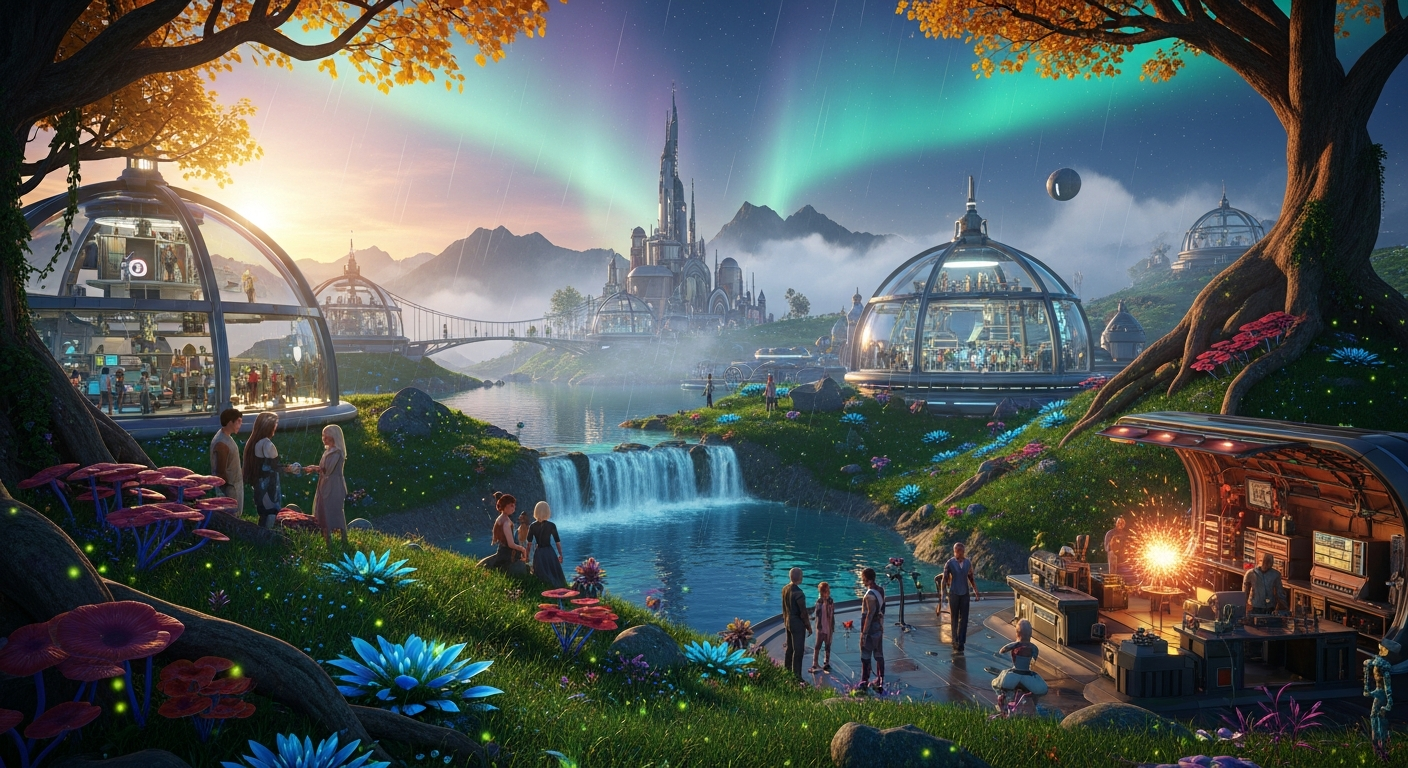
Firestorm Viewer for Alife Virtual: Why It Beats the SL Official Client — experience it now in Alife Virtual
Have you ever felt it? That frustrating stutter in the middle of a perfect virtual sunset. The lag that turns a bustling dance club into a slideshow. The feeling that your computer is gasping for air, struggling to render the digital dream you’re trying to live. You’re not alone. In many virtual worlds, performance is the invisible wall that separates you from true immersion. You have the vision—the sprawling cyberpunk city, the enchanted forest, the beachfront paradise—but the tools at hand feel like trying to paint a masterpiece with a broken brush.
Now, imagine a different reality. Imagine soaring over your own private island, the water below shimmering with photorealistic light, every tree and blade of grass rendering instantly. Picture yourself teleporting into a crowded live music event with 50 other avatars, your frame rate holding steady and smooth. This isn't a far-off fantasy or a privilege reserved for those with supercomputers. This is the everyday experience in Alife Virtual, and the key that unlocks it all is a powerful, community-driven piece of software: the Firestorm Viewer.
If Alife Virtual is the boundless canvas for your imagination, Firestorm is the high-performance toolkit that lets you create without limits. Forget the clunky, resource-hungry default clients you might be used to. Today, we’re diving deep into why the combination of Alife Virtual and the Firestorm Viewer is the definitive experience for anyone serious about living a second life, and why it leaves the official Second Life client—and other platforms—in the dust.
The Alife Experience: Rendered to Perfection
Before we talk about the how, let's talk about the what. What does it actually feel like to explore Alife Virtual through the lens of the Firestorm Viewer? It’s a sensory deep-dive, a world of difference you can see and feel.
Close your eyes and picture this: You log in. There's no five-minute loading screen of blurry textures. Within seconds, you're standing in your home, fully rendered. Your FREE full-body mesh avatar, dressed in one of your custom outfits, looks exactly as you designed it. You step outside onto the balcony of your sprawling villa, overlooking the 65,536 square meters of your very own FREE private island.
With Firestorm, you can push the graphics settings to their limits. The "Ultra" graphics preset isn't a joke; it’s a reality. You enable advanced lighting and see the sun's rays cascade through the leaves of your meticulously placed palm trees. Dynamic shadows stretch and shrink as the day progresses. The water isn't a flat, lifeless blue texture; it's a dynamic, reflective surface that ripples as you fly over it. The level of detail is breathtaking.
“The first time I used Firestorm’s Phototools in Alife, I was hooked. I spent hours just taking pictures of my own island. The depth of field, the colour filters… it made my creation look like a scene from a movie. I never got that with the standard viewer in SL.” - An Alife Resident
The auditory experience is just as crisp. Firestorm offers granular control over sound sources, allowing you to fine-tune the ambient noises of your environment, the music streaming from your club, and the voice chat from friends nearby. It’s the difference between a cacophony and a symphony.
And then there’s the social aspect. You attend a gallery opening hosted by a fellow resident. The sim is packed. In other worlds, this would be "lag hell." But here, thanks to Firestorm’s superior performance and aggressive optimisation, the experience is smooth. You can pan your camera around, admire the scripted art pieces, and chat with dozens of people without your computer grinding to a halt. This is the power of a viewer built for performance, running in a world designed for freedom.
How Alife Virtual Provides the Ultimate Creative Sandbox
A powerful engine like Firestorm is only as good as the world it’s running in. This is where Alife Virtual truly shines, providing the resources and freedom that other platforms put behind a massive paywall. Alife gives you the raw materials to build your dream, and Firestorm gives you the professional-grade tools to shape them.
Here’s what makes Alife Virtual the perfect partner for Firestorm:
- Unprecedented Generosity: The foundation of your creative freedom starts here. Upon joining, every single one of our 1,148,000+ members receives a FREE private island (65,536 sqm) for one month. This isn’t a temporary trial. There are no monthly fees. In Second Life, a region of this size costs nearly $300 per month. In Alife, it’s yours, free.
- A Mountain of Prims: Your free island isn’t just empty space. It comes with a staggering 10,000 prims (primitive objects, the building blocks of the world). This generous allowance means you can build complex structures, detailed landscapes, and interactive creations without constantly worrying about limits.
- Total Scripting Freedom: Alife Virtual supports full LSL (Linden Scripting Language) scripting, the same powerful language used in Second Life. This means you can make your world come alive. Create interactive games, automated systems, responsive vehicles, and special effects. If you can dream it, you can script it.
- A Community Built on Learning: Feeling overwhelmed? Don't be. Alife offers free daily classes on everything from basic building and LSL scripting to advanced fashion design and running a virtual business. Our community thrives on helping new users find their footing.
- Instant Gratification Options: Don't want to build from scratch? We've got you covered. For those who want to jump straight into a beautifully designed space, we offer pre-made furnished sims starting from just $20/month. It's the perfect turnkey solution to get started immediately.
Alife Virtual provides the land, the resources, and the knowledge. Firestorm gives you the advanced interface to manipulate it all with unparalleled precision and speed. It’s a symbiotic relationship that fosters limitless creativity.
The Showdown: Why Alife + Firestorm is the Unbeatable Choice
You have choices in the metaverse. But when you break down the combination of creative freedom, cost, and performance, the pairing of Alife Virtual and Firestorm stands in a class of its own.
| Platform | Creative Freedom & Tools | Cost for Private Land | Performance & Accessibility |
|---|---|---|---|
| Alife Virtual + Firestorm | Full world-building, 10,000 prims, LSL scripting. Firestorm provides advanced build tools, camera controls, and script debugging. | FREE for a 65,536 sqm island. | Highly optimised viewer for superior performance on any desktop. No VR headset required. |
| Second Life + Official Viewer | Full world-building and LSL scripting, but the official viewer is less feature-rich and often slower than Firestorm. | ~$300/month for a full region. | Performance can be a major issue, especially in crowded areas. The default viewer lacks many of Firestorm's optimisations. |
| IMVU | Primarily a social chat platform. Customisation is limited to pre-defined rooms and avatar clothing. No in-world building or scripting. | Room-based, no concept of open, persistent private land. | Good performance for its limited scope, but lacks the scale and freedom of a true virtual world. |
| VRChat | World creation is possible but requires external software (Unity) and a steep learning curve. No integrated, user-friendly building tools. | Worlds are hosted, not owned in the same way. No persistent land ownership model. | Performance varies wildly depending on world/avatar optimisation. Often requires a powerful PC and VR headset for the full experience. |
Why Firestorm Trumps the Second Life Official Client
Even within the SL/Alife Virtual ecosystem, the choice of viewer matters immensely. Firestorm isn't just an alternative; it's an upgrade. Developed by a dedicated team of volunteers, it’s packed with features designed by and for power users:
- Advanced Build Tools: Align, copy, and manipulate prims with far more precision and ease. The build floater is a creator's dream.
- Superior Camera Controls: Firestorm's Phototools and cinematic camera options are light-years ahead, letting you capture stunning images and videos without external software.
- Performance Tweaks: Gain granular control over rendering. You can disable rendering of objects beyond a certain distance, cap avatar complexity, and access dozens of other tweaks to maintain a smooth framerate.
- Enhanced Social Features: A more robust radar, area search, and communication tools make connecting with others easier.
- Deep Customisation: Change almost every aspect of the UI, from colours and fonts to button layouts, to create an interface that works perfectly for you.
Using the official SL client is like driving a car with an automatic transmission. It gets you there. Using Firestorm is like getting behind the wheel of a manual sports car with a fully customisable dashboard—you have more power, more control, and a much more thrilling ride.
Your Step-by-Step Guide to a Better Virtual Life
Ready to experience the power of Alife Virtual with the Firestorm Viewer? Getting started is simple, free, and takes just a few minutes. Follow these steps to unlock your new reality.
- Create Your Free Alife Account: Your journey begins at our website. Go to https://www.alifevirtual.com and sign up for your free account. This will secure your avatar name and your free private island.
- Download the Firestorm Viewer: Firestorm is compatible with both Second Life and Alife Virtual grids like Alife. You need the specific version for Alife Virtual. Visit the official Firestorm Viewer download page and select the version for Alife Virtual.
- Install the Viewer: Run the installer you just downloaded. It’s a standard installation process, just like any other application.
- Configure the Grid Manager: This is the most important step! Launch Firestorm. Before you log in, look at the bottom of the login screen for a "Viewer" dropdown, and next to it, a "Grid" dropdown.
- Click the "Grid" dropdown and select "Grid Manager."
- In the new window, enter
login.alifevirtual.com:8002into the "Add new grid URI" field. - Click "Apply" and then "OK."
- Log In and Begin Your Adventure: Back on the login screen, select "Alife Virtual" from the Grid dropdown menu. Enter the avatar name and password you created in Step 1, and click "Log In." Welcome home! You'll arrive in our welcome area, and your new, free mesh avatar will be waiting for you. A new chapter of your virtual life has just begun.
Community Spotlight: What Alifers Build with Firestorm
Don't just take our word for it. Our residents are the true testament to what’s possible when limitless resources meet a high-performance viewer. Here are a few examples of what people are doing right now in Alife Virtual:
The Aviatrix and her Hyper-Detailed Fleet
A user named 'Vexia' is an aeronautics enthusiast. On her free island, she has built a massive, multi-level hangar housing a collection of meticulously crafted aircraft. Using Firestorm's advanced build tools, she aligns tiny prims to create intricate cockpit details and realistic fuselages. Thanks to Firestorm’s performance, she can fly her high-prim creations smoothly across dozens of sims, experiencing none of the lag or "rez sickness" that would plague such detailed vehicles on other platforms.
The Scripting Sorcerer's Escape Room
Marcus, known in-world as 'Riddlemaster', uses his LSL scripting knowledge and Firestorm’s built-in script debugger to create elaborate, island-wide escape rooms. Players must solve complex puzzles that involve moving walls, hidden clues revealed by specific lighting, and interactive objects. Firestorm’s quick script updates and error reporting allow him to build and test these complex systems in record time, creating immersive adventures for the whole community.
The Cinematic Storyteller
An artist named 'CineKat' uses Alife Virtual as her movie set. She leverages Firestorm's powerful Phototools and camera presets to film entire machinima series. She can control depth of field to focus on her actors, apply colour grading in real-time to set the mood, and use the flycam to get sweeping, cinematic shots of the worlds she and her friends have built. Her work, shared on YouTube, is a stunning showcase of the visual fidelity possible in Alife.
Frequently Asked Questions (FAQ)
1. Is the Firestorm Viewer safe to use for Alife Virtual?
Absolutely. Firestorm is not only safe, it's the officially recommended viewer for the best Alife Virtual experience. It's a widely trusted, open-source project used by hundreds of thousands of people across the metaverse.
2. I'm used to the Second Life viewer. Why is Firestorm really better?
Firestorm is built on the same foundation but has been extensively modified for power users. The key advantages are superior performance and stability, advanced tools for building and content creation, highly customisable camera controls for photography, and a more feature-rich user interface that gives you more control over your environment.
3. Do I have to pay for Firestorm?
No. The Firestorm Viewer is, and always will be, completely free. It is developed and maintained by a team of dedicated volunteers for the benefit of the entire virtual world community.
4. Will my inventory from Second Life work in Alife Virtual?
No, Alife Virtual and Second Life are separate grids with separate inventories and economies. However, Alife Virtual provides every new user with a free, high-quality full-body mesh avatar and starter outfits, and our robust creator community offers a vast array of free and affordable content to get you started on your new journey.
5. I'm not very technical. Is Firestorm too complicated for me?
While Firestorm has a wealth of advanced options, its basic functionality is just as easy to use as any other viewer. You don't need to be an expert to enjoy its core benefits of better performance and stability. And for when you're ready to learn more, Alife Virtual's free daily classes can walk you through everything from basic movement to advanced building techniques using the viewer.
Your World, Your Rules, Your Performance
The dream of a true digital life—one of boundless creation, social connection, and immersive beauty—should not be limited by lag, financial barriers, or subpar tools. It should be accessible, empowering, and breathtakingly fast.
That is the promise of Alife Virtual, powered by the Firestorm Viewer. We provide the world, a massive, free canvas with all the resources you need. Firestorm provides the engine, a high-performance, feature-packed interface that puts you in complete control. Together, they form an unbeatable combination that respects your creativity and your hardware.
Stop settling for less. Stop paying hundreds of dollars for what should be yours to create freely. Stop letting lag dictate the limits of your imagination.
Your free island is waiting. Your masterpiece is ready to be built.
Join Alife Virtual today and discover what it feels like to live without limits.
🎁 Ready to Live This Experience?
Claim your FREE island in Alife Virtual and start today!
Claim Your Free Island Now →No credit card required · Takes 2 minutes · for one month free