How to Host a Virtual Event in the Metaverse in 2026
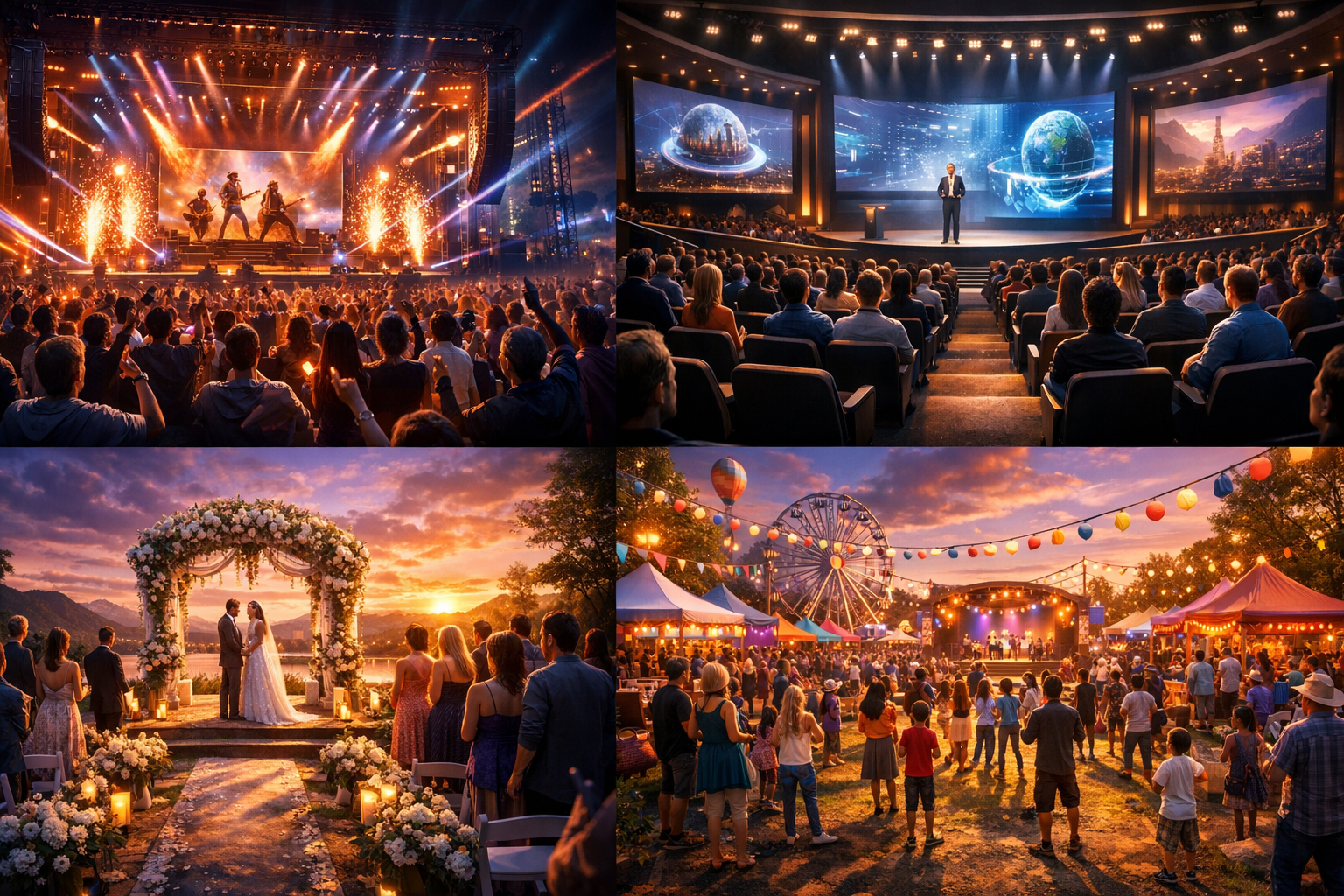
How to Host a Virtual Event in the Metaverse in 2026 — experience it now in Alife Virtual
Imagine opening the doors to your own concert arena, conference hall, wedding venue, or community festival ground in a living 3D world where guests arrive from around the globe as beautifully styled avatars, music fills the air, lights shimmer across custom-built stages, and every detail feels personal, immersive, and unforgettable. That is not a distant fantasy in 2026. It is something you can create right now inside Alife Virtual.
If you have been dreaming about hosting a virtual event in the metaverse, this is your moment. Whether you want a romantic beach wedding, a packed live DJ night, an educational summit, an art-and-music festival, or a neighborhood celebration that brings people together across continents, Alife Virtual makes the experience accessible, affordable, and exciting. Better yet, you do not need a VR headset, a massive budget, or years of technical experience to make it happen.
In this guide, you will discover exactly how to host a virtual event in the metaverse in 2026 using Alife Virtual, a free 3D virtual world built for creativity, social connection, and immersive experiences. From planning and design to promotion and live event management, here is your step-by-step roadmap to bringing your vision to life.
What a Virtual Event in Alife Virtual Feels Like
A great virtual event is more than a webpage with a video stream. In Alife Virtual, it feels like stepping into a place. You do not simply “join” an event. You arrive.
You might land on a private island at sunset, where lanterns glow along a path to a wedding arch draped in flowers. Or maybe you teleport into a futuristic conference center with branded screens, networking lounges, and keynote stages suspended above a neon city skyline. For a music event, guests can dance under animated lights, gather by VIP sections, explore merch areas, and chat in real time while the world around them pulses with sound and energy.
The social layer is what makes the metaverse so powerful. Instead of typing into a static comment box, attendees move through the space as avatars, gather in groups, applaud performances, take photos, change outfits, explore side attractions, and meet new people naturally. That sense of shared presence transforms a simple event into a memory.
And because Alife Virtual works on any desktop with no VR headset required, the experience is far more accessible than many people expect. Guests can log in from home, customize their appearance, and participate fully in a 3D event world without expensive hardware.
Here is what that can mean for different event types:
- Concerts: Live DJ sets, themed stages, dance floors, visual effects, branded backdrops, meet-and-greets, and after-parties.
- Conferences: Keynote halls, breakout rooms, sponsor booths, live presentations, networking spaces, and exhibition zones.
- Weddings: Custom ceremony spaces, guest seating, music, reception areas, photography spots, and deeply personal decoration.
- Community festivals: Multiple attractions, games, art displays, talent showcases, marketplaces, performances, and social hangouts.
In short, hosting a virtual event in Alife is not about imitating the physical world. It is about expanding it. You can create experiences that are intimate, dramatic, practical, surreal, or all of those at once.
Why Alife Virtual Makes Metaverse Events Easy to Create
Alife Virtual is designed for people who want to build, socialize, and launch real experiences in a 3D world without getting crushed by high costs. That is one reason it stands out so strongly in 2026.
Here are the features that make event hosting possible and practical:
1. A Free Private Island to Build On
Alife Virtual gives you a FREE private island for one month with a full 65,536 sqm region and no monthly fees during that period. That is a huge advantage when you are experimenting, planning your first event, or testing a business idea.
This region size is perfect for:
- Large concert grounds
- Conference campuses with multiple halls
- Beach or garden weddings
- Seasonal or cultural festivals
- Immersive brand activations
In many virtual platforms, access to this much land can become the biggest barrier. In Alife, it becomes your launchpad.
2. 10,000 Prims for Building
With 10,000 prims, you have room to create stages, seating, decorative structures, signage, lounge areas, vendor zones, ceremony backdrops, walkways, interactive objects, and more. For event organizers, that means freedom. You can build something simple and elegant or rich and layered, depending on your goals.
3. Full LSL Scripting Support
Need doors that open automatically, clickable information boards, stage effects, timed animations, tip jars, registration kiosks, games, or custom interaction systems? Alife Virtual includes full LSL scripting support. If you are already familiar with scripting in Second Life-style environments, you will feel right at home.
4. Uses Firestorm Viewer
Alife Virtual uses the Firestorm Viewer, the same viewer family that many users already know from Second Life. This lowers the learning curve significantly for builders, event planners, designers, and performers who have previous experience in virtual worlds.
5. Ready-Made Sims for Fast Launches
If you want to host an event quickly, Alife also offers pre-made furnished sims from $20/month that are ready to use immediately. That is ideal for businesses, creators, and communities that want to skip the blank-canvas stage and start hosting right away.
6. Free Full-Body Mesh Avatar
Every event begins with presence, and presence starts with your avatar. Alife Virtual includes a FREE full-body mesh avatar with custom outfits, making it easier to look polished and event-ready without extra cost.
7. A Large, Active Community
With 1,148,000+ members, Alife Virtual offers a strong social foundation. For hosts, that means a real audience, collaboration opportunities, talent, decorators, DJs, builders, educators, and communities looking for meaningful events to attend.
8. Free Daily Classes
Not sure how to build a venue, script an interaction, design event fashion, or monetize your skills? Alife offers free daily classes in building, scripting, fashion, and business. That educational layer is incredibly valuable for first-time event organizers and ambitious creators alike.
Why Alife Virtual Is Better for This Than Second Life, IMVU, or VRChat
When people search for the best metaverse platform for hosting events, they often compare several major names. Here is why Alife Virtual deserves serious attention.
| Platform | Best For | Event Hosting Costs | Building Freedom | Desktop Accessibility |
|---|---|---|---|---|
| Alife Virtual | Affordable immersive events, building, social communities | FREE private island for one month | High, with 10,000 prims and full LSL scripting | Yes, no VR headset required |
| Second Life | Legacy virtual world communities | About $300/month for the same region size | High | Yes |
| IMVU | Chat-driven social rooms and avatar styling | Varies, but less suited for open-region immersive event design | More limited for full-scale world building | Yes |
| VRChat | VR-first social interaction | Can require more technical setup and stronger hardware | Strong, but often more complex for casual hosts | Desktop possible, but often optimized around VR culture |
The biggest difference is value. Second Life charges around $300 per month for the same region size that Alife gives you free for one month. That alone changes the equation dramatically for creators testing a concept, planning a one-time event, or launching a virtual venue business.
Compared with IMVU, Alife offers far more flexibility for true 3D world design and event infrastructure. Compared with VRChat, it offers a more familiar desktop-first route for users who want rich world building without requiring VR hardware.
If your goal is to host a metaverse event that feels immersive, customizable, and socially alive without overspending, Alife Virtual is an incredibly compelling choice.
Step-by-Step: How to Host a Virtual Event in Alife Virtual
Now let us turn your idea into a real plan.
Step 1: Choose Your Event Format
Start by defining the experience you want guests to have. Ask yourself:
- Is this a concert, conference, wedding, festival, or hybrid event?
- How many guests do you expect?
- Do you want a formal mood, a playful atmosphere, or a high-energy social vibe?
- Will the event happen once, or become a recurring venue or series?
A wedding may focus on beauty, intimacy, and photo moments. A conference may need signage, presentation screens, and breakout rooms. A music festival may need multiple zones, stages, and performance schedules.
Step 2: Create Your Alife Virtual Account
Go to https://www.alifevirtual.com and create your account. Once inside, claim your avatar and begin customizing your look. Since Alife includes a free full-body mesh avatar with outfit options, you can quickly create a polished identity that matches your event role, whether that is host, performer, organizer, bride, MC, or brand representative.
Step 3: Download Firestorm Viewer
Because Alife Virtual uses the Firestorm Viewer, setup is familiar and reliable for many users. Install it on your desktop, log in, and get comfortable with navigation, camera controls, chat, and inventory management.
If you are new, spend a little time learning how to:
- Walk, fly, and teleport
- Rez and move objects
- Use local chat and instant messages
- Adjust graphics for better performance
- Manage your inventory and saved outfits
Step 4: Claim Your Free Island or Choose a Pre-Made Sim
If you want total creative control, start with the free private island. With 65,536 sqm and 10,000 prims, you can design an entire event world around your concept.
If speed matters more than building from scratch, choose one of the pre-made furnished sims from $20/month. This can save a huge amount of time if you need to launch quickly for a business event or a scheduled celebration.
Step 5: Design the Venue Layout
Think like a guest. What do they see first? Where do they gather? How do they move?
For almost every virtual event, you should plan:
- Arrival area: Landing point, welcome signage, host greeters.
- Main event zone: Stage, ceremony platform, presentation hall, or festival plaza.
- Social spaces: Lounges, dance floors, networking corners, photo spots.
- Utility areas: Info boards, teleport hubs, schedule displays, staff-only sections.
- Decorative storytelling: Lighting, landscaping, sky settings, sound design, branding.
Use your prim budget carefully. Focus first on the structures and interactions that define the event experience. Then add detail layers that elevate atmosphere.
Step 6: Add Interactivity with LSL Scripting
This is where your event starts feeling alive. With full LSL scripting support, you can add:
- Clickable teleport signs
- Animated stage lights
- Countdown boards
- Guestbook systems
- Donation or tip jars
- Seat animations
- Trivia and festival mini-games
- Auto-greeters and registration kiosks
If you are not confident with scripting yet, the free daily classes in building and scripting can help you learn fast.
Step 7: Curate the Guest Experience
Great events are not just built. They are hosted. Plan the attendee journey from start to finish.
Consider including:
- Clear instructions for newcomers
- Dress code suggestions or themed fashion guidance
- Scheduled programming with buffer time
- Hosts or moderators to welcome and assist guests
- Photo-worthy backdrops for social sharing
- Quiet areas for conversation away from the main action
This matters especially for conferences and weddings, where pacing and comfort shape the emotional tone.
Step 8: Promote the Event
Once your venue is ready, start building anticipation. Use every available channel inside and outside Alife Virtual:
- Community groups
- Event listings
- Social media posts
- Partner communities and creators
- Invitations with teleport details
- Teaser images and venue previews
If your event includes performers, speakers, creators, or community leaders, encourage them to help amplify it. A virtual event thrives when guests feel they are coming to something special, not just something scheduled.
Step 9: Rehearse Before Opening
Do a full run-through at least once. Test:
- Spawn and arrival points
- Audio or music stream links
- Scripts and interactive objects
- Lighting and environment settings
- Guest navigation routes
- Staff communication methods
A rehearsal is especially important for weddings, live performances, and professional conferences. Smoothness creates confidence for both the host and the audience.
Step 10: Host the Event Live
When guests begin arriving, be present. Greet people. Guide them. Keep the energy moving. In virtual worlds, hosts shape atmosphere in real time.
During the event:
- Welcome late arrivals gently
- Use moderators to answer questions
- Keep transitions organized
- Encourage social interaction
- Capture screenshots and video moments
And after the event, do not let the momentum disappear. Thank attendees, share photos, gather feedback, and invite them to your next experience.
Community Spotlight: What Alife Virtual Residents Are Creating
One of the most exciting things about Alife Virtual is that the world is not empty potential. It is already alive with creators, entrepreneurs, educators, fashion lovers, and community builders making remarkable spaces.
Residents have used their land and skills to build social venues, themed regions, stylish avatar experiences, business spaces, and community hubs that show just how flexible the platform can be. Some creators focus on immersive decor and architecture. Others build events around fashion, music, nightlife, roleplay, or education. Many are learning through Alife’s daily classes, then applying those skills to launch projects of their own.
In Alife Virtual, people are not just consuming experiences. They are building the stages, shaping the culture, and turning imagination into places others can actually visit.
That matters for event hosts because it means you are stepping into a world with talent. Need a builder? A host? A fashion stylist? A scripter? A performer? A collaborator? There is a real community here, and that community can help your event become more ambitious than you first imagined.
FAQ: Hosting a Virtual Event in Alife Virtual
1. Do I need a VR headset to host or attend an event in Alife Virtual?
No. Alife Virtual works on any desktop, so you can host and attend immersive 3D events without a VR headset. That makes it easier for guests to join from home with minimal friction.
2. Is Alife Virtual really free for event hosts?
Yes. Alife Virtual offers a free private island for one month with a full 65,536 sqm region and no monthly fees during that period. This is a huge benefit for testing event ideas, launching a pilot venue, or hosting your first major gathering.
3. Can I build custom venues for concerts, weddings, and conferences?
Absolutely. You get 10,000 prims for building, and Alife supports full LSL scripting, which allows deep customization. You can create anything from elegant ceremonial spaces to branded conference centers and festival grounds.
4. Is Alife Virtual hard to learn if I am new?
Not at all. The platform uses the Firestorm Viewer, and there are free daily classes covering building, scripting, fashion, and business. If you are new, those classes can help you get comfortable quickly.
5. Why choose Alife Virtual instead of Second Life for event hosting?
The cost difference is enormous. Second Life charges around $300 per month for the same region size that Alife gives free for one month. If you want creative freedom without that financial pressure, Alife Virtual is a much more accessible option.
Your Metaverse Event Starts Here
The metaverse in 2026 is no longer about watching from the sidelines. It is about creating places where people gather, celebrate, learn, dance, connect, and remember. A concert can become a world. A conference can feel like a destination. A wedding can unfold in a dreamscape impossible anywhere else. A community festival can welcome people from every corner of the globe into one shared moment.
That is exactly why Alife Virtual is such an exciting platform for event hosts. You can start with a free private island, shape it with 10,000 prims, personalize your presence with a free full-body mesh avatar, expand with LSL scripting, learn through free daily classes, and build for a growing audience of 1,148,000+ members — all on desktop, with no VR headset required.
If you have been waiting for the right time, the right platform, or the right price point, this is it.
Visit https://www.alifevirtual.com today, claim your place in Alife Virtual, and start building the virtual event people will talk about long after the lights go down.
🎁 Ready to Live This Experience?
Claim your FREE island in Alife Virtual and start today!
Claim Your Free Island Now →No credit card required · Takes 2 minutes · for one month free