How to Terraform Land in a Virtual World: Beginner to Pro
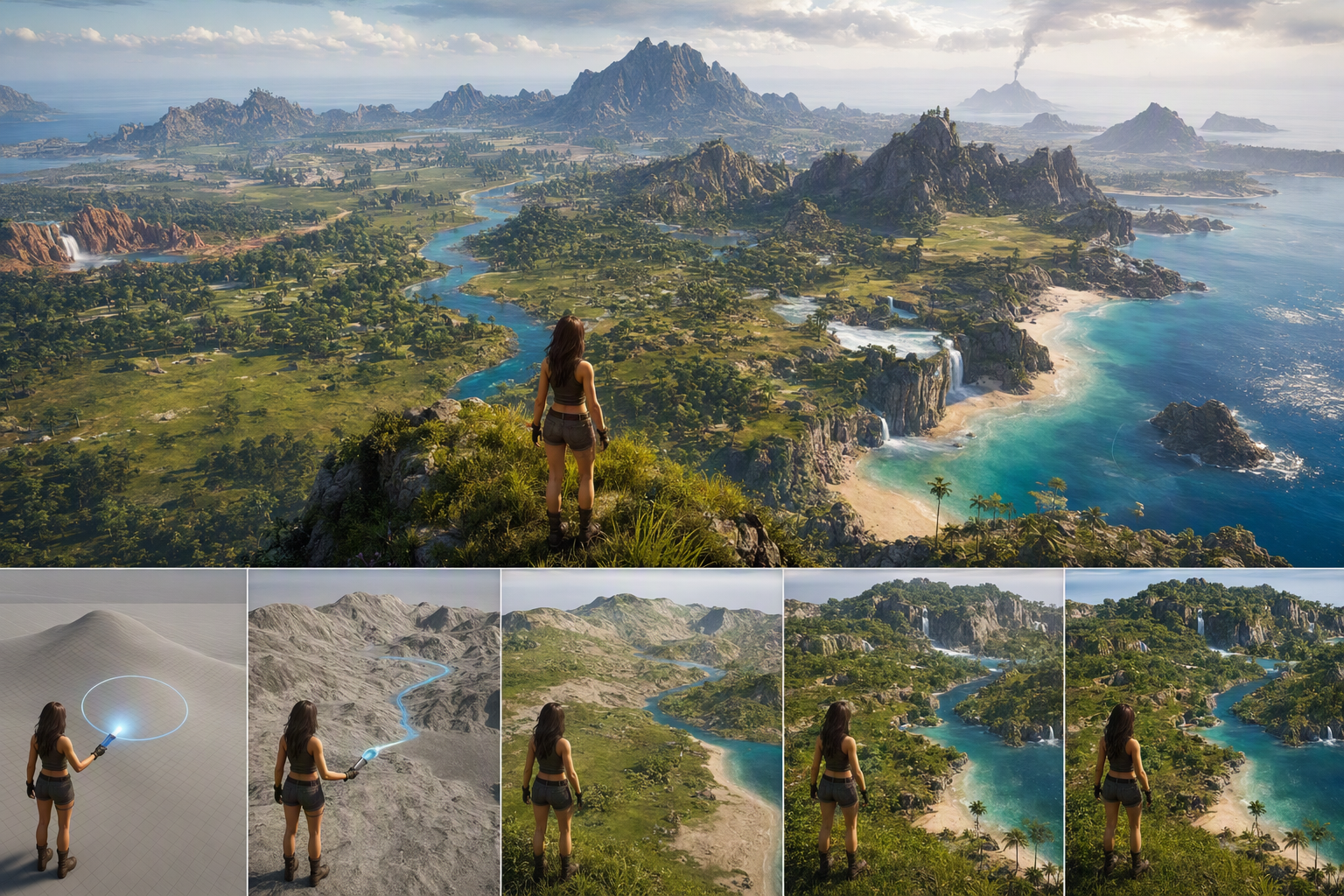
How to Terraform Land in a Virtual World: Beginner to Pro — experience it now in Alife Virtual
If you have ever looked at an empty virtual landscape and imagined a windswept coastline, a hidden river valley, or a dramatic mountain retreat with your home perched above the clouds, this is where that dream begins. In Alife Virtual, terraforming is not just a technical feature. It is the moment a blank island becomes your world. You can raise hills, carve beaches, shape lakes, create rolling meadows, and build an entire environment that feels alive the second your avatar steps onto it.
For anyone who wants creative freedom without punishing costs, Alife Virtual opens the door wide. You can claim a free island + 1,000 C$ for shopping (until 31 Dec 2026), enjoy 65,536 sqm of space, and start building immediately with 10,000 prims and full terrain editing tools. There are no lock-in for that free month, which means you can experiment, learn, and transform your land without the pressure that often comes with other platforms. If you have always wanted to sculpt a custom landscape from scratch, this guide will take you from beginner to pro.
What Terraforming Feels Like in a Living Virtual World
Terraforming in a virtual world is surprisingly emotional. One minute, you are standing on flat, silent land. The next, you are standing on a cliff you created yourself, looking down at a glittering shoreline you shaped by hand. In Alife Virtual, the experience is immersive even without a headset. It works on any desktop, so all you need is your computer, your imagination, and the desire to build a place worth returning to.
Picture yourself logging in through our Alife Virtual Firestorm Viewer, which works just like the Firestorm you know from Second Life. Your free full-body mesh avatar with custom outfits is ready, polished, expressive, and perfectly at home in a world you are about to redesign. As you fly over your private island, you start to notice possibilities everywhere. That flat edge could become a sandy beach. The center could become a lush hilltop estate. The far corner could sink into a river-fed cove with stepping stones, reeds, and a dock where friends gather at sunset.
The visual payoff is immediate. Terraforming changes how light hits your land, how buildings sit in the environment, and how visitors emotionally respond to the space. A steep ridge creates drama. A gentle slope feels welcoming. A winding river invites exploration. A hidden basin creates intimacy. Even before you add houses, trees, or scripts, the terrain itself starts telling a story.
Then the social magic begins. Friends arrive and react in real time. Someone suggests a waterfall. Another offers landscaping tips. A builder recommends how to place retaining walls. A roleplayer sees the perfect fantasy kingdom. A venue owner imagines a beach party. In a world with 1,148,000+ members, your land is never just a static build. It can become a destination, a business, a hangout, a retreat, or a full-scale immersive experience.
How Alife Virtual Makes Custom Landscapes Possible
Alife Virtual is especially appealing for terraforming because it removes many of the barriers that stop people from trying. Cost is the biggest one. In Second Life, a region of the same size can cost $199/mo. In Alife Virtual, you can get a free island + 1,000 C$ for shopping (until 31 Dec 2026) at the same 65,536 sqm size. That gives creators room to test bold ideas without committing to a huge bill.
But affordability is only part of the story. Alife Virtual also gives you the tools and support you need to actually succeed.
- Firestorm Viewer compatibility: If you know Second Life-style controls, the workflow feels familiar and approachable.
- 10,000 prims for building: Enough capacity to combine custom terrain with homes, bridges, rocks, foliage, pathways, and decorative detail.
- Full LSL scripting support: Add interactive waterfalls, moving boats, soundscapes, lighting systems, or environment-changing objects.
- Free daily classes: Learn building, scripting, fashion, and business from real instructors in a live community setting.
- Desktop accessibility: No VR headset required, making world-building much easier for more people.
- Pre-made furnished sims from $20/month: Great if you want a ready-to-use base and then plan to customize the landscape around it.
That mix of space, tools, affordability, and training is what turns terraforming from an intimidating feature into an exciting creative project. You are not dropped into the world and left to figure everything out alone. You can learn in class, ask the community, test on your island, and evolve your landscape over time.
Why Alife Virtual Is Better for Terraforming Than Second Life, IMVU, or VRChat
| Platform | Terraforming Freedom | Cost for Large Private Space | Ease of Access | Best For |
|---|---|---|---|---|
| Alife Virtual | Strong terrain editing, large land area, building freedom | FREE private island, no lock-in | Works on any desktop, no VR needed | Creators who want to shape full landscapes affordably |
| Second Life | Good terraforming tools | $300/month for same region size | Desktop-based | Established users with a larger budget |
| IMVU | Limited environmental customization compared to full land sculpting | Varies, but not focused on open-region terraforming | Accessible | Chat rooms and social scenes rather than land shaping |
| VRChat | World creation is possible, but not as resident-friendly for live land editing | Depends on workflow and assets | Often associated with VR, though desktop works too | Social experiences and imported worlds |
Second Life does offer familiar terrain tools, but the price difference is impossible to ignore. Paying $199/mo for the same region size makes experimentation expensive. Alife Virtual gives you room to learn and create without that pressure.
IMVU is fun for social interaction and room styling, but it is not built around the same kind of expansive terrain sculpting. If your goal is to create rivers, hills, beaches, and custom topography across a full island, Alife provides far more freedom.
VRChat shines in social immersion, but building worlds there often feels more like a separate development process than hands-on resident terraforming. In Alife Virtual, you can stand in your world, edit your land, and see your environment take shape directly around you.
For this specific experience, Alife Virtual wins on value, accessibility, and practical creative control.
Step-by-Step: How to Terraform Land in Alife Virtual
Ready to shape your own island? Here is a beginner-to-pro workflow you can follow.
1. Create Your Account and Log In
Start by joining Alife Virtual at https://www.alifevirtual.com. Once registered, download and log in using the Firestorm Viewer. Since Alife uses Firestorm, the interface is familiar to many virtual world users and gives you access to powerful building and land tools.
2. Claim Your Free Avatar
Take advantage of the free island + 1,000 C$ for shopping (until 31 Dec 2026). You get 65,536 sqm to work with, giving you more than enough room to design varied terrain zones such as:
- A mountain or hill district
- A beachfront residential area
- A forested interior
- A river system or lake
- An event area or social hub
Before changing anything, spend a little time flying over the island and imagining the final atmosphere. Think like a world designer, not just a builder.
3. Open the Terrain Editing Tools
Access the land editing or terraforming tools through the viewer. Depending on your permissions and interface layout, you will typically find options to:
- Raise land
- Lower land
- Smooth terrain
- Flatten selected areas
- Add roughness or noise for natural variation
If you are new, start with a small test zone near one edge of the island. Learn how each tool behaves before making large-scale changes.
4. Block Out Your Major Landforms First
Do not start with tiny details. First, shape the big features:
- Choose where your highest point will be.
- Decide where water-facing lowlands or beaches should go.
- Sketch broad hills and valleys using the raise and lower tools.
- Reserve a flatter area for homes, shops, clubs, or communal spaces.
This stage is like painting with large brushstrokes. You are defining the overall geography of your island.
5. Sculpt Hills That Feel Natural
Many beginners create hills that look like sudden bumps. For more believable terrain:
- Raise land gradually in layers instead of one dramatic push.
- Use the smooth tool often to remove hard edges.
- Vary the slopes so one side is steeper and another side is softer.
- Create ridgelines instead of perfect round mounds.
If you want a dramatic estate or scenic overlook, create one central elevated area with switchback paths, terraces, or stairways leading up to it. A good hill is not just height. It is an invitation to explore.
6. Carve Rivers and Lakes with Purpose
Water features instantly make land feel alive. To build a river or lake:
- Lower the terrain in a path that feels organic rather than straight.
- Widen some parts and narrow others for realism.
- Smooth the banks so they look eroded rather than chopped.
- Add small raised areas nearby to suggest natural contours.
- Decorate later with rocks, reeds, bridges, docks, and sound effects.
For a lake, create a basin with uneven edges instead of a perfect oval. For a river, think about where it begins and where it leads. Even in a virtual environment, flow matters.
7. Build Beautiful Beaches
Beaches feel best when they transition gently. Lower the shoreline in soft steps so it appears to slope naturally toward the water. Then:
- Flatten sections for loungers, bonfires, or beach clubs
- Add dunes or slightly raised grassy edges behind the sand
- Use decorative objects to break up symmetry
- Place palms, driftwood, umbrellas, or boardwalk pieces
A beach is not just a strip of sand. It is a social stage. In Alife Virtual, it can become the center of parties, weddings, live music events, or a peaceful place to talk at sunset.
8. Make Flat Areas for Building
Once your natural features are in place, choose exactly where structures will go. Use the flatten tool to create foundations for:
- Homes and villas
- Stores and rental spaces
- Cafes and clubs
- Gardens and pavilions
- Roleplay regions or themed attractions
Try not to flatten too much of the island. The contrast between sculpted nature and built spaces creates visual richness.
9. Add Detail with Prims and Mesh
Your terrain is the foundation, but your 10,000 prims let you transform it into a complete environment. Use rocks, retaining walls, stairs, fences, bridges, waterfalls, plants, and custom décor to reinforce the shape of the land.
This is where your island starts feeling professionally designed. A simple riverbank becomes a destination when it has a rope bridge and lanterns. A hill becomes memorable when crowned by a glass house or fantasy tower.
10. Use LSL Scripting for Atmosphere and Interaction
With full LSL scripting support, your land can do more than look good. It can respond, move, and immerse visitors. Consider scripted additions such as:
- Animated waterfalls
- Birdsong or wave audio zones
- Pathway lights that switch on at night
- Interactive boats or fishing spots
- Teleport signs to scenic locations
Terraforming becomes far more powerful when paired with scripted experiences.
11. Learn Faster Through Daily Classes
If you want to level up quickly, join Alife Virtual’s free daily classes. These cover building, scripting, fashion, and business, which means you can learn both the technical and creative sides of land development. A beginner can pick up practical terrain workflow, while a more advanced creator can refine landscaping and monetization strategies.
12. Save, Revisit, and Refine Like a Pro
The best landscapes are rarely finished in one session. Walk your land at avatar height. Fly above it. Visit at different times of day. Invite friends over and ask what catches their eye or feels awkward. Then refine:
- Soften harsh edges
- Improve transitions between biomes
- Add focal points
- Reduce empty areas
- Enhance routes and pathways
Professional-looking terraforming comes from iteration. The more you live in your land, the better you shape it.
Pro Tips for Stunning Virtual Terrain
- Think in zones: Divide your island into experiences, such as beach, forest, cliffs, and social center.
- Design for movement: Where will visitors walk, fly, gather, and pause?
- Use elevation for emotion: High places feel dramatic, low places feel sheltered.
- Avoid perfect symmetry: Natural landscapes are irregular.
- Blend terrain with objects: Rocks, plants, and paths make sculpting feel convincing.
- Create a signature scene: One unforgettable overlook, waterfall, or beach club gives your island identity.
Community Spotlight: What Alife Residents Are Creating
One of the most exciting things about Alife Virtual is seeing what residents do once they realize how much freedom they have. Some creators begin with a simple flat region and, within days, turn it into a tropical resort with layered beaches, private cabanas, and scripted wave sounds. Others build fantasy kingdoms with towering ridges, torch-lit paths, rivers cutting through ancient ruins, and hidden caves for roleplay.
There are also practical creators using terraforming for business. Shop owners shape elegant plazas into gentle hillsides to make storefronts feel upscale. Event hosts build natural amphitheaters into sloped terrain for concerts and weddings. Educators use custom islands to teach building and environment design in a hands-on way.
“I started with no idea how to terraform. After a few classes and a weekend of experimenting, I had cliffs, a beach, and a lake house parcel that people actually wanted to visit.”
That kind of story is common in Alife because the platform encourages trying, learning, and improving. The combination of free space, familiar tools, and an active learning culture helps ordinary residents create places that feel extraordinary.
And if you want something polished immediately, pre-made furnished sims from $20/month can give you a strong starting point. Many residents begin with one of these ready-to-use environments, then customize terrain and décor to make the space uniquely theirs.
FAQ: Terraforming Land in Alife Virtual
1. Do I need to pay to start terraforming in Alife Virtual?
No. You can start with a free island + 1,000 C$ for shopping (until 31 Dec 2026), including 65,536 sqm of land and no lock-in during that period. It is one of the most accessible ways to try large-scale virtual world landscaping.
2. Do I need a VR headset to build landscapes?
No. Alife Virtual works on any desktop, so you can terraform, build, and explore without VR hardware.
3. Is terraforming difficult for beginners?
It is easy to begin and rewarding to master. Basic tools like raise, lower, smooth, and flatten are simple to learn. Plus, Alife offers free daily classes that can help you improve quickly.
4. Can I add interactive features to my terrain?
Yes. Alife Virtual supports full LSL scripting, so you can add animated, interactive, and audio-based elements like waterfalls, lights, teleporters, and environmental effects.
5. Why choose Alife over Second Life for terraforming?
The biggest reason is value. A comparable region in Second Life can cost $199/mo, while Alife Virtual gives you a free island + 1,000 C$ for shopping (until 31 Dec 2026) at the same size. You get the freedom to create without a huge financial barrier.
Build the World You Want to Live In
Terraforming is one of the most powerful experiences in any virtual world because it lets you do more than decorate a space. It lets you define the land itself. In Alife Virtual, you can start with a blank island and turn it into a mountain escape, a romantic coast, a bustling waterfront district, or a fantasy wilderness full of story and atmosphere.
And the best part is that you do not need expensive hardware, advanced development pipelines, or a massive monthly budget to do it. With a free full-body mesh avatar, a free island + 1,000 C$ for shopping (until 31 Dec 2026), 10,000 prims, Firestorm Viewer support, full LSL scripting, and a huge community of 1,148,000+ members, Alife Virtual gives you the freedom to build boldly from day one.
If you are ready to sculpt hills, carve rivers, shape beaches, and create a landscape that feels like home, now is the time to begin. Visit https://www.alifevirtual.com, claim your space, and start turning empty land into your own unforgettable world.
🎁 Ready to Live This Experience?
Claim Your Free Avatar in Alife Virtual and start today!
Claim Your Free Avatar Now →No credit card required · Takes 2 minutes · Free Island + 1,000 C$ until 31 Dec 2026