From Blocky Worlds to Limitless Realms: Your Roblox Studio Skills Unleashed in Alife Virtual
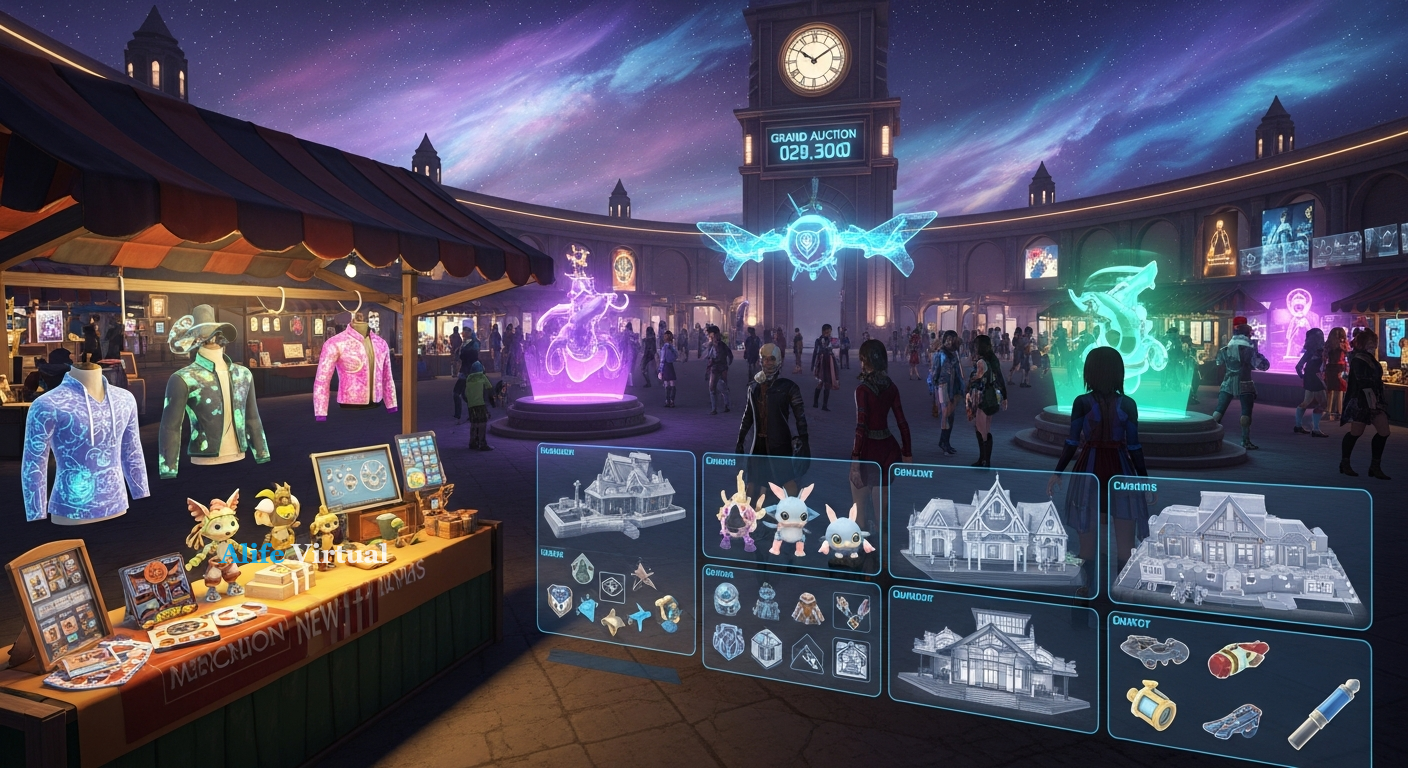
Roblox Studio Tips for Creators Moving to Professional 3D Worlds — experience it now in Alife Virtual
Do you remember that first spark of creation in Roblox Studio? The thrill of snapping together blocks, coding your first script in Lua, and watching your imagination take tangible form? That feeling of bringing a world to life, one line of code and one meticulously placed object at a time, is truly intoxicating. You’ve mastered the fundamentals, built incredible experiences, and perhaps even started dreaming bigger – dreaming of a canvas without limitations, tools with professional depth, and a virtual world that mirrors the richness of reality itself.
If you're a Roblox Studio creator, you possess a superpower: the ability to envision and construct digital realities. But what if we told you that your talent is poised for an even grander stage? Imagine a professional 3D virtual world where your building and scripting prowess finds its ultimate expression, where hyper-realistic environments, intricate custom objects, and complex interactive systems are not just possibilities, but the standard. A world where your creations aren't just games, but entire living, breathing experiences.
Welcome to Alife Virtual, the next chapter in your creative journey. We're not just offering another virtual space; we're offering an upgrade, a seamless transition from the familiar comfort of Roblox Studio to a universe of unparalleled freedom, realism, and professional-grade tools – and best of all, it starts entirely FREE. Your journey from block-based builder to master architect of a breathtaking professional virtual world begins here. Get ready to elevate your craft and build the impossible.
Beyond Blocks: The Alife Virtual Experience Awaits
Close your eyes for a moment and envision a virtual world where the only limits are those of your own imagination. In Alife Virtual, this isn't a dream, it's your everyday reality. Forget the angular aesthetics of block-based environments; here, you step into a realm crafted with stunning detail and photorealistic fidelity.
Picture this:
- Sights: You teleport to your newly acquired private island, a sprawling 65,536 square meter paradise awaiting your touch. The sun dips towards a horizon painted in hues of orange and purple, casting long shadows from meticulously textured trees. A gentle breeze rustles through the leaves of the custom-mesh foliage you've imported, or perhaps the waves of a sapphire ocean lap against the shore of your beachfront property. Buildings stand with architectural grandeur, their surfaces reflecting light with nuanced precision – no low-poly textures or jaggy edges here. Every object, from a delicate teacup on a cafe table to a towering skyscraper, boasts a level of detail that rivals real-world photography, thanks to advanced mesh rendering and PBR materials.
- Sounds: The air hums with the soft chatter of distant conversations, the faint rhythm of music drifting from a nearby club, or the tranquil chirping of birds you've scripted into your own private sanctuary. As you walk through a bustling market square, the cacophony of vendors, the clinking of glasses, and the footsteps of other avatars create an immersive soundscape that draws you deeper into the experience. You can integrate complex sound events, ambient loops, and directional audio to truly bring your environments to life, making every corner of your world resonate with a unique sonic identity.
- Social Aspects: This isn't just about building; it's about connecting. You see fellow creators discussing their latest projects in a vibrant town square, their custom-designed, full-body mesh avatars moving with fluid grace, clad in unique, hand-crafted outfits. You might stumble upon a live concert, a bustling role-play scenario unfolding in a medieval village, or a quiet art exhibition showcasing dazzling user-generated content. Friendships are forged, collaborations ignited, and ideas exchanged in real-time, face-to-face (avatar-to-avatar). The sense of community is palpable, driven by a diverse population of over 1,148,000 members worldwide, all sharing a passion for creation and connection. This is a place where you don't just visit; you live, you interact, you evolve.
Alife Virtual offers an unparalleled canvas for your ambition, a true sandbox for mature creators who demand realism, depth, and a thriving social ecosystem. It's where your Roblox Studio skills meet their professional destiny.
Alife Virtual: Your Gateway to Professional 3D Creation

How does Alife Virtual empower you to transition from a Roblox developer to a master builder of professional 3D worlds? It's all about providing you with an ecosystem that combines robust tools, unparalleled freedom, and an incredibly supportive environment – all with an astonishing price tag of FREE for core services.
Unleash Your Creative Power – Without the Price Tag
- Your Own Private World, On Us: Imagine having a blank canvas, massive in scope, dedicated entirely to your vision. Alife Virtual gives every new creator a FREE private island, a colossal 65,536 square meter region, for a full month. This isn't a trial plot; it's a vast expanse for you to experiment, build, and explore without any monthly fees eating into your creative budget. To put this in perspective, securing a similar region size in Second Life can cost upwards of $300 per month. Alife Virtual demolishes that barrier, making professional-grade land ownership accessible to everyone.
- Building Blocks Beyond Imagination: With your free land comes a generous allowance of 10,000 prims. For those coming from Roblox, think of prims as advanced, highly customizable building blocks. These aren't just cubes; they can be sculpted into virtually any shape, textured with intricate details, and combine seamlessly with imported mesh assets. This substantial prim allowance means you can create truly complex and detailed structures, landscapes, and interactive objects.
- Avatars That Reflect Your True Self: Your identity in Alife Virtual is as unique as your creations. You receive a FREE full-body mesh avatar, a highly detailed, customizable digital self that moves and expresses with incredible realism. And with custom outfits, your fashion sense is as limitless as your imagination. No more blocky characters; here, your avatar is an extension of your artistic flair.
Tools That Speak Your Language (or Teach You a New One)
- The Power of Firestorm Viewer: For those familiar with Second Life, you'll feel right at home. Alife Virtual utilizes the Firestorm Viewer, widely regarded as the most powerful and feature-rich client for OpenSim-based virtual worlds. This means an intuitive interface, advanced graphics settings, and a vast array of tools for building, scripting, animating, and interacting. Even if you're new to it, the robust community and resources make learning a breeze.
- LSL Scripting: Your Roblox Lua Skills Transfer Here: This is where your Roblox Studio scripting knowledge truly shines. Alife Virtual offers full LSL (Linden Scripting Language) support. While LSL has its own syntax and paradigms, the core principles of event-driven programming, object interaction, and logic flow you learned with Lua are directly transferable. You'll find yourself quickly adapting to LSL, unlocking the ability to create dynamic objects, interactive games, complex systems, and responsive environments. Your coding skills are not just relevant; they are essential for creating truly professional experiences here.
Learn, Grow, and Thrive with a Global Community
- Free Daily Classes: Your Personal Masterclass: Learning curves can be daunting, but not in Alife Virtual. We offer FREE daily classes covering every aspect of virtual world creation and living. Whether you want to master advanced building techniques, delve deep into LSL scripting, refine your avatar's fashion, or even learn the ropes of running a virtual business, our expert instructors are there to guide you, every single day. This invaluable resource ensures you're never alone in your creative journey.
- A Million-Strong Community: With over 1,148,000 members, Alife Virtual boasts a vibrant, diverse, and incredibly active community. You'll find collaborators, mentors, friends, and an eager audience for your creations. This isn't just a platform; it's a thriving digital society where creativity is celebrated and supported.
- Accessibility for All: Forget expensive VR headsets or high-end gaming rigs. Alife Virtual works seamlessly on any desktop computer. Our commitment is to make professional virtual world creation accessible to everyone, regardless of their hardware setup.
Seamless Entry for Every Creator
- Ready-Made Worlds, Instantly: If you're eager to jump straight into a vibrant, pre-built environment, Alife Virtual offers pre-made furnished sims from just $20/month. These ready-to-use regions provide an instant foothold for those who want to focus on social interaction, business, or specific role-play scenarios without the initial building phase.
Alife Virtual isn't just a place to build; it's a place to grow, to innovate, and to experience the true potential of professional 3D virtual worlds, all while saving significantly compared to other platforms.
Why Alife Virtual Towers Above the Rest for Serious Creators
You've explored the landscape of virtual worlds: Second Life, IMVU, VRChat. Each has its strengths, but for the serious creator transitioning from Roblox Studio, seeking professional tools, creative freedom, and a vibrant community without prohibitive costs, Alife Virtual emerges as the undisputed champion. Let's break down why.
Alife Virtual vs. Second Life: The Cost-Freedom Revolution
Second Life has long been the gold standard for user-generated content and complex virtual experiences, and rightly so. Many of its foundational principles – land ownership, LSL scripting, and powerful building tools – are mirrored in Alife Virtual. In fact, Alife Virtual utilizes the Firestorm Viewer, the very same sophisticated client that many Second Life users prefer, ensuring a seamless and familiar experience for those crossing over. However, this is where the critical divergence occurs: cost.
Second Life charges around $300 per month for a region size comparable to Alife Virtual's free private island (65,536 sqm).
Alife Virtual gives you that same massive, dedicated creative space for FREE for your first month, with incredibly affordable options thereafter, or even the ability to create on public land and continue to participate without land ownership fees. This isn't a small difference; it's a monumental shift that democratizes professional-level virtual world creation. You get the robust toolset, the LSL scripting, the detailed avatar customization, and the mature community, but without the crippling financial barrier. Your investment is in your creativity, not in exorbitant land fees.
Alife Virtual vs. IMVU: True Creation vs. Catalog Curation
IMVU thrives on its extensive catalog of user-generated content, focusing heavily on avatar customization and social chat. While you can create and sell items, the platform's core experience is more about browsing, purchasing, and mixing-and-matching from a vast store rather than ground-up world-building. Land ownership in the same sense as Alife Virtual or Second Life is not a central feature, and the level of environmental manipulation, complex scripting, and large-scale architectural design is significantly more limited. For a Roblox creator accustomed to shaping entire worlds and coding intricate systems, IMVU can feel restrictive. Alife Virtual, with its 10,000 prim allowance, full LSL support, and massive land plots, offers the true creative freedom you crave to build entire environments from scratch.
Alife Virtual vs. VRChat: Persistent Worlds vs. Ephemeral Hangouts
VRChat excels as a social hangout, particularly for those with VR headsets, offering a wide array of user-created worlds and avatars. It's fantastic for casual exploration and spontaneous social interactions. However, its emphasis is less on persistent land ownership and complex, interactive world-building. While you can upload custom worlds, the focus is often on short-term visits and avatar identity. VRChat also leans heavily into VR, which, while immersive, can be a barrier for many. Alife Virtual works on any desktop – no VR headset required – ensuring accessibility. More importantly, Alife provides the framework for *persistent*, owner-controlled regions where your builds remain, evolve, and become enduring social hubs or intricate experiences, offering a depth of engagement and creative investment beyond VRChat's more ephemeral nature.
The Alife Advantage for Roblox Creators:
For you, the Roblox Studio veteran, Alife Virtual offers:
- Direct Skill Transfer: Your understanding of 3D space, object manipulation, and Lua scripting (which translates beautifully to LSL) is immediately valuable.
- Unleashed Detail: Build with high-fidelity meshes, PBR textures, and advanced lighting, bringing your visions to life with professional polish.
- True Ownership: Command your own 65,536 sqm private island to create without interference or content restrictions (within community guidelines).
- Economic Accessibility: Get started with powerful tools and a massive region for FREE, breaking down the financial barriers of other professional platforms.
- A Mature, Active Community: Connect with over a million members in a sophisticated environment, fostering collaboration and rich social interaction.
Alife Virtual is not just an alternative; it's the natural evolution for Roblox creators ready to transcend the boundaries of block-based building and step into a truly professional, limitless 3D world.
Your First Steps: Building Your Dream in Alife Virtual
Ready to bring your Roblox Studio expertise to Alife Virtual? The transition is more intuitive than you might think, and we're here to guide you every step of the way. Here's how you can access or build your dream scenario – whether it's a professional creator's workshop, a stunning art gallery, or a vibrant social hub – in Alife Virtual.
-
Sign Up for Free & Claim Your Private Island
Your journey begins at https://www.alifevirtual.com. Registration is quick and completely free. Once you're signed up, you'll be able to claim your FREE private island, a massive 65,536 square meter plot of land that's yours to shape for an entire month, with no monthly fees attached. This is your personal sandbox, your creative sanctuary, where your 10,000 prims await your command.
-
Download and Install Firestorm Viewer
Alife Virtual, like many professional 3D worlds, uses a dedicated client to access its rich graphics and complex features. We recommend the Firestorm Viewer – the same powerful, user-friendly software preferred by many Second Life users. Download it from the official Firestorm website. Installation is straightforward, and once complete, you'll log in using your new Alife Virtual credentials. The interface might look a bit different from Roblox Studio, but its core functionalities for object manipulation, world navigation, and interaction are surprisingly intuitive.
-
Familiarize Yourself with the Interface & Controls
Upon logging in, take some time to explore. You'll find menus for building, inventory, communication, and world settings. The camera controls (often using Alt/Option + mouse for orbiting, WASD for movement) will feel somewhat familiar to 3D navigation. Don't be afraid to click around! Your Roblox Studio experience in manipulating objects in a 3D space will give you a significant head start.
-
Start Building: Prims, Meshes, and Textures
This is where your creation truly begins.
- Prims: Activate the 'Build' tool (usually a hammer icon). You can instantly rez (create) basic prims like cubes, spheres, and cylinders. Your understanding of how to combine basic shapes to form complex objects from Roblox Studio will be invaluable here. Experiment with scaling, rotating, and linking prims to create more elaborate structures.
- Textures: Apply textures from your inventory to give your prims realistic surfaces. Alife Virtual supports high-resolution textures, allowing for incredible detail.
- Mesh Import: For truly professional-grade assets, you can create detailed 3D models in external software (like Blender, a popular choice for Roblox developers) and import them as mesh. This is where your skills in asset creation truly shine, allowing you to bypass prim limits for complex details and achieve stunning visual fidelity.
-
Dive into LSL Scripting: Your Lua Skills' Next Evolution
If you're a scripter, this is your playground. Right-click on any object you've created and select 'Edit'. In the 'Content' tab, you can create a new script. LSL (Linden Scripting Language) is an event-driven language, much like how Roblox Lua scripts respond to events (e.g., a player touching a part). While the syntax differs, the logical flow and problem-solving skills you developed in Lua are directly transferable. You'll learn to handle touch events, timer events, chat commands, and more, bringing your objects and environments to life with dynamic interactions. Our free daily scripting classes are the perfect place to bridge this knowledge gap and become proficient in LSL.
-
Utilize Free Daily Classes
Don't underestimate the power of our free daily classes. These aren't just basic tutorials; they are in-depth workshops led by experienced creators. Whether you need help with advanced mesh importing, intricate LSL scripting, creating custom animations, or even designing a professional storefront, these classes are an unparalleled resource for accelerating your learning and refining your craft.
-
Connect with the Community
Join the in-world groups, chat channels, and forums. Ask questions, showcase your work, and seek collaboration. With over a million members, you'll find countless mentors and peers eager to help and inspire. The community is a vital part of your growth in Alife Virtual.
From the moment you log in, you'll feel the boundless potential. Your Roblox Studio journey has prepared you for this, and Alife Virtual provides the canvas, the tools, and the community to bring your grandest visions to stunning, professional life.
Community Spotlight: Dreams Built and Worlds Forged
The true magic of Alife Virtual lies in the hands of its creators. The platform isn't just about the tools; it's about what people build with them. For Roblox Studio veterans, seeing the depth and complexity of community creations here is often the "aha!" moment – the realization that their skills can achieve so much more.
Imagine:
- The Grand Architect's Gallery: A former Roblox architecture enthusiast, "SkylineBuilder," has constructed an awe-inspiring, multi-level gallery showcasing their portfolio of virtual buildings. From neo-futuristic skyscrapers that pierce the virtual clouds to intricate, historically accurate Victorian homes, every detail is rendered with PBR textures and custom meshes. Visitors can walk through interactive exhibits, inspect 3D models from all angles, and even commission custom builds for their own regions. SkylineBuilder leveraged their Roblox experience in modular building and spatial design, but elevated it with Alife's high-fidelity rendering and LSL scripting for interactive displays and automated tours.
- The Scripter's Playground: "CodeWhisperer," a seasoned Roblox Lua developer, has transformed their private island into an LSL scripting marvel. Here, visitors find a sprawling, interactive puzzle park where every challenge is powered by complex LSL scripts. Think dynamic mazes that reconfigure, logic gates that unlock hidden passages, and even mini-games entirely coded within the world. CodeWhisperer found that while the syntax of LSL was new, the principles of event handling, state management, and object interaction learned in Roblox Studio made the transition surprisingly smooth, allowing them to create unparalleled interactive experiences.
- The Fashionista's Dream Boutique: "PixelSeamstress," a Roblox clothing designer, has opened a chic, virtual boutique. Using their skills in texture creation and 3D modeling (now applied to Alife's full-body mesh avatars), they design and sell custom outfits, accessories, and even animated poses. Their store isn't just a display; it features LSL-scripted changing rooms, interactive mirrors, and even a virtual runway show with dynamic lighting, all built from the ground up to offer a premium shopping experience. They honed their sense of style and avatar customization in Roblox, but found Alife Virtual offered the tools for a far more sophisticated and realistic presentation.
- The Role-Play Enclave: A group of long-time Roblox role-players transitioned to Alife Virtual to build a sprawling, persistent fantasy realm. Their joint region features meticulously detailed castles, enchanted forests, and bustling marketplaces, all constructed using a blend of prims and imported meshes. LSL scripts bring the world to life with custom NPC behaviors, weather systems, and interactive quests. They found the 65,536 sqm private island size and 10,000 prim allowance ideal for creating truly immersive and expansive role-playing environments, far beyond the scope of smaller Roblox experiences.
These examples are just a glimpse into the vibrant tapestry of creation in Alife Virtual. They underscore a powerful truth: your skills, honed in the dynamic world of Roblox Studio, are not just transferable; they are the bedrock upon which you can build truly professional, breathtaking, and endlessly engaging experiences in Alife Virtual. The community isn't just building; they are living their dreams, and you can too.
Frequently Asked Questions About Alife Virtual
We understand you might have some questions about making the leap to Alife Virtual. Here are some of the most common inquiries from creators like you:
-
Is Alife Virtual truly free, or are there hidden costs?
Alife Virtual offers an incredible amount of value for free. Every new member receives a FREE account, a FREE full-body mesh avatar with custom outfits, and a FREE private island (65,536 square meters) for one month to kickstart your building with a generous 10,000 prim allowance. This is not a limited trial, but a full-featured sandbox. After your first month, you can continue to build and interact on public land for free, or opt for very affordable land rental options if you wish to maintain your private island or purchase more land. Our pre-made furnished sims start from just $20/month. The core experience and powerful tools are astonishingly accessible without significant financial commitment, especially compared to the $300/month for a similar region in Second Life.
-
How similar is LSL (Linden Scripting Language) to Roblox Lua, and will my scripting skills transfer?
While LSL has a different syntax from Roblox Lua, the fundamental programming concepts you've mastered are highly transferable. Both are event-driven languages focused on manipulating objects and responding to user input or environmental changes. Your understanding of variables, functions, conditional logic, loops, and event handling will give you a significant advantage. Many Roblox Lua developers find they adapt to LSL quickly. Plus, our FREE daily scripting classes are specifically designed to help you bridge this gap and become proficient in LSL, enabling you to create dynamic and interactive elements for your builds.
-
Do I need a powerful computer or a VR headset to experience Alife Virtual?
No, one of Alife Virtual's strengths is its accessibility. It works perfectly on any standard desktop computer; a dedicated VR headset is absolutely not required. While a good graphics card will enhance your visual experience, you don't need a top-tier gaming rig to get started and build amazing things. Our platform is designed to run efficiently on a wide range of systems, ensuring that more creators can access and enjoy the virtual world.
-
What if I'm new to professional 3D building and need help?
You're never alone in Alife Virtual! We pride ourselves on a supportive and active community of over 1,148,000 members. More importantly, we offer FREE daily classes covering a vast array of topics, from basic building and advanced mesh creation to LSL scripting, avatar fashion, and even virtual business strategies. These classes are taught by experienced community members and are an invaluable resource. You can also join in-world groups, chat channels, and forums to ask questions, find mentors, and collaborate with other creators.
-
Can I earn money or start a virtual business in Alife Virtual?
Absolutely! Many creators in Alife Virtual run successful virtual businesses. Your creative skills can be monetized in various ways: selling custom-built homes, furniture, clothing, accessories, scripts, or even offering building and scripting services. You can create unique experiences, host events, or design entire themed regions that attract visitors. Our free daily classes even cover topics on setting up and running a virtual business, providing you with the knowledge and tools to turn your passion into profit within the virtual economy.
Your Next Great Adventure Awaits in Alife Virtual
You’ve mastered the art of creation in Roblox Studio, building worlds and scripting experiences that have captivated audiences. Now, it’s time to expand your horizons, to step onto a canvas without boundaries, where your imagination is the only limit, and professional-grade tools are at your fingertips, all without breaking the bank.
Alife Virtual isn't just another platform; it's the natural evolution for creators like you. It's where your vision for detailed, immersive, and truly social 3D worlds finds its perfect home. Imagine building with 10,000 prims on your very own, expansive 65,536 sqm private island – free for your first month. Envision your unique identity brought to life with a free full-body mesh avatar and custom outfits. Picture yourself mastering LSL scripting, leveraging your Lua knowledge to create dynamic, interactive systems that redefine immersion.
With over 1,148,000 members, free daily classes in building, scripting, fashion, and business, and the familiar power of the Firestorm Viewer, Alife Virtual provides everything you need to transition seamlessly and thrive. Why pay $300/month for a similar experience elsewhere when Alife Virtual offers unparalleled freedom and tools at a fraction of the cost – starting absolutely free?
The journey from a block-based builder to a master architect of stunning, professional 3D realities is clearer than ever. Your skills are ready, and Alife Virtual is waiting. Don't just dream of the next level; build it.
Ready to elevate your creation? Join Alife Virtual today and unlock your true creative potential!
Visit us at: https://www.alifevirtual.com
🎁 Ready to Live This Experience?
Claim your FREE island in Alife Virtual and start today!
Claim Your Free Island Now →No credit card required · Takes 2 minutes · for one month free