Virtual Reality for Beginners: Start with Desktop, Graduate to VR in Alife Virtual
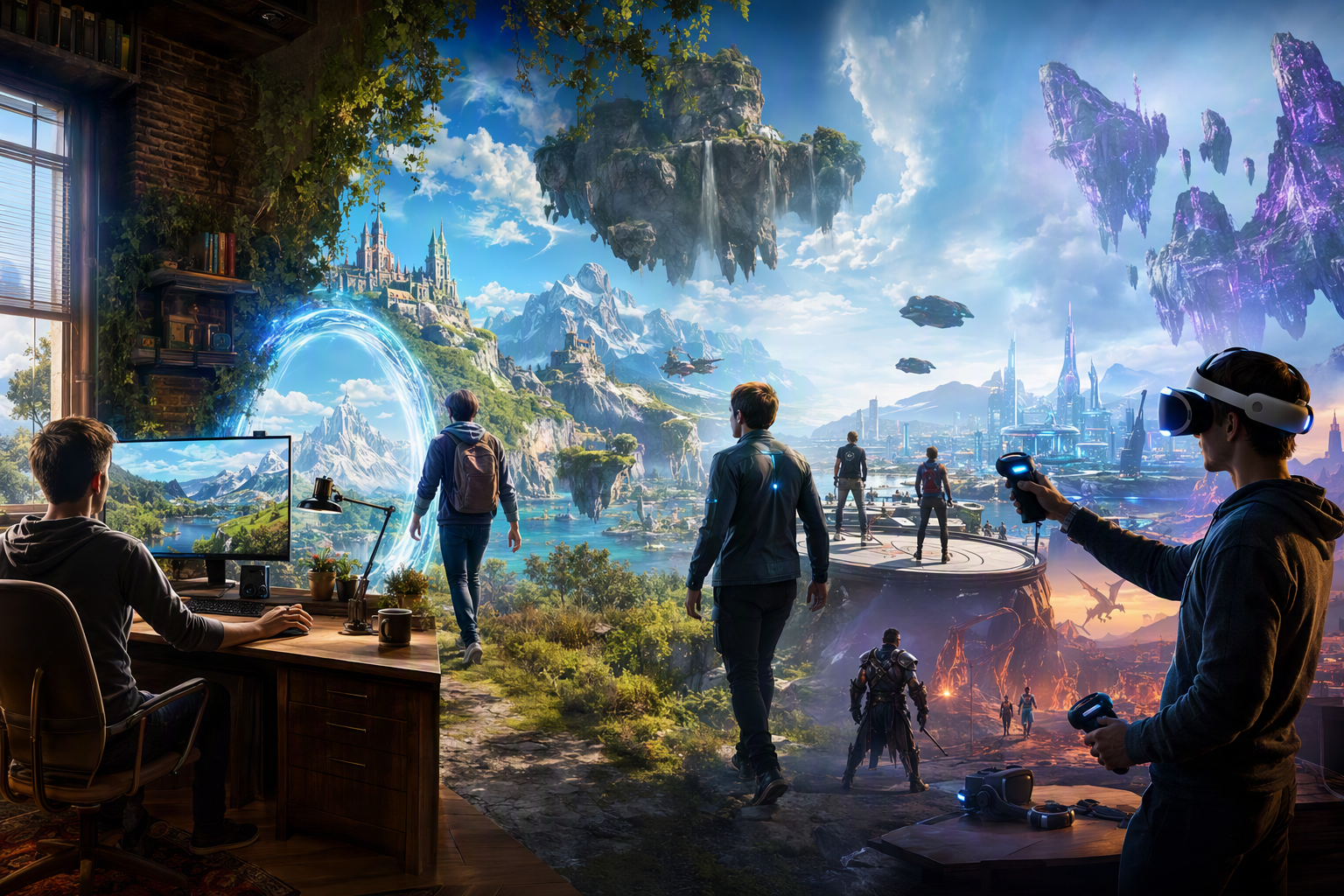
Virtual Reality for Beginners: Start with Desktop, Graduate to VR — experience it now in Alife Virtual
You do not need an expensive headset, a high-end gaming room, or years of technical experience to begin living in a rich virtual world. If you have ever imagined walking through a neon city, decorating your own island, meeting people from around the globe, building a business, or simply escaping into a place where creativity feels limitless, there is a beginner-friendly path into that experience. That path starts on desktop.
Alife Virtual makes that first step feel exciting instead of intimidating. It is a free 3D virtual world that works on any desktop, requires no VR headset, and gives newcomers an immediate way to explore, socialise, create, and grow. Better yet, it offers room to expand as your confidence grows. You can start with familiar mouse-and-keyboard controls, learn the ropes at your own pace, and later explore VR hardware when you are truly ready for deeper immersion.
For anyone curious about virtual reality but unsure where to begin, this is the ideal gateway. In Alife Virtual, you can learn the culture of virtual worlds, customise your identity, build environments, and discover what kind of digital life you want to live — all before investing heavily in equipment. It is the smart, affordable, and genuinely thrilling way to begin your journey.
Why Starting on Desktop Is the Best First Step into Virtual Reality
Many people hear the phrase “virtual reality” and immediately picture headsets, motion controllers, and complicated setup screens. That image can be exciting, but it can also stop beginners before they even begin. The truth is that immersive virtual living starts long before you put on a headset. It starts the moment you enter a shared 3D world and feel present in a digital space with real people.
Desktop virtual worlds offer the perfect introduction because they let you focus on what really matters: exploration, identity, social interaction, creativity, and confidence. Instead of worrying about motion sickness, headset comfort, tracking setup, or device cost, you can learn how virtual spaces work in a familiar way. You move, chat, build, teleport, shop, attend events, and discover communities — all from your computer.
That is why Alife Virtual is such a compelling place to start. It removes the hardware barrier while preserving the wonder. You are not getting a watered-down version of virtual life. You are getting the foundation of it, with all the freedom, expression, and connection that make virtual worlds so addictive in the best way.
What the Experience Feels Like in Alife Virtual
Imagine logging in for the first time and arriving in a world that feels alive. Sunlight spills across ocean water. Music drifts from a beach club in the distance. Avatars in striking outfits walk by, dance together, browse shops, and chat in public spaces. Somewhere nearby, someone is teaching a building class. Across the grid, another resident is hosting a fashion event, opening an art gallery, or inviting friends to a rooftop party.
Alife Virtual gives you that feeling of stepping into a space that is not just a game level, but a living, evolving world. You can wander through landscaped gardens, city streets, fantasy builds, modern homes, and social venues. You can sit in a café and talk to people in real time. You can teleport from a peaceful island retreat to a busy nightlife hub in seconds. Every location has its own mood, its own visual style, and its own community energy.
The social side is where the magic deepens. Virtual worlds are not just about what you see; they are about what you share. One day you may meet a builder who shows you how to terraform land. Another day you may attend a beginner class and realise that people here genuinely want you to succeed. Over time, names become familiar. Friend lists grow. Invitations arrive. The world starts to feel less like software and more like a second life you actually look forward to entering.
Your avatar plays a huge role in that emotional connection. Alife Virtual includes a free full-body mesh avatar with custom outfits, which means you can begin with a polished, expressive look instead of feeling stuck with a generic starter appearance. That matters. When you feel good about how you look in-world, you are more likely to participate, socialise, and claim your place in the community.
There is also a distinct joy in real ownership and creation. This is not just a platform where you consume content someone else made. In Alife Virtual, you can shape your own environment. You can decorate a home, build a brand, script interactive objects, or transform your island into anything from a roleplay kingdom to a business hub. That creative power is where desktop virtual life begins to feel like a stepping stone toward the broader dream of VR living.
How Alife Virtual Makes This Beginner-to-VR Pathway Possible
Alife Virtual is especially appealing for newcomers because it combines accessibility with depth. It is easy to enter, but it gives you plenty of room to grow.
1. It works on desktop right now
You do not need a headset to begin. Alife Virtual works on any desktop, so you can enter the world using hardware you already own. This keeps your first experience affordable and stress-free.
2. It uses Firestorm Viewer
Alife Virtual uses the Firestorm Viewer, the same viewer familiar to many Second Life users. That means you get a mature, feature-rich interface with a lot of flexibility. If you have ever been curious about the broader virtual world ecosystem, this gives you a proven gateway.
3. You get space to build without the usual financial pain
New residents can claim a FREE private island for one month — a full 65,536 sqm region with no monthly fees. That is an extraordinary opportunity for beginners who want to experiment with land ownership, event hosting, decorating, or serious building. Even more impressive, you get 10,000 prims for building, giving you generous freedom to create homes, venues, landscapes, or prototypes.
4. It supports deep creativity
Alife Virtual includes full LSL scripting support, which is huge for creators. You are not limited to static decoration. You can create doors, vehicles, games, vendors, interactive installations, teaching tools, and more. If your long-term dream involves making immersive experiences, this is where you can start learning the skills that power them.
5. It teaches you how to succeed
Beginners are not left alone to figure everything out. Alife offers free daily classes covering building, scripting, fashion, and business. That is exactly what makes it such a practical starting point for someone on a desktop-to-VR journey. You can explore, ask questions, and build confidence every day.
6. It can scale with your ambitions
If you want a ready-made destination instead of building from scratch, pre-made furnished sims start from $20/month. That means you can move quickly from newcomer to venue owner, community host, shop operator, or roleplay creator without waiting months to learn every technical detail.
7. It already has a real population
With 1,148,000+ members, Alife Virtual offers the kind of active user base that makes social discovery worthwhile. You are not entering an empty tech demo. You are entering a world where people are already building, teaching, shopping, socialising, and dreaming alongside you.
Why Alife Virtual Is Better for This Experience Than Second Life, IMVU, or VRChat
There are several well-known virtual platforms, but if your goal is to start on desktop and grow comfortably toward deeper immersion, Alife Virtual has a remarkably strong advantage.
| Platform | Best For | Beginner Desktop Access | Land Value | Creation Depth | Why Alife Wins |
|---|---|---|---|---|---|
| Alife Virtual | Desktop-first virtual living, building, socialising, learning | Excellent | FREE private island for one month, 65,536 sqm, no monthly fees | 10,000 prims, full LSL scripting, classes, custom avatars | Best value, easiest entry, strong creation tools, no headset required |
| Second Life | Established virtual world ecosystem | Good | Same region size costs about $300/month | Strong | Alife offers similar viewer familiarity and region scale without the huge cost |
| IMVU | Chat and avatar styling | Easy | Limited compared with true land ownership experiences | Lower environmental creation depth | Alife delivers a fuller world-building and live-space experience |
| VRChat | Real-time social VR and avatar culture | Desktop mode available | Not focused on owning and developing personal regions in the same way | Strong but different workflow | Alife is better for newcomers who want land, persistent identity, and gradual progression without VR pressure |
Second Life is the closest comparison, especially since Alife uses the same Firestorm Viewer. But the cost difference is impossible to ignore. Second Life charges $300 per month for the same region size that Alife gives you free for one month. For a beginner testing the waters, that is a game-changing distinction.
IMVU is lighter and easier in some ways, but it does not deliver the same sense of inhabiting and shaping a large, persistent 3D world. VRChat is excellent for social spontaneity, especially in headset-based play, but many newcomers still find it easier to settle into a desktop-first world where land, homes, businesses, and communities can develop in a more grounded, ongoing way.
Alife Virtual sits in a sweet spot: more expansive than chat-centric platforms, more affordable than legacy land-heavy worlds, and more welcoming to headset-free beginners than VR-first spaces.
Step-by-Step: How to Start in Alife Virtual and Build Your Way Toward VR
If you are ready to stop imagining and start exploring, here is a practical pathway.
Step 1: Visit the official website
Go to https://www.alifevirtual.com and create your account. This is your doorway into the world.
Step 2: Download and install the Firestorm Viewer
Because Alife Virtual uses Firestorm Viewer, you will be entering through a trusted and feature-rich client. Install it, log in, and get familiar with the basics: movement, camera controls, chat, inventory, and teleporting.
Step 3: Claim your free avatar style
Take advantage of the free full-body mesh avatar with custom outfits. Before you do anything else, make your identity feel like yours. A look you love can dramatically boost confidence and help you connect socially.
Step 4: Explore public regions first
Do not rush into building immediately. Spend your first sessions walking around, visiting social spaces, browsing shops, attending events, and observing how residents interact. This teaches you the rhythm of the world.
Step 5: Join free daily classes
Once you are comfortable moving around, attend the free daily classes. Start with beginner building and fashion, then move into scripting or business if those interest you. Classes are one of the fastest ways to turn curiosity into skill.
Step 6: Claim your free private island
When you are ready for your own space, claim the FREE private island for one month. This gives you a full 65,536 sqm region to experiment with, plus 10,000 prims for building. For a newcomer, this is an incredible sandbox.
Step 7: Build a simple beginner project
Do not overcomplicate your first build. Try one of these:
- A small modern house with outdoor seating
- A scenic beach hangout for friends
- A beginner shop display area
- A class practice zone for building experiments
- A themed social venue with music and décor
The point is not perfection. The point is learning how spaces feel, how objects are placed, and how your ideas translate into a world others can visit.
Step 8: Add simple interactivity with scripting
Once your environment exists, begin exploring LSL scripting. Add a door that opens. Create a sign that gives notecards. Script seating, lighting, or welcome messages. This is where your world starts to feel alive and responsive.
Step 9: Invite people in
Virtual worlds become unforgettable when shared. Host a casual open house, photo meetup, dance night, or beginner showcase on your island. Even a small gathering can transform your project from a private experiment into a real social experience.
Step 10: Decide whether to expand
If you love the experience and want a polished destination quickly, look into pre-made furnished sims from $20/month. If you enjoy the building journey, continue developing your land manually. Either way, you are now doing more than consuming VR culture — you are actively creating it.
Step 11: Graduate toward VR on your own timeline
By this point, you will understand virtual presence far better than someone who jumps straight into a headset with no context. You will know how avatars work, how spaces feel, how communities form, and what kinds of environments you enjoy. That knowledge makes any future VR hardware purchase smarter and more rewarding.
In other words, desktop is not a lesser beginning. It is the best training ground.
Community Spotlight: What Real Players Are Doing in Alife Virtual
One of the most inspiring things about Alife Virtual is the sheer variety of what residents create once they realise how much freedom they have. Newcomers often arrive expecting a place to chat. They stay because they discover a place to build entire experiences.
Some residents use their islands to create peaceful personal sanctuaries: landscaped homes, private beaches, sunset decks, and romantic hideaways that feel like dream destinations. Others go bigger, designing clubs, boutiques, schools, galleries, event venues, fantasy roleplay lands, and social hubs where strangers become regulars.
Builders use their 10,000 prims to prototype everything from architectural concepts to immersive themed regions. Fashion lovers style their free mesh avatars into polished identities that evolve over time. Entrepreneurs attend the business classes, open shops, and start learning what it means to sell experiences and digital goods in a virtual economy.
What stands out most is the beginner-to-creator pipeline. People who joined with no headset, no scripting background, and no land experience often find themselves hosting events, teaching others, or opening beautifully designed spaces within a surprisingly short time.
The real magic of Alife Virtual is not just entering a virtual world — it is realising you can shape one.
That is exactly why it fits the “start with desktop, graduate to VR” theme so well. The platform gives dreamers room to become participants, then creators, then community builders.
Frequently Asked Questions
1. Do I need a VR headset to use Alife Virtual?
No. Alife Virtual works on any desktop, so you can begin immediately without buying a headset. That makes it ideal for beginners who want to explore virtual life before investing in VR hardware.
2. Is Alife Virtual really free to start?
Yes. You can join and explore on desktop, and new users can also access a FREE private island for one month with a full 65,536 sqm region and no monthly fees. That is a huge advantage for anyone testing the platform seriously.
3. What can I do with 10,000 prims?
A lot. 10,000 prims gives you enough capacity to build homes, landscaping, social venues, shops, event spaces, beginner roleplay areas, and more. It is a powerful amount of creative freedom for a newcomer.
4. Is Alife Virtual hard to learn if I have never used a virtual world before?
Not at all. Alife is beginner-friendly, especially because it offers free daily classes in building, scripting, fashion, and business. You can start with the basics and grow at your own pace.
5. Why choose Alife Virtual over Second Life if they use the same Firestorm Viewer?
For many beginners, the biggest reason is value. Second Life charges $300/month for the same region size that Alife gives free for one month. If you want to learn, experiment, and build without heavy financial pressure, Alife Virtual is an incredibly attractive choice.
Your Virtual Life Can Start Today
If you have been waiting for the “right time” to step into virtual reality, this is it. You do not need to leap straight into expensive hardware to begin living in immersive digital spaces. You can start where it makes the most sense: on your desktop, in a world designed for exploration, creativity, social connection, and growth.
Alife Virtual gives you the rare combination of freedom and accessibility. You can enter on the computer you already own. You can style yourself with a free full-body mesh avatar. You can learn through free daily classes. You can build on a FREE 65,536 sqm private island with 10,000 prims. You can script, host, design, socialise, and discover what kind of virtual life feels right for you. And when you are eventually ready to go deeper into VR, you will do so with confidence and purpose.
For dreamers, creators, future business owners, explorers, and curious first-timers, Alife Virtual is not just an easy starting point. It is a powerful launchpad.
Ready to begin your journey? Visit https://www.alifevirtual.com and step into a free 3D virtual world where your desktop is enough to open the door — and where your imagination decides how far you go next.
🎁 Ready to Live This Experience?
Claim your FREE island in Alife Virtual and start today!
Claim Your Free Island Now →No credit card required · Takes 2 minutes · for one month free