VRChat Without a VR Headset: What Are Your Options?
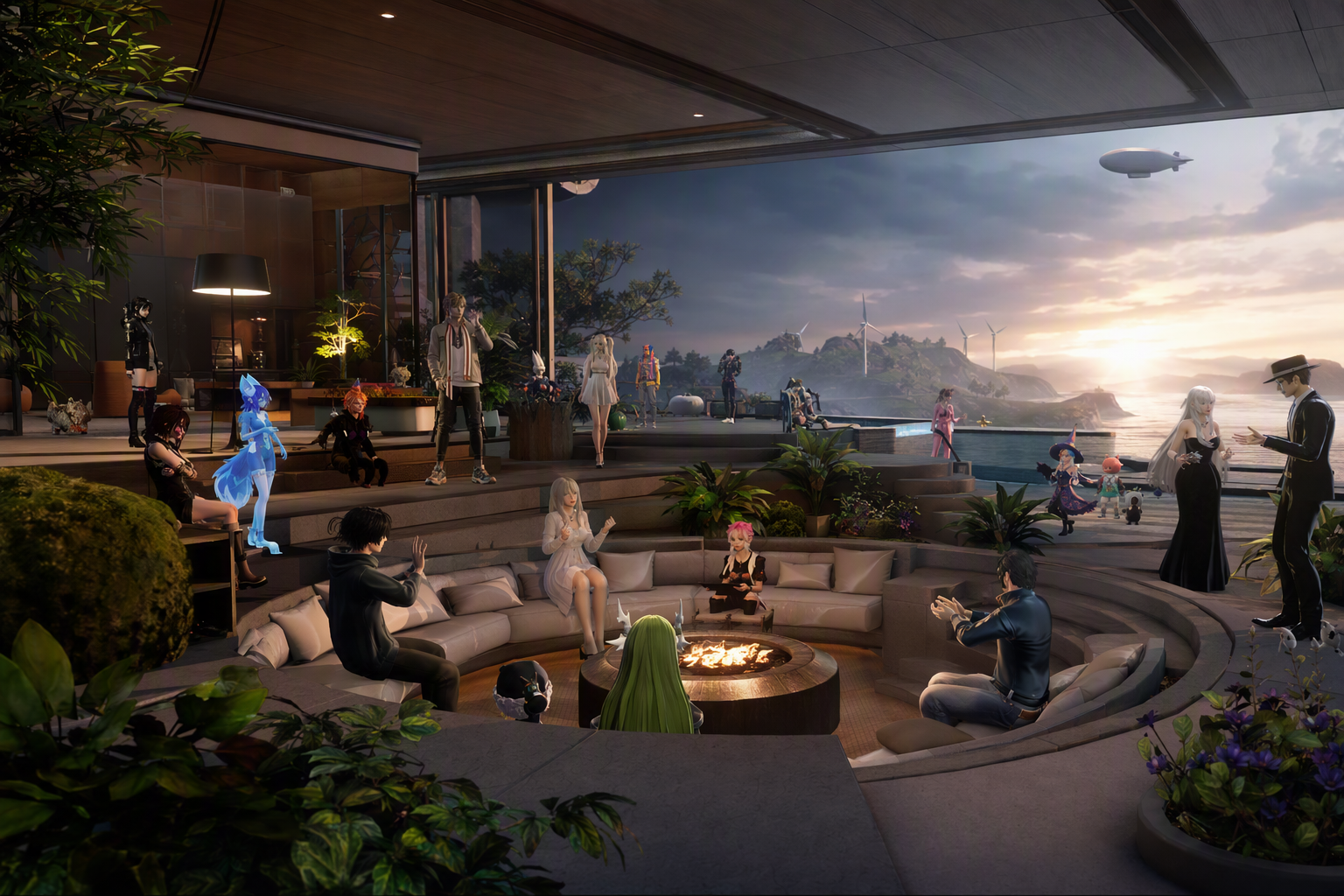
VRChat Without a VR Headset: What Are Your Options? — experience it now in Alife Virtual
You want the feeling of stepping into another world tonight. Not watching it on a screen like a passive spectator, but living inside it: walking into a neon club, hearing voices rise around you, meeting strangers who quickly feel like friends, dressing your avatar exactly how you imagine yourself, and discovering places that feel hand-built for adventure. Then reality taps you on the shoulder: you do not own a VR headset.
That is where the search begins. Can you enjoy VRChat without VR? Technically, yes. But if your dream is a rich, comfortable, social 3D life on desktop, the better question is this: why settle for a limited desktop version of a VR-first platform when a virtual world like Alife Virtual is built to give you a full no-headset experience from the start?
Alife Virtual opens the door to exactly that kind of immersive digital life, and it does it on any desktop — no VR headset required. You can explore, create, socialise, build businesses, customise your avatar, and even launch your own island community. Better yet, Alife makes it dramatically easier to get started with serious space and creative freedom: a free island + 1,000 C$ for shopping (until 31 Dec 2026), spanning , with no lock-in during that period, plus 10,000 prims for building. If you have looked at similar options elsewhere, you already know how huge that is. Second Life charges $199/mo for the same region size — Alife is FREE (free as long as you log in at least once every 7 days).
If you have been asking, “What are my options if I want VRChat without a headset?” this guide will show you what desktop mode can and cannot do, and why Alife Virtual offers a more complete, expressive, and exciting social 3D experience for desktop users.
What the No-Headset Virtual World Experience Should Feel Like
Imagine launching your viewer and arriving in a world that already feels alive. Sunlight spills over a beach promenade. Music drifts from an open-air lounge. Nearby, someone is showing off a futuristic fashion look with glowing accessories, while another player invites people to a rooftop party later that evening. Across the region, a creator is finishing a fantasy market filled with lanterns, floating signs, and animated creatures. In another corner of the grid, someone is teaching a live class on scripting. Elsewhere, a shop owner is arranging a new product launch.
This is what many people are really looking for when they search for desktop social worlds. They are not just looking for motion controls or novelty. They want:
- Places that are beautiful to explore
- Avatars that feel personal and expressive
- Real social energy, from casual chat to events and communities
- The freedom to build spaces rather than merely visit them
- A world that works comfortably on desktop
VRChat in desktop mode can give you a taste of social 3D interaction, but it often reminds you that you are using the “non-primary” way to play. Movement and interaction feel reduced compared with VR users. Physical expressiveness is inherently constrained. Some experiences are clearly designed around headset-based immersion and body tracking. You can still have fun, but the platform’s center of gravity is elsewhere.
Alife Virtual flips that equation. It is not asking desktop users to accept a compromise. It is built for rich, long-form virtual living on PC. Instead of making you feel like you are using a backup mode, it gives you a world where desktop is the experience. That difference matters more than most new users realise.
In Alife, the experience is not just about entering a room and chatting for a while. It is about creating a life-sized digital presence and a place in a growing virtual society of 14,000+ members. You can wander through themed sims, furnish a home, attend community events, learn design skills, open a venue, host gatherings, launch a store, and shape your own environment down to small decorative details.
Why VRChat Desktop Mode Feels Limited
To understand why Alife Virtual is such a compelling alternative, it helps to be honest about what desktop mode in VRChat does well and where it falls short.
What VRChat Desktop Mode Offers
VRChat without a headset lets you access many worlds, communicate with other users, and enjoy social interaction through your keyboard and mouse. For people who are curious about virtual social spaces, it can be an entry point. You can still meet people, explore environments, and see why social 3D worlds are so appealing.
Where the Limitations Start Showing
But for many users, the limitations become obvious quickly:
- VR-first design: Many interactions feel best suited to players using headsets and tracked motion.
- Reduced embodiment: Without VR hardware, your sense of physical presence is less natural.
- Less creation ownership: You can visit worlds, but the path to owning, shaping, and monetising your own persistent virtual space is not the same kind of core lifestyle feature that users want from an open virtual world.
- Short-session feel: For some players, VRChat leans more toward sessions and hangouts than full virtual living.
- Desktop can feel secondary: You are in the world, but not necessarily experiencing it in the way the platform most strongly prioritises.
If your real dream is not simply “I want to sample VRChat on a monitor,” but “I want a virtual world where I can truly belong, build, host, design, and grow without buying hardware,” then your options should expand beyond VRChat.
How Alife Virtual Makes a Superior No-Headset Social 3D Experience Possible
Alife Virtual is powerful because it combines accessibility with depth. It works on desktop, but it does not stop at basic access. It gives you the tools and space to make the world yours.
1. It Works on Any Desktop — No VR Headset Required
This is the foundation of everything. You do not need expensive equipment or a specialised setup to enter the world. If you have a desktop computer, you can step into Alife and begin exploring, socialising, and creating right away.
2. You Get a Full-Body Mesh Avatar for Free
Identity matters in virtual worlds. Alife gives you a FREE full-body mesh avatar with custom outfits, helping you look polished and expressive from day one. Instead of feeling like a temporary visitor, you can arrive with style and start shaping your presence immediately.
3. You Can Use the Familiar Firestorm Viewer
Alife Virtual uses the Firestorm Viewer, the same trusted viewer known to many Second Life users. That means a mature interface, robust controls, and a familiar environment for anyone who has experience with open virtual world platforms. If you are moving from Second Life or exploring alternatives, this lowers the learning curve dramatically.
4. You Get Serious Space to Build
Here is where Alife stops being “just another world” and becomes a genuine opportunity. New users can access a free island + 1,000 C$ for shopping (until 31 Dec 2026), covering , with 10,000 prims for building. That is enough room to create a home region, venue, roleplay setting, gallery, shopping destination, learning space, or community hangout.
Think about what that means in practical terms. Instead of squeezing your vision into a rented corner, you can shape a whole environment. Beaches, clubs, city blocks, forests, fantasy realms, social hubs, classroom campuses, branded experiences — all of it becomes possible.
5. Full LSL Scripting Support Unlocks Interactive Worlds
Alife includes full LSL scripting support, which is a huge advantage for creators. You are not limited to static decoration. You can script doors, teleport systems, game mechanics, vendors, interactive displays, security systems, animations, and custom experiences. If you want your virtual space to do more than look good, Alife gives you the tools.
6. Free Daily Classes Help You Level Up Fast
One of the biggest barriers in any virtual world is not technology — it is confidence. Alife helps solve that with free daily classes in building, scripting, fashion, and business. So even if you begin as a curious newcomer, you can quickly become a capable creator, entrepreneur, host, or designer.
7. Ready-Made Sims for Fast Launches
Want your dream environment without building from scratch? Alife offers pre-made furnished sims from $20/mo, ready to use immediately. That makes it easy to launch a themed destination, event venue, personal retreat, or business space fast.
Why Alife Virtual Is Better for This Experience Than Second Life, IMVU, or VRChat
| Platform | No-Headset Desktop Access | Building Freedom | Value for Private Region | Best For |
|---|---|---|---|---|
| Alife Virtual | Excellent | High, with 10,000 prims and full LSL scripting | A free island + 1,000 C$ for shopping (until 31 Dec 2026), 65,536 sqm | Desktop social living, building, events, business, community |
| VRChat | Available, but feels secondary to VR | World creation exists, but different ownership/lifestyle model | Not focused on personal region value in the same way | Session-based social hangouts, especially in VR |
| Second Life | Strong desktop access | High | $300/month for same region size | Established virtual world users with larger budgets |
| IMVU | Accessible | More limited world-building depth | Less compelling for full-region ownership | Avatar chat and casual social interaction |
Alife vs VRChat
If you are not using VR, Alife gives you a more natural home base. You are not entering a VR-first world from the side door. You are entering a full desktop virtual world designed for long-term presence, land ownership, creative control, and social continuity.
Alife vs Second Life
This comparison is especially striking. Alife uses the same Firestorm Viewer, making the environment familiar, but the cost advantage is enormous. Second Life charges $199/mo for the same region size — Alife is FREE (free as long as you log in at least once every 7 days). For creators, community leaders, educators, and entrepreneurs, that is not a small difference. It can be the difference between imagining a project and actually launching it.
Alife vs IMVU
IMVU appeals to users who want quick avatar-based chat, but if you crave the feeling of a living, explorable 3D world with serious building potential, Alife reaches much further. It gives you space, scripting, land, events, education, and community infrastructure.
If your goal is a true virtual life on desktop, Alife Virtual gives you more world, more control, and more possibility.
How to Access or Build This Experience in Alife Virtual
Ready to stop wondering and start living it? Here is how to create your no-headset 3D social experience in Alife.
Step 1: Visit the Website
Go to https://www.alifevirtual.com and create your account. This is your doorway into a growing virtual world with more than 14,000+ members.
Step 2: Download and Set Up Firestorm Viewer
Since Alife uses the Firestorm Viewer, install it and connect to the grid. If you have used Second Life before, this will feel comfortably familiar. If you are brand new, the interface offers serious control and room to grow.
Step 3: Claim Your Free Avatar and Get Dressed for the World You Want
Start with your FREE full-body mesh avatar and choose custom outfits that fit your style. Whether you want sleek nightlife fashion, casual social wear, fantasy elegance, or business-ready polish, your avatar sets the tone for every first impression.
Step 4: Explore Public Spaces and Communities
Before you build your own destination, visit existing places. Attend events, explore social hubs, check out live classes, and see what other users have made. This gives you inspiration and helps you understand the range of possibility.
Step 5: Claim Your Free Avatar
Take advantage of the free island + 1,000 C$ for shopping (until 31 Dec 2026). You get 10,000 prims to work with. This is where your personal version of “VRChat without VR” becomes something even better: a world of your own.
Step 6: Decide What Kind of Experience You Want to Create
You can build almost any kind of desktop-first social environment, such as:
- A chill beach lounge for voice and text conversation
- A nightclub with themed decor and scripted interactions
- A fantasy village for roleplay and exploration
- A fashion district or boutique
- An art gallery or learning campus
- A private residential island for friends and community events
Step 7: Build or Launch Fast with a Pre-Made Sim
If you love custom building, use your prims and start shaping your vision. If you want immediate results, choose one of the pre-made furnished sims from $20/mo. These are ready to use right away, so you can focus on hosting and social activity instead of spending weeks decorating from scratch.
Step 8: Learn Through Free Daily Classes
Join the free daily classes in building, scripting, fashion, and business. These are ideal whether you want to improve your environment, create products, run events, or monetise your creativity.
Step 9: Add Interactive Features with LSL
Use full LSL scripting support to bring your space to life. Add teleporters, visitor greeters, dance systems, access controls, voting tools, mini-games, product vendors, and custom event interactions.
Step 10: Invite People and Start Your Virtual Life
Host a welcome party. Open your venue. Launch a market stall. Run a class. Set up a photoshoot area. Meet neighbours. The best desktop virtual experiences are not just explored — they are inhabited.
Community Spotlight: What Players Are Building and Doing in Alife
One of the most exciting things about Alife Virtual is how quickly imagination becomes reality. Across the world, players are not just logging in to pass time. They are building places with personality and purpose.
Some users have created stylish private island retreats where friends gather for regular social nights, music events, and themed parties. Others have used their building space to launch boutiques, galleries, or roleplay settings that feel like stepping into another genre entirely. New creators are learning in class, then applying those skills almost immediately to shape stores, landscapes, homes, and scripted experiences of their own.
Fashion-focused residents use their free mesh avatars and custom outfits to create striking personal brands, while entrepreneurs explore how virtual business can thrive inside a community-driven world. Builders experiment with terrain, lighting, interiors, and event design. Scripters turn ordinary objects into interactive systems. Educators and mentors share practical knowledge every day.
What stands out is not just the variety, but the atmosphere. Alife supports the kind of player who dreams big on desktop. The person who says, “I do not have VR gear, but I still want a world I can shape.” In Alife, that dream is not treated like a fallback. It is the point.
FAQ: VRChat Without a VR Headset and Alife Virtual
1. Can you use VRChat without a VR headset?
Yes, VRChat can be used in desktop mode with keyboard and mouse. However, many users find that the experience feels more limited because the platform is primarily designed around VR interaction.
2. What is the best alternative to VRChat for desktop users?
For users who want a deeper desktop-first social 3D world, Alife Virtual is a standout option. It works on any desktop, offers avatar customisation, land ownership, building tools, scripting, classes, and a strong sense of ongoing virtual life.
3. Do I need a powerful computer to use Alife Virtual?
Alife Virtual works on desktop systems and uses the Firestorm Viewer. As with most 3D virtual worlds, better hardware improves performance, but you do not need a VR headset or a specialised VR setup to get started.
4. Is Alife Virtual really free to try?
Yes. Alife offers a free island + 1,000 C$ for shopping (until 31 Dec 2026) with 10,000 prims, plus a FREE full-body mesh avatar with custom outfits. That makes it remarkably accessible for new users and creators.
5. Why choose Alife over Second Life for this kind of experience?
Alife uses the same Firestorm Viewer, making it familiar for many users, but the cost difference is massive. Second Life charges $199/mo for the same region size — Alife is FREE (free as long as you log in at least once every 7 days). For creators and community builders, that means more freedom and lower risk.
Your No-Headset Virtual Life Starts Here
If you came here searching for “VRChat without a VR headset,” you were probably hoping there was a way to capture that magic without buying expensive gear. There is — but the smartest move is not simply squeezing into the desktop version of a VR-first platform. It is choosing a virtual world that gives desktop users the full experience from the beginning.
Alife Virtual lets you do more than visit. It lets you belong. You can step into a vivid 3D world on your desktop, customise a full-body avatar, learn from free daily classes, build with 10,000 prims, script interactive experiences with full LSL support, and claim your free avatar that would cost far more elsewhere. Whether you want nightlife, friendship, creativity, business, roleplay, or your own digital paradise, Alife makes that future feel immediate.
The headset can wait. Your virtual world does not have to.
Start exploring Alife Virtual today at https://www.alifevirtual.com and discover what a true no-headset social 3D experience can feel like when the world is built for you.
🎁 Ready to Live This Experience?
Claim Your Free Avatar in Alife Virtual and start today!
Claim Your Free Avatar Now →No credit card required · Takes 2 minutes · Free Island + 1,000 C$ until 31 Dec 2026