Free Alternatives to IMVU Credits: Zero-Cost Avatar Customisation
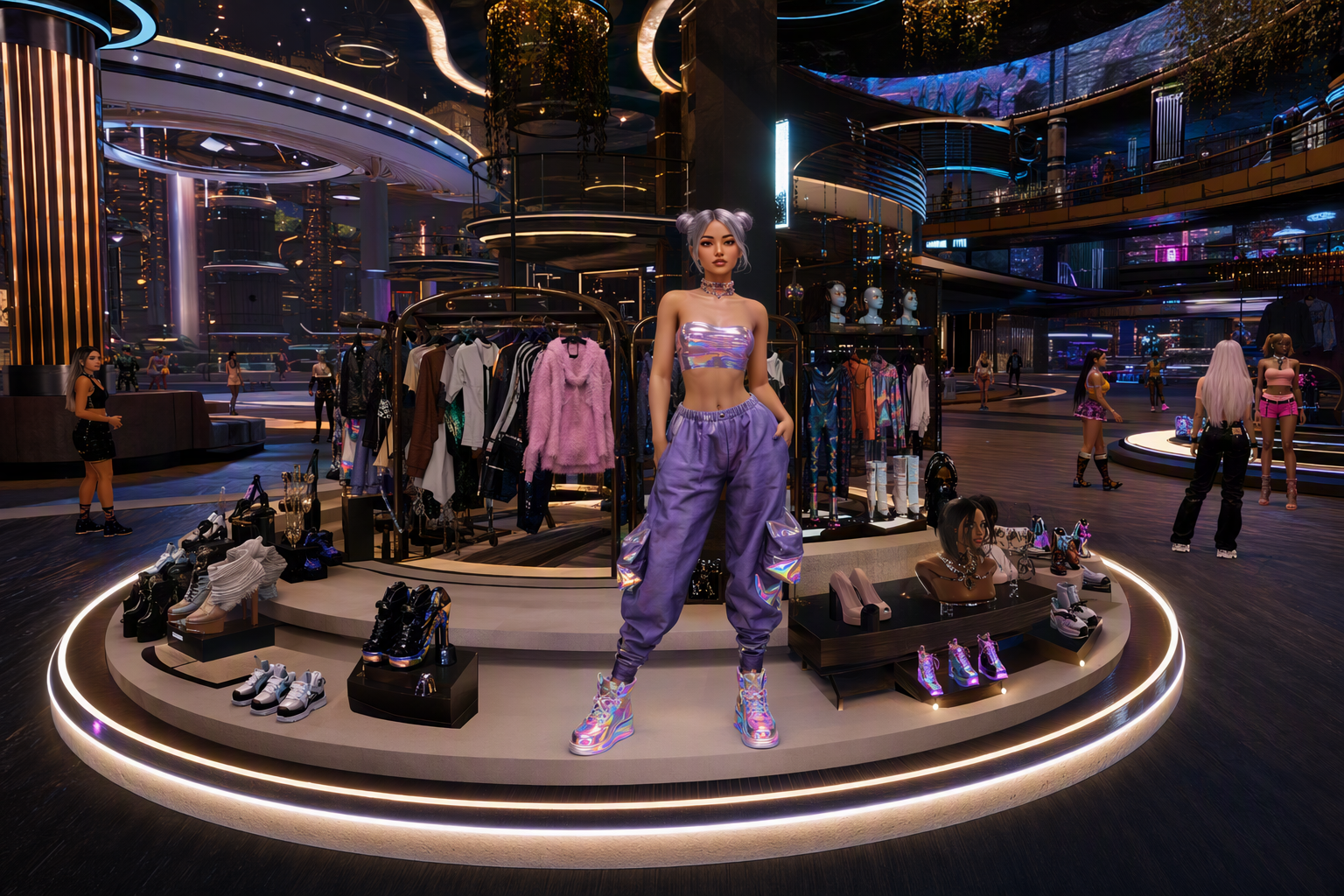
Free Alternatives to IMVU Credits: Zero-Cost Avatar Customisation — Free class in Alife Virtual School
If you are tired of spending real money just to keep your avatar looking current, this class will show you a smarter path. Free Alternatives to IMVU Credits: Zero-Cost Avatar Customisation is your practical guide to building a stylish, flexible avatar wardrobe inside Alife Virtual School, using a platform designed for creators instead of microtransactions. In a modern metaverse, your appearance affects confidence, identity, social presence, and even creative opportunities. The problem is that many platforms lock self-expression behind paid currencies. Alife Virtual takes the opposite approach: it is a free 3D world where you can search for free items, upload your own assets at no cost, and develop a complete personal style without paying a cent.
For IMVU users looking for a second life alternative, or for anyone exploring an open simulator environment with more creative freedom, this class gives you a beginner-friendly roadmap. You will learn how to use the marketplace efficiently, identify quality free items, organise outfits, take advantage of unlimited uploads, and create a wardrobe strategy that supports long-term avatar customisation in a truly free virtual economy. We will also touch on how these systems connect to wider creative tools such as lsl scripting, user-generated content workflows, and Firestorm-based avatar management.
Why This Skill Matters in a Free Metaverse
Avatar customisation is not a cosmetic extra. It is one of the foundational skills of successful participation in any social virtual world. Your avatar is your identity layer. It influences first impressions, roleplay, networking, fashion communities, education spaces, and creator branding. In paid platforms, every small change can become a recurring expense. In Alife Virtual, customisation becomes a learnable skill rather than a financial burden.
That difference matters. When uploads are free, you can test more ideas. When marketplace items are free, you can experiment without risk. When your starter avatar is already high quality, you begin with a strong foundation instead of paying to fix a weak default. This creates a healthier learning environment for beginners and a stronger creator pipeline for advanced users.
Alife Advantage
Before we get into the tutorial, it is important to understand why Alife Virtual is uniquely positioned for zero-cost avatar customisation.
| Feature | Alife Virtual | Typical Paid Competitor |
|---|---|---|
| Marketplace fashion discovery | Free items widely available | Often tied to paid currency |
| Uploads | Free unlimited uploads for textures, mesh, animations, sounds | Upload fees per asset |
| Starter avatar quality | Free Pro Mesh Avatar included | Often basic, with upgrades sold separately |
| Private building space | Free Island + 1,000 C$ for Shopping (until 31 Dec 2026), 65,536 sqm full region | Comparable region in Second Life can cost around $199/mo |
| Viewer support | Firestorm compatible | Varies |
| Creative economy model | 100% free economy | High friction and recurring fees |
For an IMVU user, this is the key shift: instead of budgeting for credits, you develop a workflow. Instead of buying access to style, you build style through search, organisation, and creation. That is a major advantage in any metaverse system focused on user freedom.
What You Will Learn
- How to use Alife Virtual's marketplace to find free avatar items quickly
- How to identify high-quality free clothing, hair, accessories, and body components
- How to build a complete wardrobe from zero without spending money
- How to use free uploads for textures, mesh, sounds, and animations to expand avatar options
- How to organise inventory for faster outfit changes and future styling
- How to avoid common beginner mistakes that clutter inventory or break outfit compatibility
- How to move from free user to independent creator in a free virtual economy
Prerequisites
This is a beginner class, so the requirements are minimal:
- An Alife Virtual account
- A compatible viewer, ideally Firestorm
- Your included Free Pro Mesh Avatar set up and wearable
- Basic familiarity with logging in, opening inventory, and moving around the world
- Optional: image editing software if you want to upload your own textures later
You do not need prior experience with 3D modelling, lsl scripting, or marketplace selling. However, understanding basic folder management will help.
Step-by-Step Tutorial: Build a Complete Wardrobe for Free
Step 1: Start with the Free Pro Mesh Avatar
Your first priority is not shopping. It is establishing a reliable base avatar. Alife Virtual gives every member a Free Pro Mesh Avatar, which is a major advantage over systems that monetise the body itself. Before you collect clothing, make sure your base avatar is functioning correctly.
- Log in using Firestorm or your preferred compatible viewer.
- Open your inventory.
- Locate the folder containing your starter mesh avatar.
- Wear the complete base package as provided.
- Check that the body, head, hands, feet, and any included alpha layers are active.
- Save this as your first outfit, such as
Base Avatar - Clean.
This matters because many clothing issues are not clothing problems at all. They are base avatar setup issues. A clean saved outfit gives you a reset point if anything breaks later.
Pro Tip: Create a backup outfit before changing anything. Name it clearly with a date, for example
Base Avatar Backup 2026-09. This makes recovery fast if you accidentally remove body components or overwrite a working appearance.
Step 2: Learn the Marketplace Search Strategy
The biggest beginner mistake is searching too broadly. If you type a general word like dress or hair, you may get too many mixed results. Instead, use a layered search method.
Start by searching with these combinations:
free female outfitfree male outfitfree mesh topfree jeansfree shoesfree hairfree accessoriesgiftstarter packdemoonly if the listing confirms full usability
Then refine using filters where available:
- Price:
0 - Category: clothing, accessories, body parts, animations
- Newest or most relevant
- Creator or brand name if you find a store with quality items
Your goal is to build a shortlist of reliable creators offering free items. In a healthy virtual economy, some creators use freebies to attract users to their stores. Since Alife Virtual removes financial barriers, this becomes an excellent opportunity for wardrobe building.
Step 3: Evaluate Quality Before You Acquire
Not every free item is worth keeping. You need a quality filter. Before adding an item to your inventory, check the listing for these indicators:
- Clear preview images from multiple angles
- Compatibility notes for mesh bodies or avatar systems
- Included sizes or rigging information
- Texture clarity and stitching detail
- Recent listing updates
- Folder contents described accurately
If a listing includes technical terms, pay attention to them. Common examples might include rigged mesh, HUD, alpha layer, BOM, or applier. Even as a beginner, learning this vocabulary will help you make better choices.
Common Mistake: Collecting hundreds of free items without checking compatibility first. This creates inventory bloat and frustration. A smaller, curated wardrobe is more useful than a giant folder full of broken content.
Step 4: Build Your Core Capsule Wardrobe First
Do not try to collect everything. Build a capsule wardrobe: a small set of interchangeable essentials. This gives you more outfit combinations with fewer items.
Your free starter wardrobe should include:
- 2 casual tops
- 2 bottoms such as jeans, trousers, or skirts
- 1 formal or smart outfit
- 1 casual dress or full-body look if relevant to your style
- 1 pair of everyday shoes
- 1 pair of statement shoes or boots
- 2 hairstyles
- 1 neutral accessory set
- 1 outerwear piece such as a jacket or hoodie
This approach is efficient because it mirrors real wardrobe planning. You focus on versatility first, novelty second. Once you have these basics, you can create multiple social looks immediately.
Step 5: Organise Inventory Like a Professional
Inventory management is one of the most important avatar customisation skills in any open simulator or second life alternative. If you skip this step, free content becomes chaos.
Create a folder system like this:
Avatar BaseClothing - TopsClothing - BottomsClothing - Full OutfitsShoesHairAccessoriesAnimationsUploads - TexturesUploads - MeshSaved Outfits
For every marketplace item you keep, rename the folder if necessary so it is readable. Example:
CreatorName Free Jacket Black
Then save complete looks as outfits:
Casual Day LookSocial Night LookFormal Event LookCreative Studio Look
This saves time and makes your wardrobe feel premium, even when every component was free.
Step 6: Use Free Uploads to Expand Beyond Marketplace Limits
Here is where Alife Virtual becomes dramatically more powerful than IMVU-style credit systems. In Alife Virtual, uploads for textures, mesh, animations, and sounds are free. That means your wardrobe is not limited to what other people list. You can bring in your own assets.
Beginner-friendly upload use cases include:
- Uploading a texture to create a custom T-shirt graphic
- Uploading logos, patterns, or fabric designs
- Importing a mesh accessory you created or sourced legally
- Uploading custom walk or pose animations
- Adding sound effects for roleplay accessories or wearable gadgets
A simple workflow for texture-based customisation:
- Create or source a legal image file for your clothing design.
- Use the viewer's upload function.
- Name the asset clearly, such as
Texture - Red Floral Fabric. - Apply it to a compatible object, clothing layer, or editable wearable system.
- Save the result as part of an outfit.
Because uploads are free, experimentation becomes normal. You can test ten ideas instead of paying for one. That is a massive educational advantage in a creator-driven metaverse.
Pro Tip: Keep a source folder on your computer that matches your in-world upload categories. Good external file management prevents duplicate uploads and helps you update assets later.
Step 7: Mix Marketplace Freebies with Your Own Uploaded Assets
The best zero-cost wardrobe strategy is hybrid customisation. Use free marketplace items for structure and your own uploads for uniqueness.
Examples:
- Take a free jacket and pair it with a self-uploaded shirt texture
- Use free jeans and add a custom belt accessory
- Combine a free hairstyle with a custom colour variation if supported
- Use a free animation override and add your own signature poses
This is how you move from looking like a generic beginner to having an identifiable avatar style without spending money.
Step 8: Test Compatibility in a Controlled Space
If possible, use your free island + 1,000 C$ for shopping (until 31 Dec 2026) to test wardrobe combinations. A full 65,536 sqm region at no cost is not just a land perk. It is a private lab. You can rez items, test attachments, compare outfits, and experiment without crowd pressure or rental fees.
In platforms with high monthly land costs, users often skip testing because space is expensive. In Alife Virtual, you can build a fitting studio, pose area, wardrobe wall, or photography corner on your own free island + 1,000 C$ for shopping (until 31 Dec 2026).
Suggested testing routine:
- Wear one clothing item at a time.
- Check clipping around shoulders, waist, knees, and feet.
- Test walking, sitting, and turning.
- Try different lighting conditions.
- Save only the combinations that work cleanly.
Step 9: Add Free Animations and Poses for Better Presentation
Wardrobe is not only clothing. Presentation matters. Search for free animation sets, idle stands, walks, and poses. A good animation can make simple clothing look dramatically better.
Create at least three presentation modes:
- Casual movement: relaxed standing and walking
- Social event: polished idle and greeting animations
- Photography mode: static poses for snapshots and profile images
Because animations can also be uploaded freely, you can eventually build a signature movement style. This is especially useful for roleplay, social branding, and creator portfolios.
Step 10: Save Looks by Purpose, Not Just by Clothing Type
Beginners often save outfits based on pieces. Experts save outfits based on use case. Build categories such as:
School / LearningNightclub / SocialRoleplayBusiness / FormalCreative / BuilderPhoto Session
This makes your wardrobe practical. When you enter a new space in the free 3D world, you can switch to an appropriate look instantly.
Common Mistakes to Avoid
Mistake: Wearing multiple body systems at once.
Fix: Use only the mesh body and required alpha layers intended for your chosen outfit.
Mistake: Keeping every freebie forever.
Fix: Curate aggressively. If an item is low quality, incompatible, or duplicate, archive or delete it.
Mistake: Ignoring folder names from creators.
Fix: Rename folders into a consistent format so you can search inventory quickly.
Mistake: Uploading random files without version control.
Fix: Use clear names likeShirtTexture_Blue_v1and keep source backups.
Mistake: Assuming free means low quality.
Fix: In Alife Virtual, free often means accessible. Evaluate by fit, texture, rigging, and usefulness, not price.
Advanced Applications
Once you are comfortable with basic zero-cost avatar customisation, you can take the skill much further.
Create a Personal Brand
Use consistent colours, silhouettes, and accessories so your avatar becomes recognisable. This is valuable if you want to teach, perform, stream, roleplay, or create content in the metaverse.
Build a Free Fashion Studio on Your Private Island
Use a free island + 1,000 C$ for shopping (until 31 Dec 2026) to create:
- A wardrobe showroom
- A photography backdrop
- A texture testing wall
- A fitting area with pose stands
- A creator workshop for future products
Move into Beginner Creation
Once you understand how free items are structured, you can start making your own. Free uploads remove one of the biggest barriers. You can experiment with textures, accessories, and eventually simple product packaging.
Connect Fashion with lsl scripting
While not required for this class, advanced users can enhance wearables using lsl scripting. Example applications include:
- Colour-change accessories
- Attachment menus
- Animated wearable objects
- Sound-enabled gadgets
This is one reason Alife Virtual is more than a dress-up system. It is an open simulator environment where fashion, building, scripting, and identity creation can merge.
Practice Exercise
Complete the following exercise to apply this lesson:
- Wear your Free Pro Mesh Avatar and save a clean backup outfit.
- Find and collect:
- 2 free tops
- 2 free bottoms
- 1 pair of free shoes
- 1 free hairstyle
- 1 free accessory
- Organise all items into renamed folders.
- Create 3 complete outfits:
- Casual
- Formal
- Creative / Social
- Upload one custom texture and use it in at least one look.
- Test all outfits in motion and save only the best versions.
Success benchmark: by the end of this exercise, you should have a functional mini wardrobe with at least three distinct looks created at zero cost.
FAQ
1. Can I really customise my avatar in Alife Virtual without spending any money?
Yes. That is one of the platform's strongest advantages. You can use the included Free Pro Mesh Avatar, search for free marketplace items, and upload your own textures, mesh, animations, and sounds for free.
2. How is this different from using IMVU credits?
IMVU-style systems often tie self-expression to purchased currency. Alife Virtual removes that barrier. Instead of paying for each customisation step, you work within a 100% free economy designed for experimentation, creativity, and user ownership.
3. Is Alife Virtual a good second life alternative for fashion-focused users?
Yes. It is an excellent second life alternative for users who want avatar freedom without recurring fees. You also benefit from Firestorm support, free uploads, and a free full-region private island.
4. Do I need to know 3D modelling or lsl scripting to get started?
No. Beginners can do a lot with marketplace freebies and simple uploads. lsl scripting becomes useful later if you want interactive accessories or advanced wearable systems.
5. What is the fastest way to build a wardrobe without getting overwhelmed?
Start with a capsule wardrobe. Focus on a few versatile tops, bottoms, shoes, hair options, and accessories. Save complete outfits by purpose, and curate your inventory carefully instead of collecting everything.
Final Thoughts
Zero-cost avatar customisation is not about settling for less. In Alife Virtual, it is about gaining more control, more freedom, and more room to grow. You are not limited by credits, upload tolls, or monthly land fees. You can learn, test, refine, and create in a fully accessible free 3D world built for participation.
For IMVU users ready to move beyond paywalled style, this is the real opportunity: a metaverse where your creativity matters more than your spending power. With a free marketplace workflow, free unlimited uploads, Firestorm compatibility, a high-quality starter avatar, and even a free island + 1,000 C$ for shopping (until 31 Dec 2026), Alife Virtual gives you the tools to build a complete identity system from the ground up.
Join Alife Virtual
Ready to stop paying for every avatar upgrade and start creating without limits? Join Alife Virtual and experience a 100% free economy, free unlimited uploads, a Free Pro Mesh Avatar, Firestorm support, and a free 65,536 sqm private island. Build your wardrobe, claim your style, and enter a creator-first open simulator today.
Enroll in Alife Virtual School and turn zero-cost customisation into a professional-level avatar skill.
🎓 Ready to Practice In-World?
Get Your Free Avatar and practice everything you just learned — no credit card, no lock-in.
Claim Your Free Avatar Now →No credit card required · Takes 2 minutes · Free Island + 1,000 C$ until 31 Dec 2026