Hosting Events on Your Sim
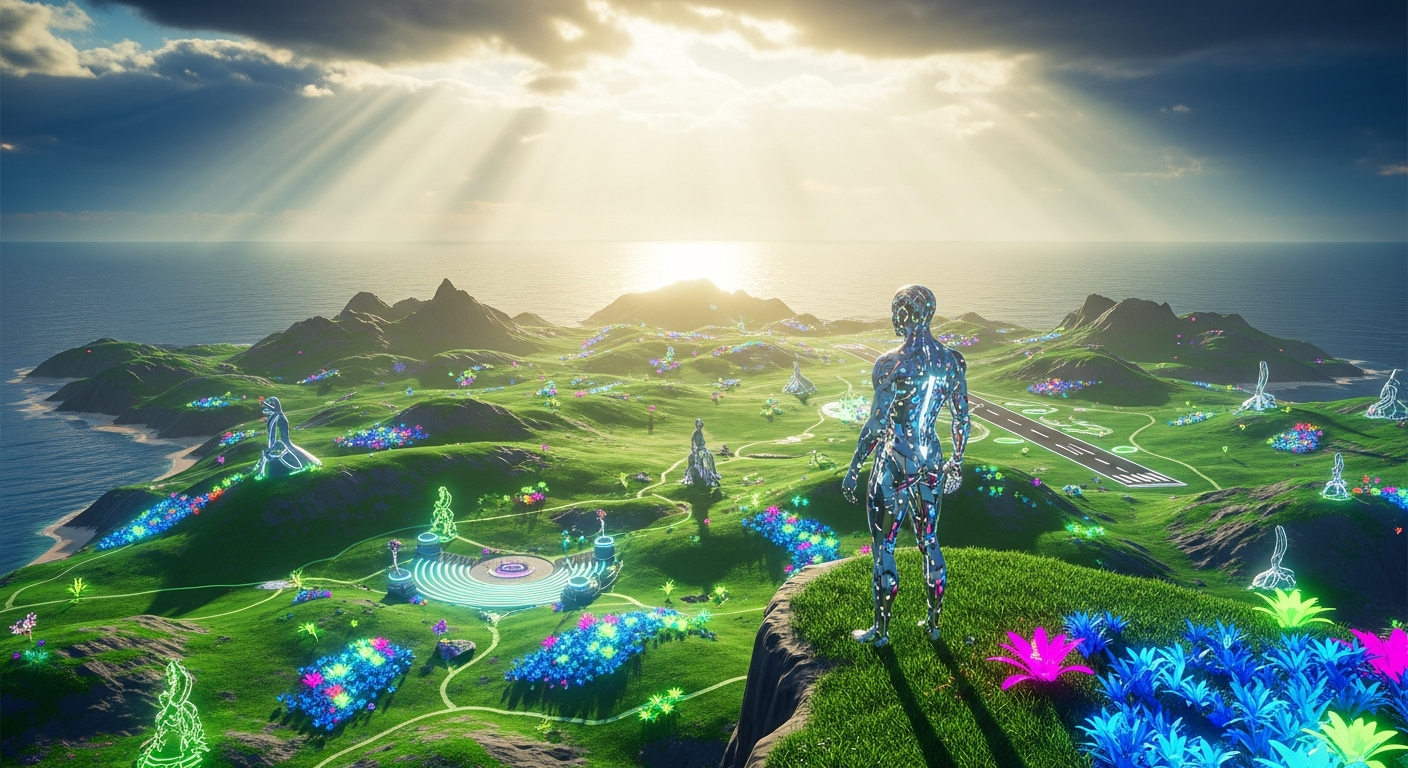
Hosting Events on Your Sim — Free class in Alife Virtual School
Welcome to Alife Virtual School! In a bustling metaverse, your personal space is more than just land; it's a potential destination. The ability to transform your quiet corner of the grid into a vibrant hub of activity is one of the most rewarding skills you can master. This class, Hosting Events on Your Sim, is your comprehensive blueprint for planning, promoting, and executing unforgettable virtual events. Whether you dream of hosting packed music festivals, elegant fashion shows, or thought-provoking art gallery openings, this guide will provide the tools and knowledge to make your vision a reality. As a leading free 3D world and a powerful Second Life alternative, Alife Virtual empowers you to build communities and create experiences without the financial barriers found elsewhere, making event hosting accessible to every single resident.
The Alife Advantage: Zero Cost, Infinite Creativity
Before we dive into the "how," let's address the "why Alife?" In other virtual worlds, the dream of hosting a major event is often locked behind a steep paywall. The single biggest expense is the land itself. Owning a full region capable of handling a crowd can cost hundreds of dollars per month. In Alife Virtual, this barrier is completely removed. Every resident receives a FREE 65,536 sqm private island for life. This isn't a small parcel; it's a full region, your personal canvas. This fundamental difference revolutionizes what's possible for creators in our 100% free economy.
Let's break down the cost comparison:
| Feature / Cost | Alife Virtual | Second Life |
|---|---|---|
| Full Private Region (Sim) Cost | $0 / month (FREE for one month) | ~$349 setup + ~$229-300 / month |
| Asset Upload Fees (Textures, Mesh, Sounds) | $0 (UNLIMITED free uploads) | L$10 per upload (~$0.04 USD) |
| Event Listing Fee | $0 (FREE) | L$50+ per listing |
As you can see, the cost of simply preparing for an event in another grid can run into hundreds of dollars before a single guest arrives. In Alife Virtual, you can build a world-class venue, upload thousands of custom assets, and promote your event, all for a total cost of zero. This freedom is the cornerstone of our community and your greatest asset as an event host.
What You Will Learn
Upon completing this class, you will be able to:
- Strategically plan an event from concept to completion.
- Prepare your
simandparcelfor optimal performance and guest experience. - Set up a live music stream for DJs or performers.
- Create and manage event listings to attract attendees.
- Implement effective promotion strategies using in-world tools and social media.
- Manage crowds and mitigate
lagduring a live event. - Utilize advanced techniques to create recurring, successful events.
Prerequisites
- A free Alife Virtual account.
- The Firestorm Viewer installed and configured for Alife Virtual.
- Your free 65,536 sqm private island (
sim). If you haven't claimed yours, visit the Alife Infohub! - A basic understanding of moving your avatar and camera, and how to edit objects (rez, move, delete).
The Ultimate Guide to Hosting Events on Your Sim
We will break down the process into four distinct phases: Planning, Preparation, Promotion, and Execution. Follow these steps methodically for a smooth, professional, and successful event.
Phase 1: The Blueprint - Strategic Planning
A great event doesn't just happen; it's meticulously planned. This phase is about defining your vision and laying the groundwork.
-
Define Your Event Concept: What kind of event are you hosting?
- Live Music: The most common type. A DJ spins a live set from a stream. Genres can range from techno and house to rock and 80s classics.
- Fashion Show: Showcase your own creations or those of other designers. Requires a runway, model poses, and coordination.
- Art Opening: Display your virtual photography, real-life artwork on textures, or 3D mesh sculptures.
- Social Mixer / Themed Party: A more casual gathering. Examples: "Welcome to My Sim" party, a beach party, a formal ball.
- Educational Workshop: Like this one! A class or tutorial held in-world.
-
Set a Date and Time: The metaverse is global. The "best" time is typically when both European and American users are likely to be online. Weekends between 12:00 PM and 4:00 PM SLT/PST are prime time. Announce the time clearly using SLT (Second Life Time / Pacific Standard Time), as it's the de facto standard in
Open Simulatorgrids. -
Create an Event Brief: This is a simple internal document (even a notepad file) that solidifies your plan.
- Event Title: Make it catchy! "Neon Nights Techno Rave" is better than "Music Event."
- Host(s): You, and anyone helping you.
- DJ/Performer/Artist (if any): Confirm their availability before you announce the event.
- Theme/Dress Code: Optional but fun. "Cyberpunk attire," "Formal wear," "Beach casual."
- Duration: 1-2 hours is standard for a music event. Art openings can be longer and more passive.
Phase 2: Building the Stage - Sim Preparation
Now you'll transform a piece of your free island into the perfect venue. This is where Alife's free uploads and massive prim allowance shine.
-
Choose and Prepare the Location:
- Select an area on your
sim. You don't need to use the whole island. A 4096sqm or 8192sqm parcel is often more than enough and helps concentrate the activity. - Terraform the ground to be flat or create interesting levels for your venue. Go to
World > Region/Estate, then theTerraintab. - Set the environment. Choose a compelling sky setting (e.g., a perpetual sunset, a dark night) and water preset. This is done in
World > Environment Editor > Sky Presets. This sets the mood instantly.
- Select an area on your
-
Build or Rez Your Venue:
- You can build from scratch using basic
prims, or find free/commercial venues on the Alife Marketplace or at in-world freebie stores. - Key elements include: a stage for the DJ, a dance floor, seating areas, and decorations that match your theme.
- Take advantage of free unlimited mesh uploads! Find high-quality, low-land-impact mesh venues on sites like Sketchfab or create your own in Blender, and upload them to Alife for free. This is a professional technique that costs a fortune elsewhere.
- You can build from scratch using basic
-
Set Up Parcel Media (for Music Events): This is the most critical technical step for a music event.
- First, get the audio stream URL from your DJ. It should look something like
http://stream.server.com:8000/stream.mp3. - Stand on the
parcelwhere your event will be held. - Navigate to the top menu:
World > About Land. Or right-click the ground and selectAbout Land. - Go to the
SOUNDtab. - Paste the DJ's audio stream URL into the
Music URLfield. - Click
ApplyorOK. You should now hear the music stream on the parcel. If you don't hear anything, the stream might not be live yet, or the URL is incorrect. Always test this with the DJ beforehand!
- First, get the audio stream URL from your DJ. It should look something like
-
Configure Parcel Permissions: Control what visitors can and can't do. In the
About Landwindow, go to theOPTIONStab.- Avatar Physics: For high-energy dance events, consider unchecking this to prevent push-enabled dance HUDs from causing chaos.
- Object Entry: Ensure
All residentsis checked in the "Allow other residents to:" section forObject Entry. This allows their attachments and HUDs to function. - Build / Rez Objects: UNCHECK this for
EveryoneandGroup. You do not want guests rezzing objects and creating clutter or lag. - Run Scripts: Ensure this is checked for
EveryoneandGroup, otherwise scripted attachments (like hair, HUDs, etc.) won't work.
Pro Tip: The Power of a Landing Point. In About Land > OPTIONS, you can set a specific landing point for your parcel. Set this to the entrance of your club or venue. When people teleport in from the event listing, they will arrive exactly where you want them, creating a professional and controlled entry experience.
Phase 3: Spreading the Word - Promotion
A great venue is useless if nobody knows about it. Promotion is key to filling your event.
-
Create an Alife Event Listing: This is your most powerful promotional tool.
- Go to the top menu:
World > Events. The Events window will open. - Click the
+button orCreate Event. - Fill out all the details meticulously:
- Creator: Your name.
- Name: Your catchy Event Title.
- Category: Music, Fashion, Art, etc.
- Cover: Upload a compelling promotional texture! Since uploads are free, create a high-quality, professional 1024x1024 texture in a program like Canva or Photoshop. This is your event's "first impression."
- Location: Choose
Current Parcelwhile standing at your event location. This will automatically create the landmark. - Date and Time: Use the dropdowns. Remember to use SLT/PST.
- Duration: Set how long the event will run.
- Details: This is where you sell your event! Write a compelling description. Include the DJ's name, music genre, dress code, and a friendly welcome.
- Once submitted, your event will appear in the main Events list, visible to everyone in Alife Virtual.
- Go to the top menu:
- Leverage Alife Groups: Create an in-world group for your venue or event series. You can send group notices with landmarks just before the event starts, reminding everyone to attend. This is a fantastic way to build a loyal following.
-
Use Social Media: Take stunning photos of your venue. Post them to the Alife Virtual Discord server, on your own social media (X, Facebook, Instagram), and use hashtags like
#AlifeVirtual,#Alife Virtual,#VirtualEvents, and#Metaverse.
Phase 4: Showtime! - Event Execution & Management
The day has arrived. Your job now is to be a gracious host and a savvy technician.
-
The Pre-Flight Checklist (30 mins before):
- Arrive at the venue.
- Test the music stream! This is non-negotiable.
- Check your parcel settings one last time.
- Make sure your greeters or hosts are present and understand their roles.
- Send a group notice with a landmark to your venue's group.
-
Greeting and Hosting:
- As people arrive, welcome them in local chat. A simple "Welcome to [Event Name]! Glad you could make it!" goes a long way.
- If you have hosts, their job is to welcome people, answer questions, and help create a lively chat atmosphere.
- Your free Pro Mesh Avatar gives you a great starting look, but consider dressing to your event's theme to set an example.
-
Crowd Management and Lag Reduction: A popular event can cause
lag. Here's how to manage it.- Communicate with your guests. Politely ask guests in local chat to reduce their script usage if lag becomes severe. A common request is: "To help us all have a smoother time, please consider detaching high-script items or setting your dance HUD to a lower setting. Thank you!"
- Derender Avatars: This is a powerful client-side tool. If your screen gets choppy, you can right-click on avatars far away from you and select
More > More > Derender. They will vanish from your screen (but not for others), dramatically improving your performance. You can teach your guests this trick. - Set a Draw Distance: In your Firestorm Viewer, go to
Preferences > Graphicsand lower yourDraw Distance. A setting of 128m is usually fine for an event. Advise your guests to do the same. - Sim Restart (The Nuclear Option): If the region itself becomes unresponsive, you may need to restart it. Go to
World > Region/Estateand click theRestart Regionbutton. Announce this 2 minutes in advance so people aren't surprised. This should only be used in emergencies.
Common Mistake: Forgetting to Manage Scripts. The #1 cause of event-killing lag is excessive scripts. This comes from complex avatars, over-the-top dance HUDs, and poorly made decorations. As a host, use low-prim, low-script items for your build. During the event, don't be afraid to politely ask the crowd to reduce their script load. A smooth event is more fun for everyone.
Advanced Applications
Once you've mastered the basics, here's how to elevate your events:
- Scripted Event Tools: Explore the world of
LSL scripting. Create or acquire tools like scripted greeters that welcome guests, tip jars for your DJs (a key part of the virtual economy), and synchronized dance systems. - Recurring Events: The most successful venues have a regular schedule (e.g., "Techno Tuesdays" or "Saturday Night Fever"). This builds a loyal community that comes back week after week.
- Collaborative Events: Partner with another sim owner. Host a "sim-hop" where guests teleport between two or more venues over the course of an evening. This cross-promotion is highly effective.
- Event-Based Commerce: Set up a small shop at your venue selling merchandise related to the event—T-shirts for your club, copies of the art on display, or outfits for your fashion shows. This directly engages with the free and open virtual economy of Alife.
Practice Exercise: Your First "Sim Warming" Party
Let's put your new knowledge to the test. Your assignment is to plan and host a small, 30-minute "Sim Warming" party on your free island.
- Plan: Give it a name, and pick a date and time. Find a simple, free public domain music stream online to use for atmosphere (search for "free SHOUTcast stream").
- Prepare: Choose a spot on your sim. Rez a simple dance floor and some seating. Set the Music URL in
About Land. Check your parcel permissions. - Promote: Invite 3-5 friends directly via IM. For an extra challenge, create a public event listing and see who shows up!
- Execute: Welcome your guests, make sure the music is playing, and enjoy a 30-minute party. Practice using local chat and managing your own viewer settings.
This simple exercise will walk you through the entire workflow in a low-pressure environment, building your confidence for larger events.
Frequently Asked Questions (FAQ)
- 1. How many avatars can my free sim hold?
- Your free private island in Alife Virtual is a full region with a default capacity of 100 avatars. However, performance depends more on the complexity (scripts and textures) of those avatars than the raw number. A well-managed event can comfortably host 30-50 avatars with minimal lag.
- 2. How do I find a music stream URL for my event if I don't have a DJ?
- Many internet radio stations provide their stream URLs for public use. Search for "free SHOUTcast stream" or "internet radio stream URL" for your preferred genre. You can use these to provide music for your event when a live DJ isn't available.
- 3. Can I make money from hosting events in Alife Virtual?
- Yes. While Alife is a 100% free economy to create in, you can still participate in its virtual economy. The most common method is placing a tip jar for the DJ and host (you!). You can also sell goods at your venue, such as clothing, furniture, or art. Since there are no fees for land or uploads, your profit potential is significantly higher than in other grids.
- 4. What if a guest is causing trouble or griefing my event?
- As the land owner, you have powerful tools. You can Eject or Ban the person from your parcel or your entire sim through the
About Land > ACCESStab or by right-clicking their avatar. Always give a warning first, but don't hesitate to remove disruptive individuals to protect the experience for your other guests.
Your Journey Starts Now. Join Alife Virtual.
You now possess the knowledge to become a premier event host in the metaverse. The difference between theory and practice is action. In Alife Virtual, the barriers to that action are gone. There is no $300 monthly land fee standing in your way. There are no upload fees draining your budget. There is only your creativity, your free 65,536 sqm island, and a supportive community ready to see what you'll build.
Stop dreaming about creating amazing experiences and start doing it. Join the ultimate Second Life alternative where creation is truly free. Claim your island, download the Firestorm Viewer, and start building your first venue today.
Click here to join Alife Virtual for free and begin your adventure!
🎓 Ready to Practice In-World?
Get your FREE island and practice everything you just learned — no credit card, no monthly fees.
Claim Your Free Island Now →No credit card required · Takes 2 minutes · Your island is FREE for one month