Migrating from IMVU to a 3D Open Virtual World
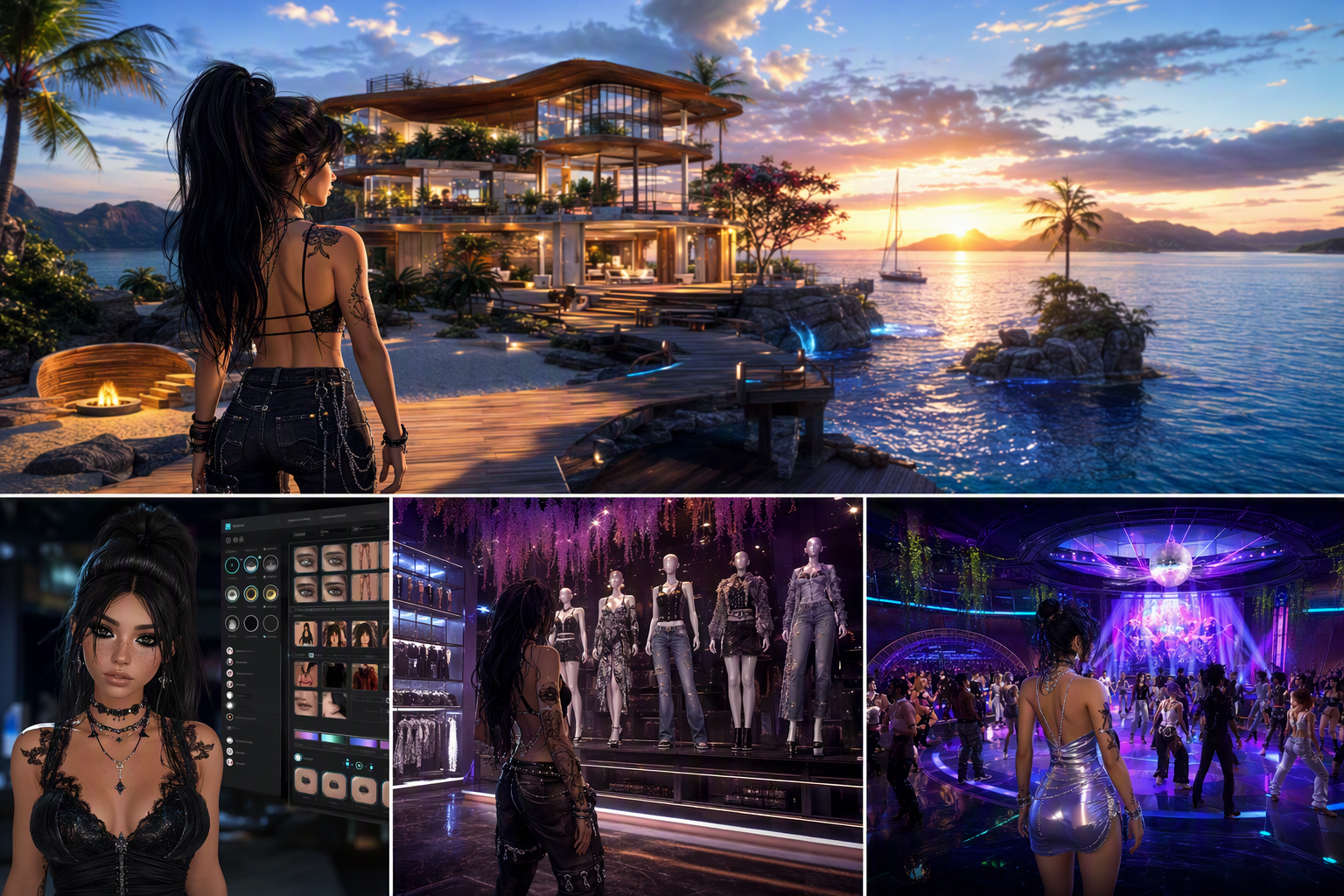
Migrating from IMVU to a 3D Open Virtual World — Free class in Alife Virtual School
If you have outgrown the limitations of chat-room-style social platforms and want a true free 3D world where you can build, customize, socialize, and create without constant fees, this class is your roadmap. Migrating from IMVU to a 3D Open Virtual World is not just about learning a new interface. It is about stepping into a broader metaverse experience where you control land, identity, content, and community. In Alife Virtual School, you will learn how to move from an IMVU-style experience into a full open simulator environment using the Firestorm viewer, claim your free private island, recreate your avatar style with free mesh content, and begin participating in a real virtual economy without the financial barriers often associated with larger platforms.
For many IMVU users, the biggest surprise is this: in Alife Virtual, you are not confined to dressing an avatar and chatting in pre-made rooms. You can own a full region, upload your own assets for free, build environments, explore user-created spaces, and even progress into lsl scripting and content creation. If you have been searching for a serious second life alternative that is beginner-friendly, cost-effective, and creatively open, this tutorial will show you exactly how to make the transition smoothly.
Alife Advantage: Why Transition Here Instead of Paying More Elsewhere?
One of the strongest reasons to move from IMVU into Alife Virtual is cost efficiency without sacrificing capability. Many virtual world users assume that a rich, persistent 3D world must come with high monthly fees. Alife Virtual breaks that assumption.
| Feature | Alife Virtual | Typical High-Cost Competitor |
|---|---|---|
| Private Island / Full Region | FREE for one month, 65,536 sqm | Often around $300/month or more |
| Uploads | FREE unlimited uploads of textures, mesh, sounds, and animations | Upload fees commonly charged per asset |
| Starter Avatar | FREE Pro Mesh Avatar for every member | Often requires marketplace purchases for quality appearance |
| Viewer Support | Full Firestorm compatibility | Usually supported, but platform costs remain high |
| Creative Economy | 100% free economy with no financial barrier to learning and building | Creation often tied to recurring cost structure |
For an IMVU user, this changes the entire mindset of virtual world participation. Instead of budgeting for access, room products, or limited customization systems, you can focus on expression, learning, land design, social discovery, and long-term creative growth in a true metaverse environment.
What You Will Learn
- How IMVU differs from an
open simulator-based virtual world like Alife Virtual - How to install and configure the
Firestormviewer for Alife Virtual - How to log in, navigate, and understand inventory, camera controls, and movement
- How to claim your free 65,536 sqm private island
- How to recreate your IMVU-inspired avatar aesthetic using free mesh content
- How to find social hubs, events, communities, and roleplay spaces
- How to avoid common beginner mistakes during migration
- How your journey can expand into building, content creation, and
lsl scripting
Prerequisites
You do not need prior experience with Second Life, Alife Virtual, or 3D building tools. However, you should have the following:
- An active Alife Virtual account
- A computer capable of running a modern 3D viewer
- A stable internet connection
- Basic familiarity with IMVU avatar customization and social navigation
- Optional: a folder on your computer containing profile images, textures, or inspiration references for your desired avatar style
Most importantly, bring the right expectation: Alife Virtual is broader and more powerful than IMVU. That means there is a learning curve, but it also means the reward is much greater.
Step-by-Step Tutorial: From IMVU User to Confident Alife Virtual Resident
Step 1: Understand the Mindset Shift
IMVU is often centered around avatar presentation, catalog shopping, curated rooms, and text-driven social interaction. Alife Virtual, by contrast, is a persistent free 3D world built around land, user creation, exploration, and open-ended identity. In practical terms, that means:
- You move through a full 3D environment rather than primarily selecting chat spaces
- You can own and edit land rather than only decorate within platform constraints
- You can upload custom content without fees
- You can build structures and interactive objects
- You can eventually script interactivity using
lsl scripting
This is why Alife Virtual works so well as a second life alternative. It offers the depth many users want after they hit the ceiling of more closed social platforms.
Step 2: Download and Install Firestorm
Alife Virtual supports the popular Firestorm viewer, which is one of the best tools for users transitioning from simpler platforms into a full virtual world interface.
- Download the appropriate version of
Firestormfor your operating system. - Install the viewer normally.
- Launch
Firestorm. - At the login screen, add or select the Alife Virtual grid if it is not already listed.
- Enter your Alife Virtual account credentials.
- Log in to your home or welcome region.
If you are used to IMVU’s simpler launcher, Firestorm may initially feel more technical. That is normal. The benefit is control. Firestorm gives you professional-grade access to graphics settings, camera behavior, inventory management, building tools, and social features.
Pro Tip: Before your first long session, open
Preferencesand reduce graphics quality if your frame rate is low. A smooth first experience matters more than ultra-high visual settings.
Step 3: Configure Essential Firestorm Settings
As a beginner, you do not need to master every menu. Focus on the settings that make your transition easier.
- Open
Preferences. - Set graphics to a level your computer can handle smoothly.
- Enable name tags if you want easier social navigation.
- Adjust camera controls and mouse sensitivity.
- Set chat windows, notifications, and inventory panels where you can easily access them.
- Check that your avatar complexity and rendering options are reasonable.
For IMVU users, camera control is one of the biggest adjustments. In Alife Virtual, your camera is a tool, not just a passive view. Learn to zoom, orbit, and pan. This will make dressing, building, and socializing dramatically easier.
Step 4: Learn the Core Controls
Before changing your look or claiming land, spend time mastering movement and camera basics.
- Use W A S D or arrow keys to move
- Use mouse look and camera orbit to inspect spaces
- Use Page Up and Page Down or equivalent controls to fly
- Use local chat for nearby conversation
- Use instant messages for private communication
- Open inventory frequently to manage clothing, objects, landmarks, and gestures
Think of this as the equivalent of learning a new operating system for the metaverse. Once these controls become natural, everything else gets easier.
Step 5: Claim Your Free Private Island
This is one of the most powerful differences between Alife Virtual and fee-heavy platforms. In many worlds, owning a full region is a premium commitment. In Alife Virtual, eligible users can claim a free private island of 65,536 sqm for one month with no monthly tiers or fees.
General process:
- Log in to your Alife Virtual account or dashboard.
- Locate the land or island claim section.
- Choose your free region option if available for your account status.
- Select a region name that fits your brand, social style, or future project.
- Submit the request and wait for provisioning.
- Teleport to your island once it is active.
For an IMVU user, this is a major upgrade in freedom. Instead of decorating a limited room, you can shape an entire region for social gatherings, photography, roleplay, retail, classes, or private hangouts.
Common Mistake: New users often claim a region and immediately start dropping random objects everywhere. First decide the purpose of the island: social lounge, home, beach club, fashion studio, roleplay zone, or sandbox. Planning first saves time later.
Step 6: Recreate Your IMVU Aesthetic with Free Mesh
Many transitioning users worry about one thing above all else: “Can I still look like me?” The answer is yes, and often with more detail and freedom than before. Alife Virtual provides a FREE Pro Mesh Avatar for every member, giving you a high-quality starting point.
To recreate your aesthetic:
- Wear your default mesh avatar from inventory if it is not already active.
- Explore starter packs, freebie areas, welcome centers, and creator gifts.
- Look for mesh body and head compatible clothing if needed.
- Experiment with skins, hair, eyes, makeup, and shape sliders.
- Save complete outfits into folders for easy switching.
Unlike IMVU’s catalog structure, you may need to understand layers, attachments, alpha masks, and rigged mesh. This sounds advanced, but in practice it becomes routine quickly.
Avatar Recreation Strategy
- If your IMVU look is glamorous: prioritize skin, lashes, hair, and form-fitting mesh fashion.
- If your look is edgy or alt: search for cyber, goth, urban, fantasy, or clubwear freebies.
- If your style is cute or casual: begin with body shape sliders, natural skins, and versatile wardrobe staples.
- If your identity is brand-driven: create a signature color palette and save styled outfit sets.
The best part is that Alife Virtual’s 100% free economy and free uploads make experimentation far less stressful. You are not punished financially for trying a new look.
Pro Tip: Build your avatar in layers. Start with body and head, then shape, then skin, then hair, then clothing, then accessories. If you change everything at once, it becomes hard to identify what needs adjustment.
Step 7: Organize Inventory Like a Pro
Inventory management is one of the biggest quality-of-life skills in any open simulator world.
Create folders such as:
Avatar - EverydayAvatar - FormalAvatar - ClubBody PartsHairSkinsAccessoriesLandmarksIsland Build Assets
Save complete outfits whenever possible. This lets you switch between social identities or event styles quickly, which is especially useful if you plan to explore clubs, roleplay, business networking, or photography scenes.
Step 8: Find the Social Scene
IMVU users are often highly social, so your transition will feel more successful if you quickly locate active communities. In Alife Virtual, social life is often distributed across clubs, event regions, hangouts, themed sims, shopping districts, learning spaces, and roleplay areas.
To find people and places:
- Use in-world search to look for clubs, live music, fashion, roleplay, or beginner communities.
- Visit welcome regions and community hubs.
- Collect landmarks to places that match your style.
- Join groups related to your interests.
- Attend events at different times of day to identify peak activity windows.
If your IMVU life revolved around social rooms, think of Alife Virtual as offering thousands of room-scale experiences plus an entire world around them. You are not just entering a chat scene. You are entering a living network of spaces and creators.
Common Mistake: Some new users teleport once to a quiet region and assume the world is empty. Activity varies by region, event schedule, and time zone. Explore broadly before judging the social scene.
Step 9: Customize Your Island for Social Use
Once you have your look and your bearings, use your free island strategically. Even a simple setup can help you establish a presence.
Beginner island ideas:
- A beach lounge for meeting new people
- A fashion photography set for avatar snapshots
- A private home and garden for relaxed hangouts
- A themed roleplay area
- A showcase region for your future builds
Start with terrain, skybox or ground layout, seating, lighting, and a landing point. Keep your first version simple. A clean, coherent region is more inviting than a cluttered one.
Step 10: Explore Creation Beyond Socializing
One of the biggest opportunities in Alife Virtual is that social users can become creators. Because uploads are free, you can begin experimenting with textures, mesh objects, animations, and sound without worrying about per-upload charges.
Over time, many former IMVU users expand into:
- Region design and landscaping
- Photography and machinima
- Fashion styling and avatar consulting
- Event hosting
- Interactive object creation through
lsl scripting
This is where the virtual economy mindset becomes important. Even in a free ecosystem, value exists in reputation, creativity, collaboration, and audience. Learning to create can make your metaverse life far richer than simple consumer participation.
Common Mistakes Beginners Make
- Expecting the interface to behave like IMVU immediately
- Ignoring camera controls and struggling with avatar editing
- Keeping a disorganized inventory
- Trying to build an island without a concept or layout plan
- Assuming all social activity is visible from one region
- Overloading graphics settings and creating lag
- Changing too many avatar elements at once
Pro Tip: Give yourself three sessions: one for controls, one for avatar setup, and one for social exploration. Breaking the transition into phases reduces overwhelm and leads to faster confidence.
Pro Tip: Save landmarks aggressively. The best social and shopping locations are easy to lose if you do not organize them as you explore.
Advanced Applications
Once you have completed the beginner transition, Alife Virtual opens up advanced pathways that IMVU users often find exciting because they were previously inaccessible or limited.
1. Region Branding and Community Building
Your free island can become more than a personal space. It can become a recognizable destination with a consistent theme, event calendar, and social identity.
2. Building and World Design
You can learn terrain editing, object placement, lighting, environmental storytelling, and scene optimization. This is ideal for users who loved room aesthetics in IMVU and want to scale that creativity to an entire region.
3. Custom Content Uploads
Because uploads are free, Alife Virtual is an excellent environment for experimenting with textures, imported mesh, sounds, and animations. This removes one of the biggest barriers that usually slows creator growth.
4. Interactive Experiences with lsl scripting
As your confidence grows, you can use lsl scripting to add interactivity to doors, seating systems, teleport boards, vendors, HUDs, games, and roleplay tools. This takes you from avatar owner to world builder.
5. Metaverse Entrepreneurship Skills
Even in a free platform, you can develop transferable skills in branding, community management, digital fashion, event production, and 3D collaboration. These are valuable in the wider metaverse landscape.
Practice Exercise
Complete the following beginner migration challenge within one week:
- Install and log in through
Firestorm. - Adjust your graphics and camera settings for comfortable use.
- Claim your free private island.
- Create one avatar look inspired by your IMVU identity.
- Save the look as a complete outfit folder.
- Visit at least five social locations and save landmarks for your top three.
- Place a landing point and one social area on your island.
- Invite one new contact or friend to visit your region.
If you can complete this exercise, you have successfully moved from passive platform use into active participation in a true free 3D world.
FAQ
Is Alife Virtual really a good second life alternative for IMVU users?
Yes. It is especially strong for users who want more freedom, land ownership, free uploads, deeper avatar customization, and broader social and creative tools. It combines accessibility with the power of an open simulator environment.
Do I need to know building or scripting before joining?
No. You can begin purely as a social user. Building and lsl scripting are advanced options you can learn later. This class is designed for complete beginners.
Will my computer need to be stronger than what IMVU requires?
Possibly. A full viewer-based virtual world can be more demanding than IMVU, especially at high graphics settings. However, Firestorm offers many optimization settings that let you tune performance.
Can I really upload textures, mesh, sounds, and animations for free?
Yes. One of Alife Virtual’s biggest advantages is FREE unlimited uploads, removing a major barrier that often exists in other platforms.
What is the biggest adjustment for former IMVU users?
The biggest adjustment is learning that Alife Virtual is a world, not just a social app. You will need to get comfortable with movement, camera control, inventory organization, and spatial exploration. Once that clicks, the platform becomes far more powerful than a closed room-based system.
Join Alife Virtual and Build Your Next Chapter
If you are ready to move beyond catalog-limited social spaces and into a true metaverse experience, Alife Virtual gives you an unusually generous starting point: a FREE Pro Mesh Avatar, FREE unlimited uploads, Firestorm support, a 100% free economy, and even a FREE private island with 65,536 sqm of creative freedom for one month. That is not just a better deal. It is a better way to learn, create, and connect.
Use this class as your launch plan. Set up Firestorm, claim your island, rebuild your signature style, and start exploring the communities waiting for you. Alife Virtual is more than a place to chat. It is a place to live creatively in a free 3D world. Join Alife Virtual today and begin your transition with confidence.
🎓 Ready to Practice In-World?
Get your FREE island and practice everything you just learned — no credit card, no monthly fees.
Claim Your Free Island Now →No credit card required · Takes 2 minutes · Your island is FREE for one month