OpenSim Grid Basics for Second Life Residents
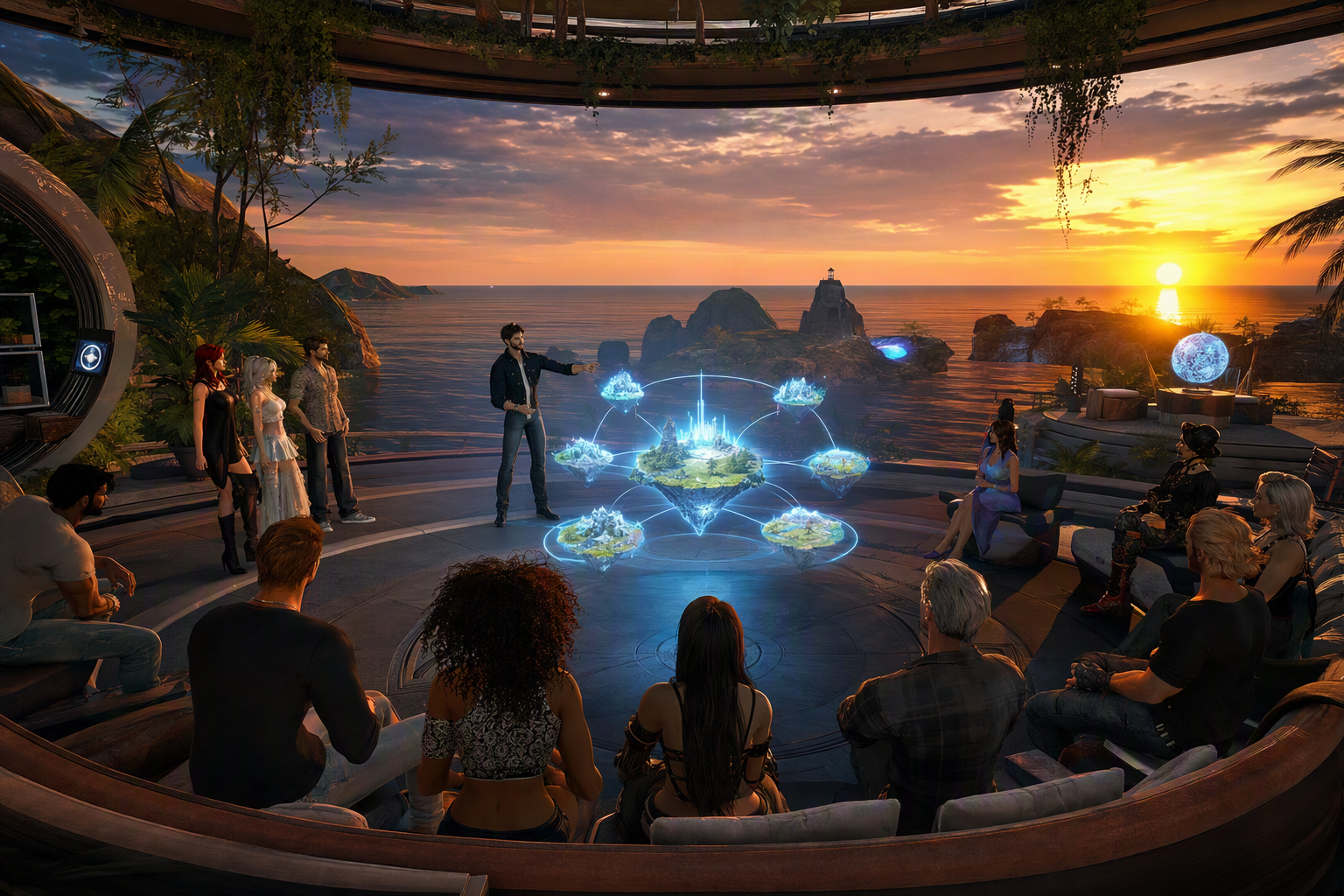
OpenSim Grid Basics for Second Life Residents — Free class in Alife Virtual School
If you already know your way around Second Life, learning how an open simulator grid works can unlock a much larger, more flexible corner of the metaverse. This class, OpenSim Grid Basics for Second Life Residents, is designed for experienced residents who want to understand how OpenSim differs from Linden Lab’s world, how Hypergrid travel works, what to expect from asset security and permissions, and why platforms such as Alife Virtual are becoming a serious second life alternative for creators, educators, and community builders. If you have ever wanted lower costs, greater building freedom, easier experimentation with lsl scripting, and access to a truly free 3D world, this workshop gives you the technical foundation to move confidently.
For many long-time residents, the biggest surprise is not that OpenSim looks familiar, but that it changes the economics of creation. Land models, upload rules, inventory handling, and inter-grid travel all work from a different philosophy. Instead of assuming scarcity and platform tolls, OpenSim often emphasizes openness, portability, and experimentation. That makes it ideal for classrooms, roleplay communities, research projects, artists, and anyone exploring the future of the metaverse beyond a single centralized platform.
Alife Advantage: Learn and Build Without the Cost Barrier
Before diving into grid architecture and Hypergrid travel, it helps to understand why this matters financially. For many users, the technical differences between platforms only become useful when paired with lower creative friction. Alife Virtual removes many of the costs that traditionally limit growth in virtual worlds.
| Feature | Alife Virtual | Typical Second Life Cost Model |
|---|---|---|
| Private Island / Full Region | FREE 65,536 sqm for one month | Often around $300/month plus setup fees |
| Monthly Tier | No monthly tiers/fees | Recurring land charges are common |
| Uploads | FREE unlimited uploads for textures, mesh, animations, and sounds | Upload fees can accumulate quickly |
| Starter Avatar | FREE Pro Mesh Avatar included | High-quality avatar upgrades often cost extra |
| Viewer Support | Firestorm compatible | Also supported, but costs remain elsewhere |
| Creative Economy | 100% free economy | Heavily monetized virtual economy |
The result is simple: in Alife Virtual, you can learn OpenSim concepts in a live environment without being punished for experimentation. You can rez, test, import, script, and iterate in a free 3D world where mistakes do not become monthly bills.
What You Will Learn
- What
OpenSimulatoris and how it relates toSecond Life - The difference between a single grid, a standalone region, and a Hypergrid-enabled world
- How login services, region services, inventory services, and asset services fit together
- How
Hypergrid teleportingworks in practice - Why asset security and permissions must be understood differently in OpenSim
- What features are commonly considered OpenSim-only or OpenSim-enhanced
- How
Alife Virtualdiffers fromOSGridand other grids - How to approach content creation, commerce, and community in a more open metaverse
Prerequisites
- Basic familiarity with
Second Lifemovement, inventory, land, and viewer controls - Comfort using the
Firestormviewer or another compatible viewer - A working understanding of permissions such as copy, modify, and transfer
- Optional but helpful: some experience with building, mesh import, or
lsl scripting
Step-by-Step Tutorial: Understanding OpenSim as a Second Life Resident
Step 1: Understand What OpenSimulator Actually Is
OpenSimulator, often shortened to OpenSim, is an open-source server platform for hosting virtual world regions that use a viewer similar to the one used in Second Life. It is not one world. It is a software ecosystem.
This distinction is the first major mindset shift for veterans. Second Life is a centralized platform run by one company with one primary economy, one account system, and one policy structure. OpenSim, by contrast, is a technology stack that anyone can deploy. A school, a hobbyist, a business, a museum, or a platform operator can run one region, many regions, or an entire grid.
That means when someone says they are “in OpenSim,” they may actually mean one of several things:
- A private standalone region running on a local machine
- A multi-region grid with centralized services
- A Hypergrid-enabled world connected to other participating grids
Think of Second Life as one city-state. Think of OpenSim as a federation model where many worlds can exist independently, and some choose to connect.
Step 2: Learn the Core Architecture of an OpenSim Grid
To understand why behavior differs across grids, you need a functional model of the backend. Most OpenSim grids are built around several core services:
- Login Service: authenticates the user and tells the viewer where to connect
- Grid Service: tracks regions and their coordinates
- Inventory Service: stores inventory folder structure and item references
- Asset Service: stores the actual asset data such as textures, sounds, scripts, and objects
- User Service: maintains user identity and account data
- Messaging / Presence Services: support communication and session awareness
In Second Life, these systems are abstracted away behind one platform. In OpenSim, they can be configured differently by each grid operator. This is why one grid may feel highly polished and another may feel experimental. Viewer familiarity does not guarantee backend uniformity.
For a resident, the practical takeaway is that reliability, permissions, region performance, inventory speed, and teleport behavior can vary significantly from grid to grid.
Step 3: Understand Regions, Estates, and Grid Layouts
The region concept will feel familiar. A standard region is often 256 x 256 meters, producing 65,536 sqm, the same full-region footprint many residents know well. But in OpenSim, region design can be more flexible. Some grids support varregions, which are larger-than-standard regions, such as 512 x 512 or more.
This matters because OpenSim can support:
- Traditional standard regions
- Large contiguous varregions
- Custom educational campuses
- Private testing sandboxes
In Alife Virtual, the free full region offer gives creators room to work at a scale that would be prohibitively expensive elsewhere. For educators and community organizers, that changes what is possible in practice.
Step 4: Know the Difference Between a Grid Login and a Hypergrid Identity
In a standard centralized world, your account belongs to that world. In OpenSim, your home identity belongs to your home grid. If that grid supports Hypergrid, you may be able to visit other connected grids while still using your home identity.
Your identity often appears in a format conceptually similar to:
Firstname Lastname @ YourHomeGrid
This home-grid identity is important because your account, inventory authority, and many trust decisions originate there. When you travel out across Hypergrid, you are not becoming a native resident of the destination grid. You are visiting from elsewhere.
Step 5: Learn How Hypergrid Teleporting Works
Hypergrid is one of the most distinctive OpenSim capabilities. It allows travel between participating grids using a URI-style destination rather than remaining trapped inside one platform boundary. For many users, this is where the open metaverse becomes real.
In practical terms, Hypergrid teleporting often involves entering a destination in the map or location bar using a format like:
hop://grid.example.org:8002/RegionName/128/128/25
Or by entering a grid URI and region name through your viewer’s world map or address bar. Exact syntax can vary by viewer and grid configuration, but the principle is consistent: your viewer and home grid coordinate with a remote grid to permit a guest session.
What happens behind the scenes?
- You authenticate to your home grid.
- Your home grid confirms your identity to the destination grid.
- The destination region accepts you as a visiting avatar.
- Certain inventory items and wearable references may be made available for the trip.
- You arrive as a Hypergrid visitor, subject to the destination’s rules and technical limits.
Hypergrid is powerful, but it is not magic. Not every item in your inventory will behave identically across every grid. Script behavior, attachments, body systems, permissions, and asset fetch timing can differ.
Pro Tip: Before Hypergridding to an unfamiliar destination, create a lightweight travel outfit and a dedicated travel folder. Include only essential wearables, a simple avatar setup, and copies of objects you are allowed to carry. This reduces failed asset calls and minimizes risk.
Step 6: Understand Asset Security and Permission Reality
This is one of the most important topics for Second Life veterans. OpenSim permission systems may look familiar, but the trust environment is different. In a centralized platform, asset storage and permission enforcement are managed by one company under one policy framework. In OpenSim, each grid operator controls their own infrastructure and security practices.
That leads to several realities:
- Not all grids offer the same level of asset protection
- Hypergrid travel introduces additional exposure considerations
- Permissions such as
copy,mod, andtransfermay not map perfectly to the same assumptions you have inSecond Life - Some grids disable or limit Hypergrid exportability to protect creators
OpenSim creators should think in terms of risk management, not absolute platform guarantees. If you distribute high-value original content, ask these questions:
- Is the destination grid trusted?
- Does the grid support export controls?
- Are your items intended for local use only or Hypergrid portability?
- Do your permissions match your actual sharing intent?
Some OpenSim grids support concepts like export permission flags or local-only content controls. These are not universal, but they are part of the ecosystem’s response to the realities of distributed worlds.
Common Mistake: Assuming that because an item is marked
no transferorno copy, it is protected in exactly the same way on every OpenSim grid. Always verify the destination grid’s policies and technical safeguards before bringing premium assets.
Step 7: Recognize What Features Are OpenSim-Only or OpenSim-Enhanced
OpenSim is not merely a lower-cost clone. It has its own strengths, some of which directly appeal to advanced builders and educators.
- Hypergrid travel: inter-grid movement across participating worlds
- Varregions: larger region sizes for campuses, landscapes, and event spaces
- Greater server-side flexibility: operators can tune services, modules, and policies
- Easier private deployment: organizations can run their own world infrastructure
- Lower or zero upload costs: ideal for rapid iteration and experimentation
- Accessible sandboxes for coding: useful for testing
lsl scriptingand OSSL-related features where enabled
One important note: some grids enable additional scripting functions beyond standard LSL, often referred to as OSSL or OpenSim scripting extensions. These can provide powerful region-level capabilities but are not always portable and may be restricted for security reasons.
For developers, this means OpenSim can be a better lab environment than a locked-down commercial world. For content merchants, it means you must design with portability in mind.
Step 8: Compare Alife Virtual with OSGrid and Other Grids
OSGrid is one of the best-known names in OpenSim history and has often served as a major public grid reference point. However, not all grids are built for the same audience. Some are highly decentralized and community-driven. Others focus on education, events, roleplay, or curated user experience.
Alife Virtual stands out in several ways:
- Cost accessibility: free full-region access for one month at
65,536 sqm - No monthly tier burden: a major contrast with high recurring costs elsewhere
- Unlimited free uploads: ideal for creators importing textures, mesh, sounds, and animations
- Free Pro Mesh Avatar: users begin with a strong visual foundation
- Firestorm support: lowers the learning curve for
Second Lifeveterans - 100% free economy: creation-first rather than fee-first
Compared with a large public grid like OSGrid, Alife Virtual can be especially appealing to residents who want a more guided, creator-friendly environment rather than a purely broad public infrastructure. Compared with Second Life, the most obvious advantage is cost, but the deeper advantage is freedom to prototype.
For educators, that means running classes without worrying about upload charges. For merchants testing a second life alternative, it means creating product lines and avatar systems before committing to a monetized rollout. For scripters, it means experimenting with lsl scripting in a lower-pressure environment.
Step 9: Adapt Your Second Life Habits for OpenSim Success
Experienced residents often bring good instincts, but some habits need adjustment.
- Do not assume every grid is identical. Research the grid’s rules, uptime, Hypergrid support, and asset policy.
- Travel light. Use a travel avatar and avoid carrying irreplaceable premium assets across unknown grids.
- Organize inventory carefully. Keep local builds, exportable items, and travel-safe items in separate folders.
- Test scripts per grid. Viewer-side behavior may look similar, but server-side implementation can differ.
- Expect the economy to function differently. The
virtual economyin OpenSim may be less centralized, less monetized, or community-based.
Pro Tip: Treat OpenSim as a network of neighborhoods, not a single nation. Your success depends on understanding the culture and technical profile of each grid you visit.
Step 10: Use Firestorm Efficiently in OpenSim
Because Firestorm supports OpenSim, many Second Life veterans can transition quickly. Still, it helps to configure your workflow intentionally:
- Maintain separate login entries for different grids
- Use viewer backup settings before major changes
- Clear cache only when troubleshooting, not as a first reflex
- Learn the grid manager and how custom login URIs are stored
- Use inventory filters to keep travel and local content separate
If you are testing multiple worlds in the wider metaverse, disciplined viewer management will save time and reduce confusion.
Common Mistakes to Avoid
- Assuming all OpenSim grids support Hypergrid by default
- Believing that permissions guarantee the same protection level everywhere
- Importing heavy assets without checking region performance and limits
- Using complex avatar systems during first-time travel tests
- Ignoring local grid rules because the viewer feels familiar
Common Mistake: Treating OpenSim as “cheap Second Life.” It is better understood as a broader, more open architecture with different trade-offs, opportunities, and responsibilities.
Advanced Applications
Once you understand the basics, OpenSim becomes much more than a destination. It becomes infrastructure you can use strategically.
Educational Campuses
Schools and training organizations can build large teaching environments on full regions or varregions without the recurring costs normally associated with premium land. This is one reason OpenSim remains important in educational metaverse design.
Prototype Development
Creators can test product lines, avatar systems, scripted devices, and environment builds before deploying them in more commercial spaces. Free uploads make iteration dramatically easier.
Cross-Grid Community Building
Hypergrid-enabled events can invite users from multiple worlds, creating a more networked social model than a closed platform can provide.
Scripting Labs
For students of lsl scripting, OpenSim can serve as a low-cost or no-cost testbed. Where available, OpenSim-specific functions can also expand what is possible for region automation and simulation projects.
Alternative Virtual Economies
Not every world needs a heavily monetized central currency. OpenSim grids can support gift economies, educational access models, member-supported communities, or hybrid commerce systems. That makes OpenSim relevant to anyone studying how a virtual economy can function outside high-fee platform structures.
Practice Exercise
Complete the following workshop exercise to confirm your understanding.
- Log into
Alife VirtualusingFirestorm. - Create a folder named
HG Travel Kitin your inventory. - Add a simple outfit, one attachment, one landmark folder, and one notecard with important grid addresses.
- Write a short comparison note answering:
- What service in OpenSim corresponds to account authentication?
- What service stores asset data?
- What is the difference between your home grid and a destination grid?
- Visit a Hypergrid-enabled destination if available and observe:
- How your name appears
- Whether all attachments load correctly
- Whether inventory access behaves differently from your home grid
- Return home and document three differences between your OpenSim travel experience and a standard teleport inside
Second Life.
FAQ
Is OpenSim the same as Second Life?
No. Second Life is one centralized virtual world platform. OpenSimulator is open-source software used to create many independent virtual worlds and grids, some of which connect through Hypergrid.
Can I use my Second Life account in OpenSim?
Not directly. Your Second Life account does not automatically function on OpenSim grids. You typically create an account on a specific grid such as Alife Virtual, and that becomes your home identity for that grid.
What is Hypergrid in simple terms?
Hypergrid is a system that allows you to travel between participating OpenSim grids using your home-grid identity, similar to visiting another connected world rather than staying inside one closed platform.
Is OpenSim safe for creators?
It can be, but safety depends on the grid and your practices. Asset security is more variable than in a centralized platform. Use trusted grids, understand export rules, and avoid carrying sensitive content into unknown environments.
Why would a Second Life resident choose Alife Virtual?
Because Alife Virtual offers a powerful second life alternative with a free 3D world model: a free full region for one month, no monthly tiers, unlimited free uploads, a free Pro Mesh Avatar, Firestorm support, and a 100% free economy for creators.
Join Alife Virtual and Explore the Open Metaverse
If you are ready to move beyond a single-platform mindset, now is the perfect time to explore Alife Virtual. You already have the viewer skills. What you gain here is freedom: freedom to build, upload, script, test, teach, and travel without the financial pressure that defines many closed platforms.
With a FREE Private Island of 65,536 sqm for one month, no monthly tiers, FREE unlimited uploads, a FREE Pro Mesh Avatar, full Firestorm support, and a 100% free economy, Alife Virtual is one of the smartest places to learn how OpenSim really works.
Join Alife Virtual, claim your space, and start building your future in the metaverse today.
🎓 Ready to Practice In-World?
Get your FREE island and practice everything you just learned — no credit card, no monthly fees.
Claim Your Free Island Now →No credit card required · Takes 2 minutes · Your island is FREE for one month