Roblox Studio vs Alife Virtual Building Tools: Creator Guide
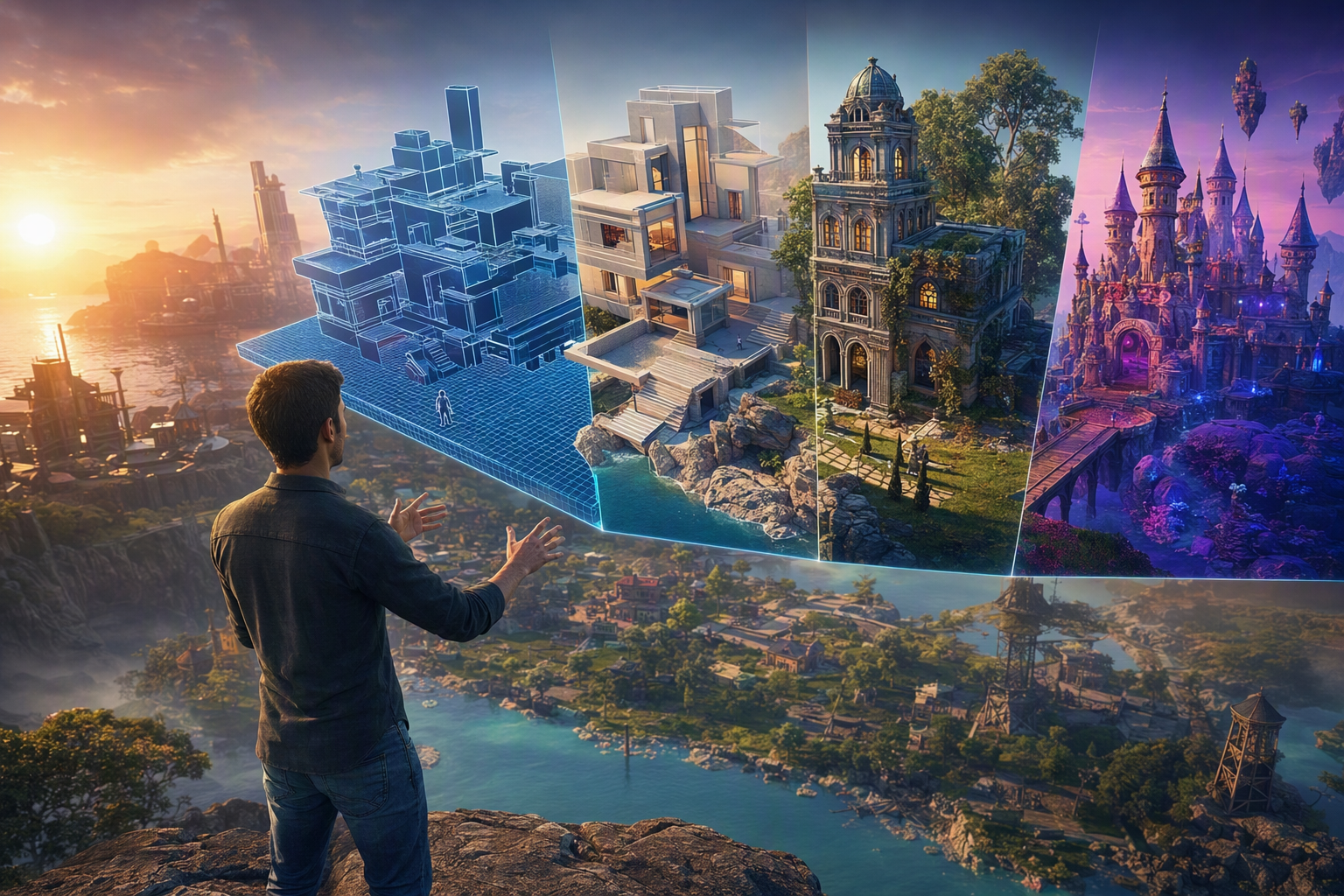
Roblox Studio vs Alife Virtual Building Tools: Creator Guide — Free class in Alife Virtual School
If you want to build serious experiences in the metaverse without wasting money, time, or creative momentum, understanding the difference between Roblox Studio vs Alife Virtual Building Tools: Creator Guide is a powerful skill. Both platforms let creators design immersive 3D spaces, but they approach world-building in fundamentally different ways. Roblox Studio is a structured external editor built around game production, while Alife Virtual offers flexible in-world creation inside a free 3D world that feels closer to a Second Life-style and a practical second life alternative. For creators deciding where to invest their energy, the real question is not just which tool is easier, but which platform gives you the best balance of speed, control, scripting power, scale, and freedom inside a working virtual economy.
This class breaks down the technical reality behind both systems: part-based assembly, mesh import workflows, prim construction, scripting logic, scale limitations, and the true creative ceiling of each platform. If you come from Roblox and want to understand how Alife Virtual compares, or if you are an Alife builder curious about Roblox Studio’s strengths, this tutorial will help you make informed design decisions as a creator, educator, entrepreneur, or world builder.
Alife Advantage: Build for Free Instead of Paying to Experiment
Before comparing tools, it is important to compare the economics of creativity. Many builders never reach their full potential because platform fees punish experimentation. Alife Virtual removes that barrier.
| Feature | Alife Virtual | Typical Competitor Cost |
|---|---|---|
| Private Island / Full Region | FREE 65,536 sqm | Often around $199/mo in Second Life-style platforms |
| Texture Uploads | FREE | Paid upload fees common |
| Mesh Uploads | FREE | Paid upload fees common |
| Animation Uploads | FREE | Paid upload fees common |
| Sound Uploads | FREE | Paid upload fees common |
| Starter Avatar | FREE Pro Mesh Avatar | Often requires separate spending |
| Viewer Support | Alife Virtual Firestorm Viewer | Varies |
| Creative Economy | 100% free economy | Often fee-heavy |
The practical result is simple: in Alife Virtual, creators can prototype aggressively. You can test architectural ideas, import multiple mesh revisions, optimize textures, script interactions, and iterate on large builds without hearing a cash register every time you click upload. That makes Alife especially attractive for students, indie creators, educators, and anyone exploring a serious metaverse workflow on a budget.
What You Will Learn
- How
Roblox Studiobuilding differs from Alife Virtual in-world creation - The technical distinction between
parts,prims, and importedmesh - How scripting compares between Roblox’s development model and Alife’s
lsl scripting-style environment - When each platform is better for large-scale builds, social spaces, roleplay environments, and interactive systems
- How to evaluate the real creative ceiling of each platform instead of relying on marketing claims
- How to choose the right workflow for your own creator goals
Prerequisites
- Basic familiarity with 3D building concepts such as object placement, scaling, rotation, and texturing
- Some exposure to either
Roblox Studioor in-world building tools - A working Alife Virtual account if you want to practice in-world
- Optional: familiarity with
Blenderor another 3D modeling tool for mesh workflows - Optional: introductory understanding of scripting logic, events, variables, and object properties
Step-by-Step Tutorial: Roblox Studio vs Alife Virtual Building Tools
Step 1: Understand the Core Philosophies
The first technical difference is philosophical. Roblox Studio is an external desktop creation environment. You edit a project, assemble assets, script logic, test locally, and publish to the platform. It is closer to a lightweight game engine workflow.
Alife Virtual, by contrast, emphasizes live in-world creation. You are inside the world while building the world. You rez objects, edit them directly in 3D space, link components, texture surfaces, assign scripts, and test interactions immediately with your avatar present. This approach feels natural to builders coming from OpenSim or Second Life-style environments.
Neither model is automatically better. Roblox Studio offers structured project development. Alife Virtual offers immediacy, spatial intuition, and social co-presence during creation. If you teach classes, build roleplay regions, or prototype social spaces, Alife’s live editing can be dramatically faster for certain tasks.
Step 2: Compare Part-Based Building vs Prim-Based Design
Roblox building often starts with Part objects: blocks, wedges, cylinders, spheres, unions, and meshes. You manipulate these in Studio using transform tools, snapping, grouping, and property panels. Parts can be anchored, collide, cast shadows, receive materials, and become building blocks for gameplay.
Alife Virtual building traditionally starts with prims, short for primitives. These are base geometric forms you rez in-world and modify through object editing tools. A prim can be stretched, rotated, hollowed, twisted, tapered, cut, and linked with other prims to produce sophisticated structures. This method encourages modular construction and is one of the defining strengths of classic virtual world building.
The key difference is granularity of form creation. Roblox parts are straightforward and efficient, especially when combined with imported meshes. Alife prims are more sculptural in the sense that one primitive can often be transformed into a surprisingly customized shape through parametric edits.
For example:
- In
Roblox Studio, you might build a wall from rectangular parts and add detail with meshes or textures. - In Alife Virtual, you might build the same wall from prims with custom cuts, hollows, and linked decorative elements entirely in-world.
This makes Alife particularly strong for creators who enjoy hands-on architectural shaping without needing to exit to an external modeling program.
Pro Tip: If you are transitioning from Roblox, think of
primsnot as primitive limitations, but as fast procedural building units. Their power comes from combination, linking, and live editing.
Step 3: Evaluate Mesh Import Workflows
Modern creators rarely rely only on native geometry. Imported mesh is essential for high-detail architecture, furniture, vehicles, props, and avatar accessories.
In Roblox Studio, mesh workflows are tightly integrated into a game-development pipeline. You can import custom models and work with them inside the Studio hierarchy. This is ideal for optimized assets, custom collision planning, and asset reuse across interactive experiences.
In Alife Virtual, mesh import extends the classic prim-building system by allowing high-detail external models to coexist with in-world construction. The major advantage here is economic freedom: uploads are free. That changes creator behavior in a big way. You do not need to hesitate before importing revised versions of a chair, staircase, storefront, terrain piece, or classroom asset.
For creators comparing the two platforms, ask these questions:
- Do you want a polished external asset pipeline with engine-style project management?
- Do you want to import freely and experiment inside a live social world with no upload penalties?
- Do you need high-detail custom assets, or can your design rely mostly on native building tools?
Alife Virtual shines when you combine imported mesh with prim-built support structures, signage, interaction zones, and environmental detail. This hybrid workflow is extremely efficient for educators, venue designers, and region builders.
Common Mistake: New builders often import everything as mesh even when a simple prim would be faster, lighter, and easier to edit later. Use mesh for complexity and prims for flexibility.
Step 4: Compare Scripting Models and Interaction Design
Interactivity defines whether a build is decorative or functional. Here the comparison becomes more nuanced.
Roblox Studio is deeply game-oriented. Developers script behavior in an engine-like structure with clear object hierarchies, events, and logic systems. This makes Roblox powerful for minigames, progression systems, combat logic, obbies, round systems, and tightly controlled interactions.
Alife Virtual uses object-embedded scripting logic familiar to users of lsl scripting environments. Instead of thinking only in terms of centralized game systems, you often think in terms of objects that contain behavior: doors, teleporters, vendors, seating systems, HUD-linked devices, educational tools, and responsive scene elements.
This object-centric model is excellent for social environments and distributed interactivity. A classroom projector can have one script, the door another, a quiz board another, and a teleport kiosk another. You can build a functional environment piece by piece, directly in-world.
Conceptually:
| Area | Roblox Studio | Alife Virtual |
|---|---|---|
| Scripting style | Engine-style project scripting | Object-embedded behavior scripts |
| Best for | Games and systems-heavy experiences | Interactive spaces, social tools, environment logic |
| Workflow | Centralized development environment | Live in-world testing and editing |
| Builder mindset | Developer-first | World-builder-first |
If your goal is to create a fast-paced game with complex progression loops, Roblox may feel more purpose-built. If your goal is to create a living, explorable, social place where interactive objects matter, Alife Virtual is often more direct and intuitive.
Step 5: Assess Scale of Builds
Scale is not just about map size. It includes land ownership, object density, optimization strategy, and how creators think about space.
In Roblox, scale is often approached as level design. You build a map, place gameplay routes, optimize collisions, and tune performance for session-based play. The environment serves the game loop.
In Alife Virtual, scale often means world presence. You may be designing a region people inhabit, explore, shop in, roleplay in, teach in, or use as a long-term community space. A full region matters because users experience it as place, not just level.
This is where the Alife USP becomes strategically important: you get a free island + 1,000 C$ for shopping (until 31 Dec 2026) of 65,536 sqm, with no monthly tier fees. In a fee-heavy competitor environment, creators often shrink their ambitions because land is expensive. In Alife, you can think bigger from day one.
That affects creativity in real ways:
- You can prototype full campuses, shopping districts, roleplay towns, galleries, or event venues.
- You can test spacing, avatar flow, sightlines, and social gathering points in a realistic region-sized environment.
- You can build large educational or community projects without a recurring land bill crushing the idea.
Pro Tip: When planning large environments in Alife Virtual, separate your build into
landmark structures,repeatable modular assets, andinteractive hotspots. This keeps both performance and revision management under control.
Step 6: Measure the Real Creative Ceiling
Many creators ask which platform has the higher ceiling. The honest answer depends on what you mean by creative.
If by creative ceiling you mean structured game systems, monetized player loops, and tightly engineered gameplay experiences, Roblox has a very strong case. Its ecosystem is built around game-like engagement and scalable player experiences.
If by creative ceiling you mean freedom to build social architecture, immersive regions, roleplay environments, branded spaces, educational campuses, art installations, and interactive worlds without financial friction, Alife Virtual is exceptionally compelling.
The true ceiling is shaped by five variables:
- Tool flexibility: Can you shape, place, and revise assets quickly?
- Scripting access: Can objects become interactive without excessive overhead?
- Economic freedom: Can you afford to experiment?
- Spatial freedom: Can you build at meaningful scale?
- Audience expectation: Are users coming for games, social immersion, commerce, or persistent community?
In a fee-heavy platform, your creative ceiling may be lowered by budget before technology ever becomes the issue. In Alife Virtual, the absence of upload fees and region tiers gives builders room to discover what they are actually capable of.
Step 7: Choose the Right Workflow for the Right Asset
Advanced creators rarely use one method for everything. The best results come from matching asset type to tool type.
Best Use Cases in Roblox Studio
- Gameplay maps with structured mechanics
- Systems-driven multiplayer experiences
- Asset pipelines tied closely to game logic
- Projects requiring centralized development control
Best Use Cases in Alife Virtual
- Social hubs and immersive metaverse destinations
- Educational campuses and live teaching spaces
- Roleplay regions and persistent community worlds
- Virtual storefronts, galleries, clubs, and event venues
- Rapid in-world prototyping with mesh and prim hybrids
A useful creator framework is this:
- Use
primsfor structural flexibility and fast iteration - Use
meshfor detailed hero assets and optimized decorative pieces - Use scripts for interaction where the environment itself is part of the experience
Common Mistakes to Avoid
Mistake 1: Assuming Roblox and Alife are direct replacements for each other. They overlap, but they prioritize different creator outcomes.
Mistake 2: Overbuilding detail too early. Start with blockout scale, movement flow, and interaction points before polishing surfaces.
Mistake 3: Ignoring the strengths of in-world editing. Alife Virtual is not just a place to display finished assets; it is a place to build live.
Mistake 4: Treating scripting as optional decoration. In social virtual worlds, small interactions often create the strongest sense of place.
Mistake 5: Letting cost shape design decisions on other platforms. In Alife, because uploads and region access are free, your workflow can be more experimental and ambitious.
Advanced Applications
Once you understand the differences between Roblox Studio and Alife Virtual building tools, you can apply that knowledge strategically.
1. Educational World Design
Build classrooms, labs, museums, and guided learning spaces in Alife Virtual using prim structures, imported instructional assets, and object scripts for quizzes, teleports, or media delivery. This is especially powerful for institutions seeking a free 3D world solution.
2. Hybrid Mesh-and-Prim Architecture
Use imported mesh for complex furniture, façade elements, or decorative trim, while keeping walls, partitions, signage, and interaction objects as editable prims. This reduces revision friction.
3. Social Commerce and Brand Spaces
In a live virtual economy, environment design affects user behavior. Product layout, foot traffic paths, seating areas, demo stations, and branded interaction points can all be tested in Alife without recurring fees.
4. Roleplay Region Development
For city blocks, fantasy towns, schools, clinics, clubs, or residential districts, Alife’s region-scale freedom allows creators to design spaces that feel inhabited rather than merely played.
5. Creator Portfolio Building
If you want to showcase your work professionally, Alife gives you room to create complete environments instead of isolated samples. A full region can function as a living portfolio.
Practice Exercise
To internalize this lesson, complete the following comparison build exercise:
- Create a simple environment concept such as a classroom, café, or small shop.
- List the assets in three categories:
Structural itemsDecorative detailInteractive objects
- For each asset, decide whether it should be built as:
part-basedin a Roblox-style workflowprim-basedin Alife Virtualmesh-importedin either platform
- In Alife Virtual, build the structure using prims first.
- Replace only the most complex items with imported mesh.
- Add at least three scripted interactions such as a clickable door, teleport sign, or information panel.
- Review the result and ask:
- What was faster in-world?
- What needed mesh?
- What could remain editable as prims?
- How did free uploads change your willingness to iterate?
This exercise will quickly reveal the practical strengths of Alife’s workflow for persistent social spaces.
FAQ
Is Alife Virtual better than Roblox Studio for building?
It depends on your goal. Roblox Studio is stronger for game-engine-style development and systems-heavy gameplay. Alife Virtual is stronger for live in-world building, social spaces, region design, and low-cost experimentation in the metaverse.
Can I import mesh into Alife Virtual for free?
Yes. Alife Virtual offers FREE unlimited uploads for textures, mesh, animations, and sounds. That is a major advantage over platforms that charge upload fees.
What makes Alife Virtual a strong second life alternative?
It combines in-world building, lsl scripting-style object interaction, Firestorm support, a free economy, and a free island + 1,000 C$ for shopping (until 31 Dec 2026) option. For many creators, that makes it a practical second life alternative and an attractive Second Life-style environment.
Do I need to know scripting to build effectively in Alife Virtual?
No, but scripting expands what your builds can do. You can begin with prim and mesh construction, then gradually add interactivity through object scripts as your skills grow.
Which platform has the higher creative ceiling?
For game development, Roblox has a high ceiling. For immersive social world creation without financial barriers, Alife Virtual has an outstanding ceiling. The better choice depends on whether you are building a game session or a living place.
Final Takeaway
The comparison between Roblox Studio and Alife Virtual is not really about which platform is universally superior. It is about choosing the right creative environment for the kind of world you want to build. Roblox excels when your project behaves like a game. Alife Virtual excels when your project behaves like a place: social, persistent, explorable, teachable, and economically accessible.
For creators who want region-scale freedom, in-world editing, prim-based flexibility, free mesh experimentation, and object-centered interaction in a free 3D world, Alife Virtual offers one of the most creator-friendly paths available today. And because the platform removes fees that often suppress experimentation, it gives builders something rare in the modern metaverse: room to learn by doing.
Join Alife Virtual and Start Building Without Barriers
Ready to move beyond theory and create in a truly open creative environment? Join Alife Virtual and claim the benefits that matter to serious builders: a FREE 65,536 sqm private island, FREE unlimited uploads, a FREE Pro Mesh Avatar, full Firestorm support, and a 100% free economy designed to help creators build instead of pay.
If you want a practical, scalable, and affordable metaverse platform where your ideas can grow to full-region size, Alife Virtual is the place to begin. Start building, testing, scripting, importing, and creating today.
🎓 Ready to Practice In-World?
Get Your Free Avatar and practice everything you just learned — no credit card, no lock-in.
Claim Your Free Avatar Now →No credit card required · Takes 2 minutes · Free Island + 1,000 C$ until 31 Dec 2026