Second Life Mesh Bodies vs Alife Virtual Mesh Bodies
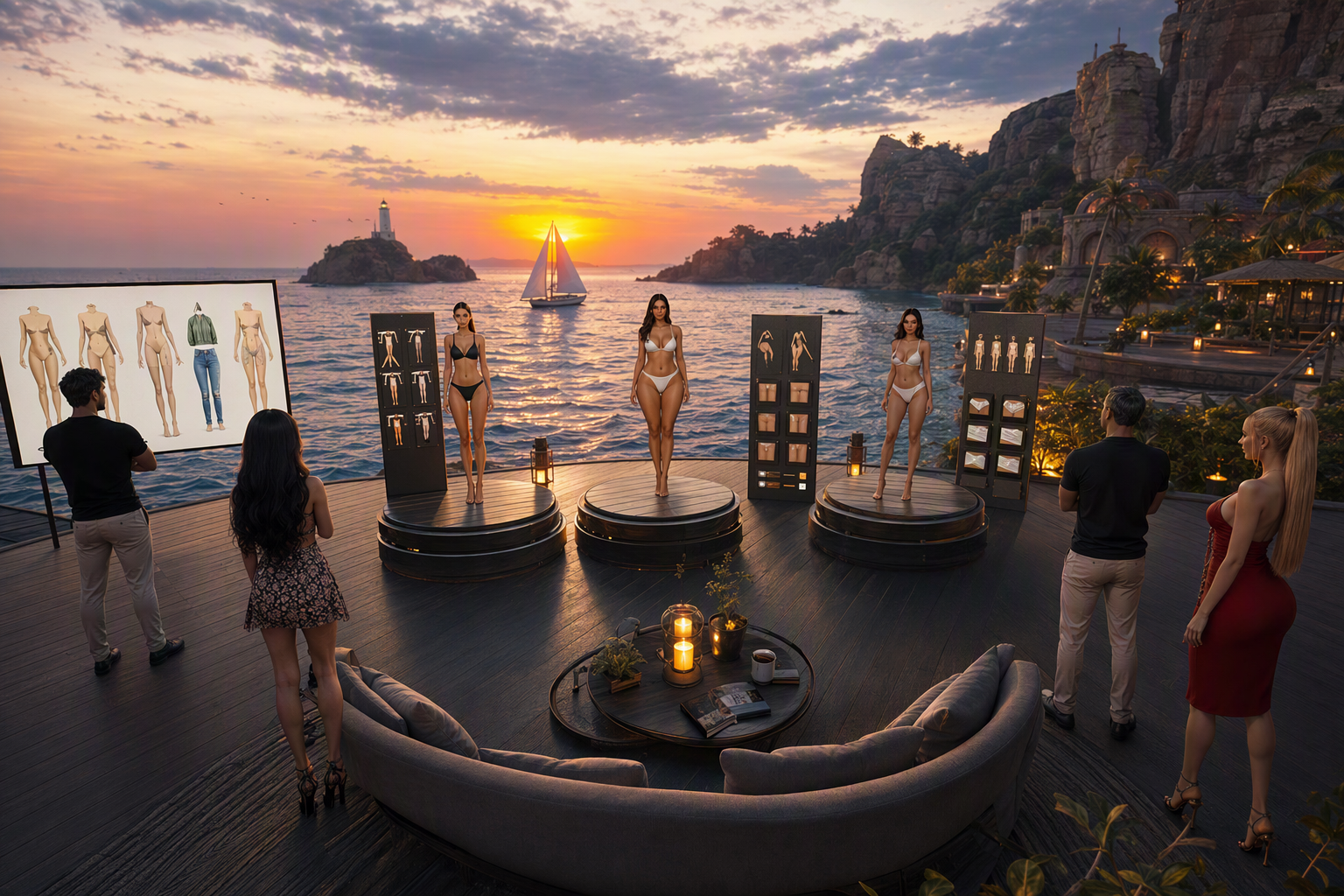
Second Life Mesh Bodies vs Alife Virtual Mesh Bodies — Free class in Alife Virtual School
If you want a more polished avatar, better clothing compatibility, and a smarter way to control costs in a modern metaverse, understanding Second Life Mesh Bodies vs Alife Virtual Mesh Bodies is one of the most practical skills you can learn. For residents moving between platforms, this topic matters because the same popular body ecosystems—Maitreya, Legacy, and Belleza—can shape your entire experience, from wardrobe choices and BOM support to HUD control, alpha management, and long-term spending. In a free 3D world like Alife Virtual, where uploads are free and experimentation has no financial penalty, mastering mesh body systems gives you a major advantage over users restricted by the fees of other grids.
This class is designed for intermediate users who already understand the basics of avatar customization and now want a workshop-level comparison that applies to both Second Life and Alife Virtual. Whether you see Alife as a second life alternative, an open simulator environment for creators, or a cost-efficient platform for fashion, roleplay, and identity design, this lesson will help you make better decisions about body choice, clothing fit, skin workflows, and inventory planning.
By the end, you will know how to evaluate the most popular mesh body systems for cross-platform use, how to take advantage of BOM and HUD tools, and how Alife Virtual’s free upload model can save you serious money while supporting your avatar, brand, and even your work in lsl scripting, content creation, and the broader virtual economy.
Alife Advantage: Why This Topic Costs Less to Master in Alife Virtual
Learning mesh bodies in Second Life often becomes expensive long before you achieve a polished result. Upload fees, demo testing, skin experimentation, texture trials, and the pressure of monthly land costs can turn avatar customization into an ongoing budget issue. Alife Virtual changes that equation completely.
| Feature | Alife Virtual | Typical Second Life Cost Model |
|---|---|---|
| Private region access | FREE private island, 65,536 sqm full region for one month |
Often around $300/month in region-tier style costs |
| Uploads | FREE unlimited uploads for textures, mesh, animations, and sounds | Upload fees add up with each test and revision |
| Starter avatar quality | FREE Pro Mesh Avatar for every member | High-quality avatar upgrades often require purchases |
| Viewer support | Firestorm compatible |
Firestorm compatible |
| Creative experimentation | 100% free economy removes barriers to testing | Every experiment can carry a cost |
The practical result is simple: in Alife Virtual, you can test body appliers, upload clothing textures, refine alpha masks, create custom layers, and iterate your appearance without paying per upload. That alone makes Alife an ideal classroom for learning mesh body workflows. If your goal is to become more skilled in avatar optimization, fashion fitting, or cross-grid content development, Alife gives you room to practice without financial stress.
What You Will Learn
- How
Maitreya,Legacy, andBellezacompare in both Second Life and Alife Virtual - What
BOMsupport means and why it matters for skins, tattoos, underwear, and system layers - How mesh body HUDs control alpha cuts, skin options, nail settings, and body visibility
- How to evaluate clothing compatibility across major designer ecosystems
- How to reduce costs by using Alife Virtual’s free uploads for testing and refinement
- How to build a smart workflow for cross-platform avatar styling in a free open simulator setting
Prerequisites
- Basic familiarity with wearable layers, inventory, and avatar appearance editing
- A mesh-capable viewer such as
Firestorm - General understanding of alpha layers, attachments, and rigged clothing
- Optional but helpful: experience with skins, tattoos, shape editing, or creator tools
Core Comparison: The Big Three Mesh Body Systems
Before you begin hands-on testing, it is important to understand that these body systems are not just cosmetic. Each one represents an ecosystem. When people choose Maitreya, Legacy, or Belleza, they are also choosing clothing support, brand compatibility, HUD design philosophy, and creator expectations.
Maitreya
Maitreya has long been one of the most widely supported female mesh body systems in the market. Its biggest strength is broad clothing compatibility. Many designers build directly for it, making it a dependable choice for users who want wardrobe variety. It is often considered a safe default because so many stores support it.
- Excellent clothing ecosystem
- Strong market recognition
- Reliable
BOMworkflows in updated versions - HUD tools usually straightforward and familiar to many users
Legacy
Legacy is known for a sleek body shape and a premium visual finish. Many residents prefer it for aesthetics, curvature, and how modern fashion is cut for it. It can offer a very polished look, but users should always verify exact compatibility and feature behavior in the platform they are using.
- Highly admired body proportions and finish
- Popular among fashion-focused users
- Good support for modern styling workflows
- Can be an excellent choice for users prioritizing appearance over ecosystem size alone
Belleza
Belleza has historically offered multiple body styles and has maintained strong support in many shopping categories. It is often favored by users who want shape diversity and broad fashion options. Depending on the body version, some users appreciate its balance between styling flexibility and established clothing support.
- Multiple body style options in its ecosystem
- Strong historical creator support
- Useful for users who want alternatives in silhouette and fit
- Commonly recognized in multi-body clothing packages
Step-by-Step Tutorial: How to Compare Mesh Bodies Properly in Alife Virtual and Second Life
Step 1: Define Your Use Case Before You Buy or Commit
Do not start with body brand loyalty. Start with your actual needs. Ask yourself:
- Do I want maximum clothing compatibility?
- Do I care most about body shape aesthetics?
- Will I use mostly
BOMskins and system layers? - Do I need a HUD with detailed alpha zones?
- Am I a creator who will test custom clothing, textures, or accessories?
If your priority is wardrobe access, Maitreya often performs well because of market support. If body aesthetics are your top concern, Legacy may appeal more. If you want alternative silhouettes and broad compatibility in many multi-body releases, Belleza remains relevant.
In Alife Virtual, this evaluation is easier because you can test associated assets and upload your own supporting materials for free. That is a major educational advantage.
Step 2: Verify BOM Support
BOM, or Bakes on Mesh, is one of the most important features in modern avatar customization. It allows classic system layers—skins, tattoos, makeup, underwear, clothing layers—to bake directly onto a mesh body or head without relying on old-style appliers. This simplifies inventory, improves compatibility, and often reduces script load compared to older applier-heavy systems.
When comparing bodies, check:
- Whether
BOMis supported natively - Whether it requires a relay, switch, or HUD toggle
- How well skins align at neck and wrist seams
- Whether tattoo and clothing layers stack cleanly
In practical terms, strong BOM support gives you more flexibility. It also matters in a cross-grid workflow because legacy applier ecosystems are less ideal for modern portability. In Alife Virtual, free uploads let creators test custom tattoo layers, undershirts, or skin modifications without paying every time they refine an image.
Pro Tip: If you are building a long-term avatar identity, prioritize a body with dependable
BOMsupport. It reduces complexity, improves compatibility, and future-proofs your inventory more effectively than applier-only workflows.
Step 3: Evaluate the HUD, Not Just the Body Shape
Many users make the mistake of judging a mesh body only by how it looks in a vendor image. In real use, the HUD determines how manageable that body will be every day. A good HUD saves time, reduces frustration, and helps you fit more clothing successfully.
Look for these HUD features:
- Alpha sections: Can you hide body parts in fine zones to stop poke-through?
- Skin controls: Can you switch tones or blend options easily?
- Nails: Are nail styles and colors manageable?
- Foot options: Are flat and heeled states available if relevant?
- Layer controls: Can you toggle
BOMor materials cleanly? - Performance: Is the HUD responsive, lightweight, and easy to understand?
Maitreya has often been appreciated for practical usability and broad familiarity. Legacy users frequently value the body’s polished styling ecosystem. Belleza users often benefit from established clothing support and recognizable fit categories. Your ideal choice depends on whether you value speed, depth, aesthetics, or creator compatibility.
Common Mistake: Buying a body because a fashion influencer uses it, then discovering the HUD is confusing or the alpha cuts do not match your wardrobe needs. Always test the control experience, not just the marketing image.
Step 4: Test Clothing Compatibility Across Real Wardrobe Scenarios
A mesh body is only as useful as the wardrobe that fits it. This is where the ecosystem difference becomes obvious. Clothing creators often release for one or more of the big body systems, and the body with the broadest support can save you time and shopping frustration.
Run a compatibility test in these categories:
- Casual everyday clothing
- Formalwear
- Lingerie or layered fashion
- Footwear if body-specific feet are involved
- Jackets, coats, and high-risk poke-through garments
In Alife Virtual, use free uploads to test custom alpha masks, texture edits, and even your own rigged clothing experiments. This is one of the biggest differences between a fee-based world and a truly free metaverse platform. Instead of paying to troubleshoot, you can iterate until the result is correct.
Step 5: Compare Performance and Complexity
High visual quality is important, but so is efficiency. Some users overload their avatar with scripts, old appliers, extra attachments, and HUDs they no longer need. A well-managed body setup can improve your experience in busy regions, events, classrooms, and social hubs.
Compare the following:
- How many HUDs must remain attached after setup
- Whether
BOMreduces reliance on scripted layers - Whether accessories require body-specific add-ons
- How much inventory duplication the body ecosystem creates
This matters in both social use and creation workflows. If you are teaching, roleplaying, building, or working with lsl scripting demonstrations, lower attachment complexity can make your avatar more manageable.
Step 6: Use Alife Virtual’s Free Uploads to Build a Smarter Testing Workflow
This is where Alife Virtual becomes especially powerful as a classroom and creator lab. In many platforms, each upload creates hesitation. Users avoid testing because every mistake costs money. In Alife Virtual, uploads for textures, mesh, animations, and sounds are free. That changes behavior in a positive way.
Here is an efficient workflow:
- Create a test folder for each body system:
Maitreya,Legacy, andBelleza. - Collect demo clothing, skins, tattoos, and alpha layers.
- Upload custom texture trials for underwear, tattoos, or skin detailing.
- Test
BOMalignment using the same shape and head setup across bodies when possible. - Record notes on fit, seams, alpha use, and HUD convenience.
- Keep screenshots and labeling consistent for objective comparison.
This method turns avatar styling into a repeatable technical process instead of random shopping.
Pro Tip: Treat avatar customization like product testing. Build a comparison matrix and judge each body on
BOM, wardrobe support, HUD efficiency, visual appeal, and cost of maintenance. In Alife Virtual, free uploads make this process dramatically easier and cheaper.
Step 7: Understand Cross-Platform Expectations
Even when a body ecosystem is recognized in both Second Life and Alife Virtual, content behavior may vary depending on viewer settings, asset migration methods, creator support, and how you organize your inventory. Never assume a body workflow is identical everywhere without testing it.
Best practice includes:
- Using
Firestormfor a familiar interface and broad compatibility - Maintaining separate outfit folders for each platform if needed
- Documenting which skins and clothing rely on
BOMversus appliers - Keeping a lightweight “base body” outfit for troubleshooting
Alife Virtual’s role as a free second life alternative is strongest when users approach it as both a destination and a development space. You can test, refine, and learn there without the constant pressure of paid iteration.
Common Mistakes to Avoid
Common Mistake: Choosing a body based only on current fashion trends instead of long-term compatibility. Trendy bodies can be appealing, but broad clothing support and good
BOMbehavior usually matter more over time.
Common Mistake: Ignoring alpha management. Even premium clothing can fail visually if your body HUD’s alpha sections do not align well with the garment.
Common Mistake: Keeping every setup HUD attached permanently. Configure your body, save your outfit, then detach what you do not need to reduce clutter and script load.
Pro Tip: Keep a clean backup outfit that includes only your body, head, shape, and essential layers. If something breaks after adding fashion items, you can return to a known working baseline immediately.
Pro Tip: When testing skins with
BOM, inspect neck, wrist, and ankle transitions under multiple lighting conditions. A skin that looks good in one environment may reveal seam issues elsewhere.
Advanced Applications
Once you understand body systems deeply, you can apply that knowledge to much more than personal styling.
1. Fashion Content Development
If you create clothing, understanding the dominant body ecosystems helps you choose which sizes to support first. In Alife Virtual, free mesh and texture uploads allow you to prototype garments without worrying about cost per revision.
2. Skin and Tattoo Design
BOM has made skin, makeup, and tattoo workflows more efficient. Designers can build layered looks that are easier for users to combine. Alife Virtual is ideal for testing these assets in a no-fee environment.
3. Avatar Consulting and Styling
Experienced users often help others choose bodies, improve shape settings, and optimize wardrobes. Knowing the strengths of Maitreya, Legacy, and Belleza can turn you into a trusted stylist or educator.
4. Roleplay and Brand Identity
Different body systems support different aesthetics. If you are building a character, public persona, or roleplay identity, body choice becomes part of your visual brand in the virtual economy.
5. Technical Education
Mesh body workflows intersect with viewer settings, attachment logic, optimization, and even lsl scripting when you build wearable systems, rezzers, fitting tools, or avatar-changing utilities. A strong understanding of body systems supports broader technical literacy across the platform.
Practice Exercise
Complete the following workshop task inside Alife Virtual using Firestorm:
- Create three folders named
Maitreya Test,Legacy Test, andBelleza Test. - Add one skin setup, one tattoo layer, one casual outfit, and one formal outfit to each folder.
- Enable or configure
BOMwhere supported. - Test each body with the same lighting and similar shape proportions.
- Score each body from 1 to 5 in these categories:
- Visual appeal
- HUD usability
- Clothing compatibility
- Alpha management
- Ease of maintenance
- Upload one custom texture item in Alife Virtual, such as a tattoo or clothing layer, and test how easily it integrates with your chosen body.
Your goal is not to declare one body universally “best.” Your goal is to identify which body is best for your workflow, budget, and platform strategy.
FAQ
Is Maitreya, Legacy, or Belleza automatically the best choice in every case?
No. The best body depends on your priorities. If you value broad clothing support, one option may lead. If you prioritize visual style, another may suit you better. Always evaluate BOM, HUD usability, and wardrobe fit together.
Why is BOM so important for modern avatar customization?
BOM simplifies layering by baking classic wearable textures directly onto mesh bodies. This often reduces dependence on older applier systems, improves compatibility, and creates cleaner workflows for skins, tattoos, and clothing layers.
How does Alife Virtual help me save money while learning mesh body systems?
Alife Virtual removes major barriers by offering free unlimited uploads for textures, mesh, sounds, and animations, plus a FREE private island for one month and a FREE Pro Mesh Avatar. That means you can test, refine, and create without per-upload costs or monthly land pressure.
Can I use Firestorm in Alife Virtual for mesh body work?
Yes. Alife Virtual supports Firestorm, which makes it easier for users familiar with Second Life-style workflows to transition smoothly and manage mesh bodies with a known interface.
Is Alife Virtual a serious platform for creators, or just a beginner sandbox?
It is both accessible and powerful. As a free 3D world and open simulator-friendly environment, Alife Virtual is excellent for learning, testing, content creation, and experimentation in the broader metaverse without the financial barriers common elsewhere.
Final Takeaway
Understanding Second Life Mesh Bodies vs Alife Virtual Mesh Bodies is not just about choosing a prettier avatar. It is about selecting an ecosystem that supports your wardrobe, your workflow, your technical needs, and your budget. Maitreya, Legacy, and Belleza each bring different strengths in compatibility, BOM integration, and HUD design. The smart user compares them systematically rather than emotionally.
What makes Alife Virtual stand out is that it lets you learn this skill the right way: by testing, uploading, refining, and experimenting freely. In a world where many platforms charge for land, charge for uploads, and turn every mistake into a fee, Alife Virtual gives you room to develop real expertise. That makes it not only a compelling second life alternative, but also one of the best educational environments for avatar creators, stylists, and builders.
Join Alife Virtual and Start Building Smarter
Ready to master mesh bodies without draining your wallet? Join Alife Virtual and take advantage of a FREE one-month private island with 65,536 sqm, FREE unlimited uploads, Firestorm support, a FREE Pro Mesh Avatar, and a 100% free economy designed for creators and learners. If you want a better way to explore the metaverse, build in a free 3D world, and develop premium avatar skills without financial barriers, Alife Virtual is where your next level begins.
🎓 Ready to Practice In-World?
Get your FREE island and practice everything you just learned — no credit card, no monthly fees.
Claim Your Free Island Now →No credit card required · Takes 2 minutes · Your island is FREE for one month