Alife Virtual School — Class 43: Social Media Marketing for Virtual World Creators
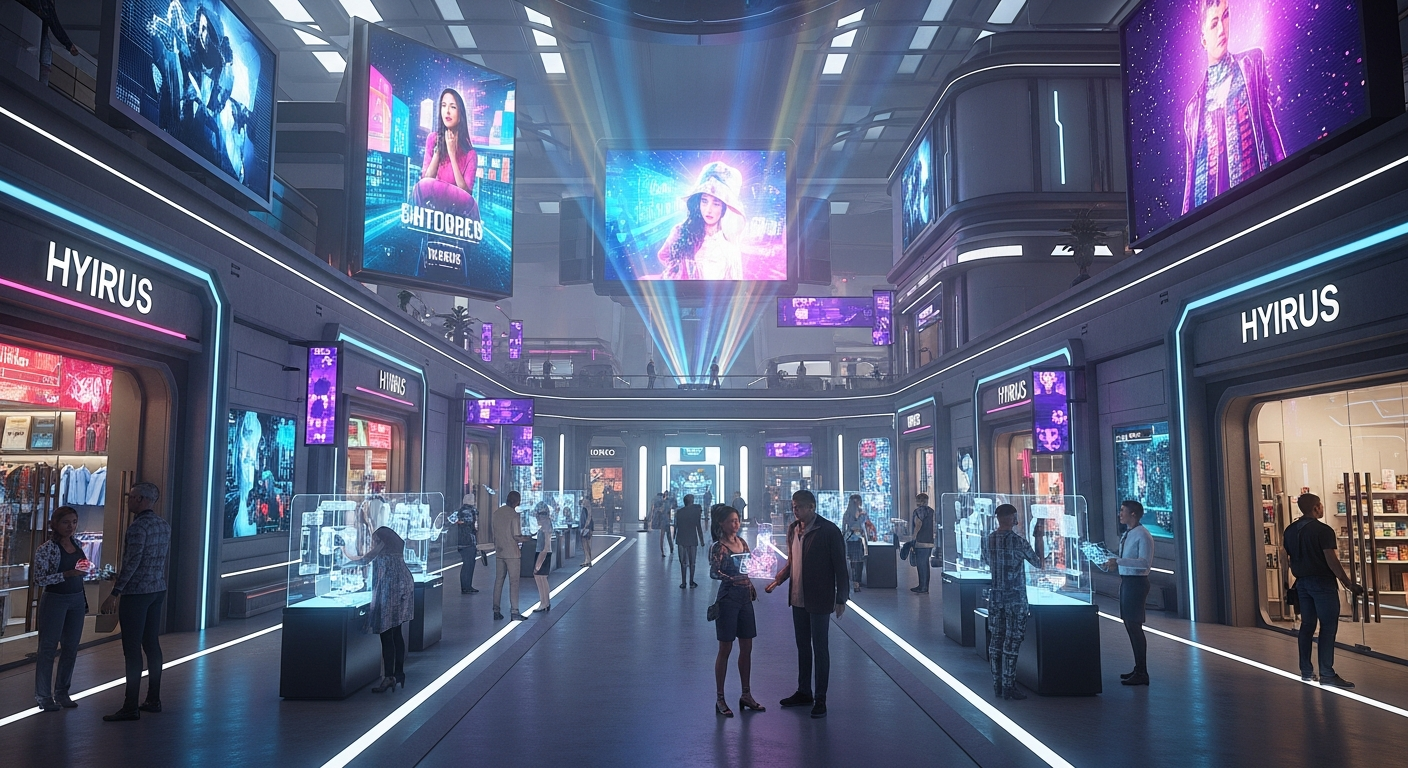
Social Media Marketing for Virtual World Creators — Free class in Alife Virtual School
Have you poured your heart and soul into creating the perfect skybox, a stunning mesh outfit, or an entire commercial district on your free Alife Virtual island, only to hear the digital crickets chirping? You've mastered building, texturing, and even LSL scripting, but your masterpiece sits unseen. This is where the real magic begins, beyond the grid. Welcome to your masterclass on Social Media Marketing for Virtual World Creators, the essential skill for transforming your in-world passion into a thriving brand with global reach. In today's hyper-connected metaverse, your creative genius deserves an audience, and this tutorial will show you exactly how to build it, post by post, video by video, all while leveraging the unparalleled, cost-free environment of Alife Virtual, the ultimate second life alternative.
The Alife Advantage: Zero Cost, Infinite Potential
Before we dive into strategy, let's address the elephant in the room: money. On other platforms, simply having a place to create can cost a fortune, creating a massive barrier to entry. This financial pressure stifles creativity and makes marketing feel like an unaffordable luxury. Alife Virtual demolishes this barrier.
Let's compare the foundational costs for a serious creator:
| Feature | Alife Virtual Cost | Typical Competitor (e.g., Second Life) Cost |
|---|---|---|
| Full Private Region (65,536 sqm) | $0.00 / month (FREE, for one month) | ~$300.00 / month + Setup Fees |
| Uploading Textures, Mesh, Sounds | $0.00 (Unlimited FREE uploads) | ~L$10 (~$0.04) per upload |
| Starting Pro Mesh Avatar | $0.00 (Included for all members) | $20 - $100+ for a comparable avatar |
| Total First-Year "Cost to Create" | $0.00 | $3,600+ (not including upload fees or avatar costs) |
In Alife Virtual, the $3,600+ you save annually isn't just money in your pocket; it's a strategic advantage. You operate in a truly free 3D world with a 100% free economy, meaning every bit of your time and energy can be focused on creation and promotion, not just paying digital rent. This class teaches you how to turn that advantage into followers, customers, and a recognized brand.
What You Will Learn
By the end of this class, you will be able to:
- Develop a multi-platform social media strategy tailored for virtual world content.
- Create compelling visual content (images and video) that stops the scroll.
- Master platform-specific tactics for Instagram, TikTok, YouTube, Pinterest, and X (Twitter).
- Build and implement a sustainable content posting schedule.
- Utilize hashtag research to dramatically increase your reach and discoverability.
- Construct a "conversion funnel" to guide followers from social media directly to your in-world store or location.
Prerequisites
- An active Alife Virtual account.
- At least one completed build, product, or creation you are proud to showcase.
- Active accounts on at least two of the following: Instagram, TikTok, YouTube, Pinterest, X.
- Basic familiarity with taking high-resolution snapshots and short videos in-world using the
Firestormviewer. (Hint: Use Ctrl + Shift + S for the Phototools floater). - Access to a simple video editing tool (e.g., CapCut, DaVinci Resolve) is highly recommended.
The Ultimate Creator's Playbook: Platform by Platform
Your content is virtual, but your audience is real. Each social media platform has a unique culture and algorithm. A one-size-fits-all approach will fail. Here’s how to conquer each one.
1. Instagram: Your High-Gloss Virtual Portfolio
Primary Goal: Awe-inspiring visuals and brand building.
Instagram is a visual-first platform, making it perfect for showcasing the beauty of your Alife creations. Think of it as your digital art gallery.
Content Strategy:
- High-Resolution Photos: This is your bread and butter. Use Alife's advanced lighting (ALM) and a high-quality Windlight/EEP setting to capture stunning shots of your builds, furniture, or fashion. Post single hero shots or carousels (up to 10 images) to give a mini-tour.
- Reels (Video): Reels are critical for growth. Create short, engaging videos (15-60 seconds).
- Build Tours: A quick fly-through of your latest region build set to trending audio.
- "Get Ready With Me": Showcase a full avatar look using your mesh clothing and accessories.
- Process Videos: A time-lapse of you building or texturing a
meshobject. - Cinematic Shots: Use the
Firestormcamera tools to create slow, panning shots of your environment for an epic feel.
- Stories: Use stories for less polished, behind-the-scenes content. Polls ("Which texture do you prefer?"), Q&As, work-in-progress shots, and countdowns to a new product release.
Hashtag Strategy:
Use a mix of 15-25 hashtags in your first comment (not the caption, for cleanliness). Combine broad and niche tags.
- Broad:
#metaverse#virtualworld#digitalart#3dart#cgi - Platform-Specific:
#alifevirtual#alifecreator#firestormviewer#alife virtual#alife virtual - Niche/Content-Specific:
#virtualfashion#meshhead#virtualhome#3dfurniture#cyberpunkcity
2. TikTok: Your Engine for Virality
Primary Goal: Reaching a massive new audience through short, entertaining, trend-driven video.
TikTok's algorithm is a discovery powerhouse. A single great video can reach millions, even with zero followers. The key is to be entertaining, fast-paced, and authentic.
Content Strategy:
- Embrace Trends: Find a trending sound or video format and ask, "How can I apply this to my Alife creation?" A popular dance trend performed by your avatar? A "things in my virtual home that just make sense" video? Jump on it fast.
- Satisfying & ASMR: A video of you perfectly applying a
textureto ameshobject, the smooth animation of a scripted door opening, or a slow pan over a hyper-detailed build can be surprisingly viral. - Before & After: Show an empty 65,536 sqm plot, then transition to your finished megabuild. Show a default avatar, then transition to a fully styled one with your products. These are incredibly effective.
- Quick Tips: Share a 15-second tip on building,
LSL scripting, or photography in Alife. "How to get this lighting effect in Alife Virtual..."
Hashtag Strategy:
Fewer hashtags, more targeted. 5-7 is the sweet spot.
- Broad/Discovery:
#fyp#virtualreality#metaverse#gaming - Niche:
#alifevirtual#secondlifealternative#virtualworlds#digitalcreator
3. YouTube: Your Hub for Authority and Depth
Primary Goal: Building a loyal community and providing long-form value.
If TikTok is the movie trailer, YouTube is the full-length film. This is where you can go deep, build trust, and create evergreen content that attracts viewers for years.
Content Strategy:
- Full Region Tours: In-depth, narrated tours (5-15 minutes) of your finished regions. Talk about your inspiration, the challenges, and point out special features.
- Tutorials: "How to Build a Starter Home in Alife Virtual," "Introduction to
LSL Scriptingfor Doors," "MyFirestormPhoto Settings for Pro Shots." These provide immense value and establish you as an expert. - Machinima: Create short films or music videos using Alife Virtual as your movie set. This is a high-effort, high-reward strategy.
- Creator Vlogs: A "day in the life" of an Alife creator. Show your process, talk about the
virtual economy, and share your journey. This builds a personal connection.
SEO for YouTube:
YouTube is a search engine. Your title, description, and tags are paramount.
- Title: Be descriptive and keyword-rich. "Alife Virtual: Tour of my Cyberpunk City | Free 3D World Build (Second Life Alternative)"
- Description: Write a detailed paragraph about the video. Include links to your Alife in-world store, other social media, and relevant keywords like
metaverse,Open Simulator, andfree private island. - Tags: Use a tool like TubeBuddy or VidIQ to find relevant tags. Mix broad and specific terms.
4. Pinterest: Your Visual Search Engine for Evergreen Traffic
Primary Goal: Driving long-term, targeted traffic to your marketplace or in-world location.
Pinterest isn't a social network; it's a visual search engine. Users are actively looking for inspiration for fashion, home decor, and aesthetics, making it a goldmine for virtual creators.
Content Strategy:
- Create Vertical Pins: The ideal Pin size is a 2:3 ratio (e.g., 1000x1500 pixels). Create simple graphics that feature a stunning in-world photo with a text overlay (e.g., "Gothic Living Room Set for Alife Virtual").
- Showcase Collections: Create a Pin that acts as a mood board for an entire fashion collection or furniture set.
- Link Everything: Every single Pin should link somewhere. Ideally, this is a direct link to your product on the Alife Marketplace (if available) or a blog post that contains the in-world landmark. Never waste a click.
- Create Boards: Organize your Pins into relevant boards like "Alife Virtual Fashion," "Virtual Home & Decor," "Sci-Fi Metaverse Builds." This helps users discover more of your content.
5. X (Twitter): Your Real-Time Community Hub
Primary Goal: Community engagement, networking, and instant updates.
X is the pulse of the metaverse community. It's less about polished perfection and more about conversation and being current.
Content Strategy:
- WIP (Work In Progress): Post quick snapshots of what you're currently working on. This builds anticipation.
- Announcements: New releases, sales, and events. This is the first place your followers should look for news.
- Engage, Engage, Engage: Retweet other Alife creators. Participate in conversations. Join "Screenshot Sunday" or other community hashtags. Ask questions. X is for building relationships.
- Quick Video Clips: A short 30-second clip of a new animation or a cool scripted object works wonders here.
Pro-Tip: The Art of the Call to Action (CTA)
Never assume your followers know what to do next. Every single post, on every platform, needs a clear Call to Action. Don't just post a pretty picture; guide them.
Your goal is to convert a passive viewer into an active participant in your Alife Virtual world.
- "New collection is live! Grab the landmark in my bio to visit the store."
- "What do you think of this new build? Let me know in the comments!"
- "Want to learn how I did this? Watch the full tutorial on my YouTube channel (link in bio)."
- "This item is FREE for group members in Alife Virtual this week only! Landmark in bio."
From Follower to Customer: The Conversion Funnel
Getting likes is nice, but getting visitors and sales is the goal. Here's how to build a simple funnel.
- Create a "Link Hub": Use a free service like Linktree, Carrd, or Bio.link. This one link will live in your bio on Instagram, TikTok, and X.
- Populate Your Link Hub: Your link hub should have clear buttons:
- VISIT MY MAIN STORE IN ALIFE VIRTUAL (This should provide the landmark/SLURL)
- JOIN MY ALIFE VIRTUAL GROUP
- SHOP ON THE MARKETPLACE
- FOLLOW ME ON YOUTUBE
- MY OTHER SOCIALS
- Get Your In-World Landmark: In your
Firestormviewer, stand on the spot you want people to arrive. Go toWorld > Create Landmark Here. Open your inventory, find the landmark, and drag it into your profile feed or a notecard to get the SLURL-style link you can share. - Drive Traffic with Your CTA: As mentioned above, constantly direct people to your "link in bio" in your post captions, video endings, and comments.
Common Mistakes to Avoid
- Poor Quality Visuals: Grainy, dark, or poorly-composed shots will get you ignored. Take the time to learn in-world photography.
- Inconsistent Posting: Posting five times one week and then disappearing for a month kills your momentum. Use a scheduler (like Meta Business Suite or Later) to stay consistent.
- Ignoring Your Community: Not replying to comments or DMs is a huge mistake. Social media is a two-way street.
- "Hard Selling" Every Post: Follow the 80/20 rule. 80% of your content should be valuable, entertaining, or inspiring. Only 20% should be a direct sales pitch.
Advanced Applications
- Collaborations: Partner with another Alife creator. A fashion designer can team up with a builder to do a photoshoot in their new location. Cross-promote each other to share audiences.
- Paid Advertising: Once you have a product that sells well, consider putting a small budget ($5-$10) behind a well-performing Instagram or TikTok post to reach a targeted "lookalike" audience.
- Live Streaming: Go live on TikTok or YouTube while you build in Alife. Answer questions from the audience in real-time, creating a highly engaging experience.
- Email Lists: For truly advanced creators, use your social media to drive sign-ups to an email list. This gives you a direct line to your most loyal fans, independent of any social media algorithm.
Practice Exercise: Your First Campaign
Time to put this knowledge into action.
- Select One Creation: Choose one of your favorite items or builds in Alife Virtual.
- Capture Your Assets: Take 5-10 high-quality photos and 2-3 short video clips (15-30 seconds each) of your creation.
- Plan a 3-Post Campaign:
- Post 1 (Instagram Reel): Create a 15-second Reel showcasing your creation with trending music. Add a text overlay like "Made this in the Alife Virtual metaverse." In the caption, ask a question and direct people to your link in bio for the landmark.
- Post 2 (Pinterest Pin): Create a vertical Pin (1000x1500px) with a great photo and text overlay. Title it something like "Gothic Bedroom Furniture Set - Alife Virtual." Link the Pin directly to a blog post or social media post containing the landmark.
- Post 3 (X/Twitter Post): Post your best photo with the caption: "My latest project is complete! So proud of how this turned out. Come explore it for yourself in Alife Virtual! #alifevirtual #metaverse #virtualworld". Include the landmark/SLURL in a follow-up tweet.
- Analyze: After 48 hours, check which post got the most engagement. This is valuable data for your future strategy.
Frequently Asked Questions (FAQ)
- How much time do I need to commit to this per week?
- Start with 3-4 hours per week. Use one hour to "batch create" content (take all your photos/videos for the week at once) and the rest of the time for posting and engaging. Consistency is more important than volume.
- Which platform is the absolute best for a total beginner?
- Instagram. It has the best balance of visual showcase (photos), viral potential (Reels), and community building (Stories). It's a fantastic starting point before expanding to other platforms.
- I have zero followers. How do I even start?
- Don't worry about followers. Worry about creating high-quality content and using the right hashtags. Engage with other creators' content in your niche. Follow people who create similar things. Your first 100 followers will come from being an active and valuable member of the community.
- Can I actually make money from my Alife creations using this method?
- Absolutely. The Alife
virtual economyis 100% free, meaning you have no overhead costs from land or uploads. By driving traffic from social media to your in-world store, every sale you make is pure profit. This strategy is how part-time creators become full-time virtual entrepreneurs.
Your Creative Empire Awaits. Stop Paying, Start Creating.
You now possess the blueprint to take your Alife Virtual creations global. The skills you've learned in this class are the bridge between your in-world talent and a worldwide audience waiting to be amazed. The best part? You can do all of this without spending a single dollar on land tiers or upload fees.
While creators on other platforms struggle with monthly bills, you have the freedom to invest your time and resources into what truly matters: creating and marketing. Your free 65,536 sqm private island is waiting. Your free unlimited uploads are ready. Your high-quality free pro mesh avatar is set to go.
Join Alife Virtual today. Claim your free island, start building your dream, and use this guide to show it to the world.
🎓 Ready to Practice In-World?
Get your FREE island and practice everything you just learned — no credit card, no monthly fees.
Claim Your Free Island Now →No credit card required · Takes 2 minutes · Your island is FREE for one month