Virtual World Streaming: How to Build a Content Channel
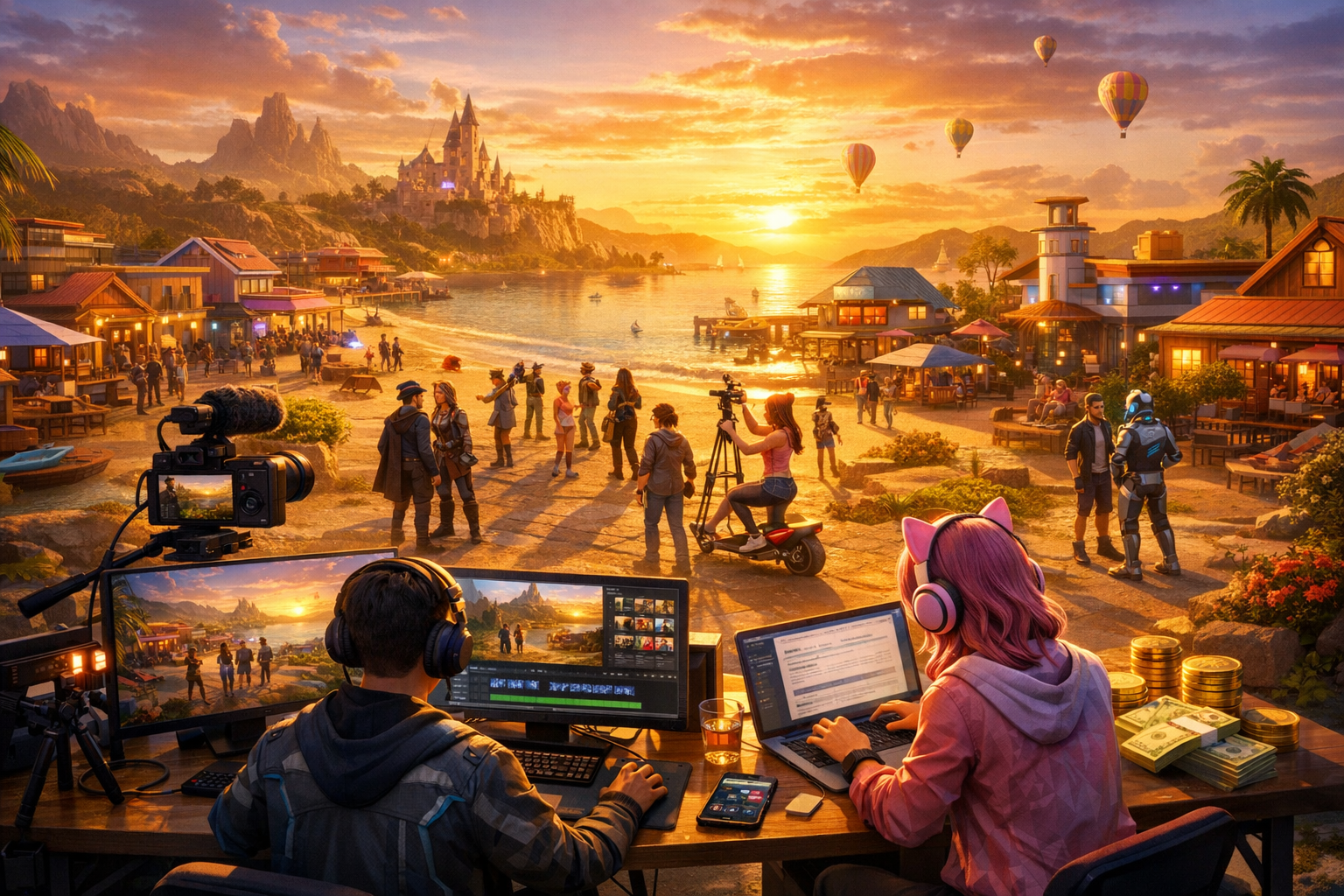
Virtual World Streaming: How to Build a Content Channel — Free class in Alife Virtual School
If you want to turn your creativity inside a free metaverse into an audience, a brand, and even an income stream, Virtual World Streaming: How to Build a Content Channel is one of the highest-value skills you can learn. In Alife Virtual, you can record cinematic tours, building tutorials, fashion showcases, roleplay stories, lsl scripting lessons, and virtual business content without the heavy platform costs that often block creators on other grids. Whether you want to grow on YouTube, TikTok, or both, this class will show you how to capture better in-world footage, edit videos efficiently, write SEO-friendly titles and descriptions, and build a monetisable content pipeline around a free 3D world.
For creators exploring the metaverse, especially those searching for a second life alternative or an open simulator-style platform with lower barriers, Alife Virtual offers a rare advantage: you can experiment, publish, iterate, and scale content without being punished by upload fees, land costs, or monthly financial pressure. That freedom matters. The fastest-growing channels are not always built by the richest creators. They are built by the creators who can test more ideas, produce more often, and learn faster.
Alife Advantage: Build a Channel Without Platform Cost Pressure
One of the biggest hidden obstacles in virtual world content creation is cost. Recording quality footage often requires attractive locations, custom assets, polished avatars, and room to build sets. On many platforms, every one of those steps can become an expense. Alife Virtual changes that equation.
| Feature | Alife Virtual | Typical Competitor Cost |
|---|---|---|
| Private island / full region | FREE 65,536 sqm for 7 days (free trial) | Often around $199/mo in Second Life-style environments |
| Uploads | FREE unlimited uploads for textures, mesh, animations, sounds | Per-upload fees can add up quickly |
| Starter avatar | FREE Pro Mesh Avatar | High-quality avatars often require paid upgrades |
| Viewer support | Firestorm compatible | May vary by platform |
| Creative economy access | 100% free economy mindset | Frequent recurring fees and monetisation barriers |
For a streaming or video creator, this is not just a nice bonus. It is a strategic advantage. A 7-day free private island trial means you can build your own filming studio, machinima set, classroom, showcase mall, or branded backdrop. Free uploads mean you can improve your scenes continuously. A free professional avatar means you look polished on camera from day one. In short, Alife Virtual lowers production cost while increasing creative control.
What You Will Learn
- How to choose a profitable content niche inside the metaverse
- How to plan YouTube and TikTok content around virtual world topics
- How to record smooth, watchable in-world footage in Alife Virtual using
Firestorm - How to structure short-form and long-form videos for retention
- How to edit footage for clarity, pacing, and brand consistency
- How to write video titles, descriptions, and metadata for SEO
- How to use keywords such as
metaverse,second life alternative,open simulator,free 3D world,virtual economy, andlsl scriptingnaturally - How to monetise your virtual world content through platform revenue and off-platform offers
- How to avoid common creator mistakes that slow growth
Prerequisites
- An Alife Virtual account
- A basic understanding of navigation, camera controls, and avatar customisation
Firestormviewer installed and configured- Screen recording software such as
OBS Studio - Video editing software such as
DaVinci Resolve,CapCut,Premiere Pro, or similar - A microphone with acceptable voice quality if you plan to narrate or stream
- Intermediate comfort with digital content workflows
Step-by-Step Tutorial: Build a Virtual World Content Channel
Step 1: Define Your Channel Positioning
Before you record anything, decide what type of creator you are. Generic “virtual world videos” rarely perform as well as focused channels. The algorithm rewards clarity, and so do viewers.
Choose one primary content pillar and one secondary pillar. Examples:
- Primary: Alife building tutorials
Secondary:lsl scriptingtips - Primary: Virtual world fashion and avatar styling
Secondary: shopping guides and free item reviews - Primary: Metaverse exploration and region tours
Secondary: reviews of virtual businesses and communities - Primary: Beginner education for a
second life alternative
Secondary: comparison videos between platforms
Your positioning should answer three questions:
- Who is this content for?
- What problem does it solve?
- Why should they watch you instead of another creator?
A strong example: “I help creators and entrepreneurs use Alife Virtual as a free 3D world to build brands, businesses, and immersive experiences.”
Step 2: Research High-Interest Topics
Good channels are built on repeatable topic demand. Start by listing 30 video ideas before publishing your first one. Use three topic buckets:
- Search content: “How to build in Alife Virtual,” “best metaverse platform for creators,” “how
lsl scriptingworks” - Browse content: “I built a full shop in a free virtual world,” “Can Alife replace Second Life?”
- Community content: event coverage, interviews, tours, avatar transformations, challenge videos
For YouTube, search-based educational content is especially powerful. For TikTok, visual transformation, speed builds, avatar glow-ups, and quick tips often work better.
Create a simple spreadsheet with these columns:
- Topic
- Format
- Target platform
- Primary keyword
- Hook
- Call to action
Step 3: Prepare a Filming Environment Inside Alife Virtual
Your footage quality depends heavily on environment control. This is where Alife Virtual’s 7-day free private island trial becomes a major production advantage. Use your 65,536 sqm region as a studio set.
Build or prepare:
- A clean tutorial area with neutral backgrounds
- A branded intro stage or welcome area
- Display boards for products, slides, or teaching points
- Lighting zones for consistent visual quality
- Camera paths or marked positions for repeatable shots
Because uploads are free, you can improve your set continuously with custom textures, logos, lower-thirds, signs, and props without worrying about asset fees.
Pro Tip: Build one “evergreen” studio for tutorials and one “showcase” environment for visually rich content. This gives your channel both consistency and variety.
Step 4: Optimise Viewer and Recording Settings
Before recording, configure your viewer and capture software for clean output.
Inside Firestorm:
- Increase draw distance only as much as needed; excessive distance can reduce frame rate
- Disable unnecessary interface elements for cinematic shots
- Use
Ctrl+Alt+Shift+Dadvanced options only if you understand them - Adjust environment lighting for a consistent time of day
- Enable shadows only if your system can maintain smooth performance
- Use a stable camera speed and practice smooth camera movement
In OBS Studio:
- Record in
1920x1080minimum for YouTube - Use
60fpsif your machine can sustain it for smoother movement - Record separate audio tracks for microphone and desktop audio if possible
- Use a high enough bitrate to avoid compression artifacts in detailed scenes
Recommended workflow:
- Record a 30-second test clip
- Check frame pacing, lighting, UI visibility, and avatar smoothness
- Adjust before filming the full session
Step 5: Record With Retention in Mind
Do not record randomly and hope editing will save the video. Record intentionally. Every clip should support a story or teaching objective.
For educational YouTube videos, use this structure:
- Hook: Show the result first in 5–15 seconds
- Promise: Explain what the viewer will learn
- Context: Why this matters in the metaverse or virtual economy
- Steps: Teach clearly and visually
- Wrap-up: Summarise key takeaways
- CTA: Invite comments, subscriptions, or joining Alife Virtual
For TikTok or Shorts:
- Start with movement or a visual reveal in the first second
- Use on-screen text immediately
- Keep one idea per clip
- End with a curiosity loop or direct call to action
Capture multiple shot types:
- Wide establishing shots of regions
- Medium shots of your avatar presenting
- Close-ups of interface actions or object details
- Slow camera pans for atmosphere
- Over-the-shoulder building or scripting shots
Common Mistake: Many creators record one long static take with visible interface clutter and no shot variety. This lowers retention fast, especially on YouTube.
Step 6: Script Efficiently Without Sounding Robotic
Intermediate creators often know their topic but present it in a scattered way. A light script solves this. You do not need to write every word, but you should outline:
- Opening hook
- Three to five key teaching points
- Examples or demonstrations
- Closing summary and CTA
Example hook formula:
In this video, I’ll show you how to turn Alife Virtual into a content engine for YouTube and TikTok, using 7-day free sim trial, free uploads, and smart SEO to grow faster than creators paying monthly platform fees.
This works because it is specific, benefit-driven, and differentiating.
Step 7: Edit for Clarity, Pace, and Watch Time
Editing is where raw footage becomes a channel asset. Your goals are simple: remove friction, maintain interest, and reinforce the lesson.
During editing:
- Cut all dead time, loading pauses, and camera mistakes
- Add text labels for steps and key terms
- Use zooms or highlights to direct attention
- Balance music low enough that narration remains clear
- Add chapter structure for longer YouTube tutorials
- Keep intros short; avoid long logo animations
For TikTok and Shorts:
- Use larger captions
- Change visuals every 1–3 seconds when possible
- Front-load the best footage
- Design for vertical framing
Build reusable templates for:
- Intro title card
- Lower-thirds
- End screens
- Short-form caption styles
This increases consistency and reduces production time.
Step 8: Write SEO-Friendly Titles and Descriptions
SEO is critical for educational virtual world content, especially on YouTube. Your title must balance keyword relevance and click appeal.
Strong title principles:
- Lead with the main topic
- Include a clear benefit
- Use naturally searchable phrases
- Avoid keyword stuffing
Examples:
How to Start a YouTube Channel in Alife Virtual | Free Metaverse Creator GuideBest Second Life Alternative for Content Creators? Alife Virtual TestedRecord Better Virtual World Videos: Firestorm + OBS Setup TutorialHow to Monetise Metaverse Content on YouTube and TikTok
Your first two lines of the description matter most. They should contain the primary keyword and a concise summary.
Example description opening:
Learn how to build a YouTube or TikTok channel around Alife Virtual, a free 3D world and powerful second life alternative for creators. This tutorial covers recording in-world footage, editing for retention, writing SEO-friendly titles, and monetising metaverse content.
Then expand with:
- Secondary keywords
- Timestamps
- Links to Alife Virtual
- Links to related videos or playlists
- Relevant hashtags in moderation
Pro Tip: Write titles for humans first, then check that your target keyword appears naturally. A clickable title beats a technically perfect but boring one.
Step 9: Publish in a Multi-Platform Workflow
Do not create one video and stop there. Build a content system.
From one long tutorial, extract:
- One full YouTube video
- Three to five Shorts
- One TikTok teaser
- One quote graphic or thumbnail concept
- One community post or blog summary
This is especially powerful in Alife Virtual because your production costs remain low. You can publish more often without worrying about recurring land fees or upload charges eating into your budget.
A practical weekly schedule:
- Monday: Record one long tutorial
- Tuesday: Edit and publish YouTube video
- Wednesday: Cut Shorts
- Thursday: Publish TikTok clips
- Friday: Review analytics and plan the next topic
Step 10: Monetise Your Virtual World Content
Monetisation should be approached in layers. Platform revenue is only one part of the opportunity.
Primary monetisation options:
- YouTube Partner Program: ad revenue from long-form and Shorts
- TikTok monetisation: creator rewards depending on region and eligibility
- Affiliate links: software, hardware, creator tools
- Sponsorships: virtual brands, creators, event organisers
- Services: region design, avatar styling, editing, consulting, teaching
- Digital products: templates, tutorials, scene kits, classes
- Community monetisation: memberships, Patreon, premium Discord groups
The virtual economy angle is important. If your content helps users earn, build, brand, decorate, script, or socialise more effectively, you are not just making entertainment content. You are supporting economic activity inside the metaverse. That makes your content more valuable to both viewers and potential partners.
Common Mistake: New creators wait too long to think about monetisation. You do not need to sell aggressively, but you should design your channel around a clear value pathway from the beginning.
Common Mistakes to Avoid
- Posting without a niche or audience focus
- Using poor audio while obsessing over visuals
- Making long intros before delivering value
- Ignoring thumbnails and titles
- Uploading inconsistently
- Failing to create vertical clips from long-form videos
- Overusing jargon without explanation
- Not showing practical examples from inside the world
- Creating in expensive ecosystems when a free 3D world like Alife Virtual offers more room to experiment
Pro Tip: If a viewer can understand your video with the sound muted for the first 10 seconds, your visual communication is probably strong enough for modern social platforms.
Advanced Applications
Once your channel is established, expand beyond tutorials into higher-value formats.
1. Branded Series
Create recurring shows such as weekly region tours, creator spotlights, or “build from scratch” challenges. Series improve return viewership.
2. Educational Funnels
Use beginner videos to attract broad search traffic, then guide viewers into intermediate topics such as lsl scripting, virtual business setup, or event production.
3. Community-Led Growth
Host in-world filming events, interviews, and collaborative builds. This creates audience participation and gives you a steady source of content.
4. Product Demonstrations
If you create assets or services, use your channel to demonstrate them in context. Because Alife Virtual supports free uploads and a free economy model, you can prototype and showcase rapidly.
5. Comparative Thought Leadership
Position yourself as an expert on the broader metaverse landscape by comparing Alife Virtual to other platforms, including as a second life alternative or open simulator-style environment for creators, educators, and entrepreneurs.
Practice Exercise
Complete the following assignment to build your first repeatable content workflow:
- Choose one channel niche and write a one-sentence positioning statement.
- Create a list of 10 YouTube video ideas and 10 TikTok/Shorts ideas.
- Set up a filming area on your Alife Virtual private island or selected region.
- Record one 3–5 minute tutorial or showcase video.
- Edit one long-form version and two short-form clips from the same footage.
- Write one SEO-focused title and a 150-word description using at least three relevant keywords naturally.
- Publish and review analytics after 72 hours.
- Note where viewers dropped off and improve your next video accordingly.
Success metric: your goal is not viral performance on the first upload. Your goal is to prove you can produce one complete content package from planning through publication.
FAQ
Do I need expensive software to start a virtual world content channel?
No. You can start with Firestorm, OBS Studio, and a free editor such as DaVinci Resolve or CapCut. Alife Virtual reduces platform-side costs significantly by offering 7-day free sim trial, free uploads, and a free pro avatar.
Is Alife Virtual good for YouTube content compared to other platforms?
Yes. It is especially strong for creators who want a second life alternative without recurring monthly region fees. The 7-day free private island trial and unlimited uploads make it ideal for filming tutorials, machinima, product showcases, and educational content.
What kind of virtual world videos perform best?
Beginner guides, transformation videos, building tutorials, avatar customisation, event coverage, region tours, and monetisation topics tend to perform well. Search-based educational content is often strongest on YouTube, while visual hooks and quick tips work well on TikTok.
Can I monetise content even if my channel is still small?
Yes. Even before ad revenue, you can monetise through affiliate links, consulting, digital products, custom builds, sponsored showcases, and community memberships. The lower your production costs, the easier it is to become profitable earlier.
Should I focus on YouTube or TikTok first?
If your strength is teaching and search-based discovery, start with YouTube. If your strength is visual storytelling and rapid experimentation, start with TikTok or Shorts. Ideally, use one recording session to serve both platforms.
Final Thoughts
Building a content channel around virtual world experiences is no longer a niche hobby. It is a real creator pathway inside the metaverse, and the creators who win are the ones who combine technical skill, clear positioning, consistent publishing, and smart SEO. Alife Virtual gives you a serious edge: a free 3D world, a 7-day free full sim trial, free unlimited uploads, a free professional mesh avatar, Firestorm support, and a platform built to remove financial friction from creativity.
If you want to teach, entertain, showcase, or monetise your expertise in a thriving virtual economy, this is the ideal place to start. Join Alife Virtual, claim your 7-day free sim trial, build your filming studio, and start publishing content that turns your virtual world knowledge into real audience growth.
Ready to create in a metaverse without monthly barriers? Join Alife Virtual today and start building your YouTube or TikTok content channel in a platform designed for creators, educators, and innovators.
🎓 Ready to Practice In-World?
Get your 7-day free island trial and practice everything you just learned — no credit card, no lock-in.
Claim Your 7-Day Free Island Trial Now →No credit card required · Takes 2 minutes · Your island is FREE FOR 7 DAYS